
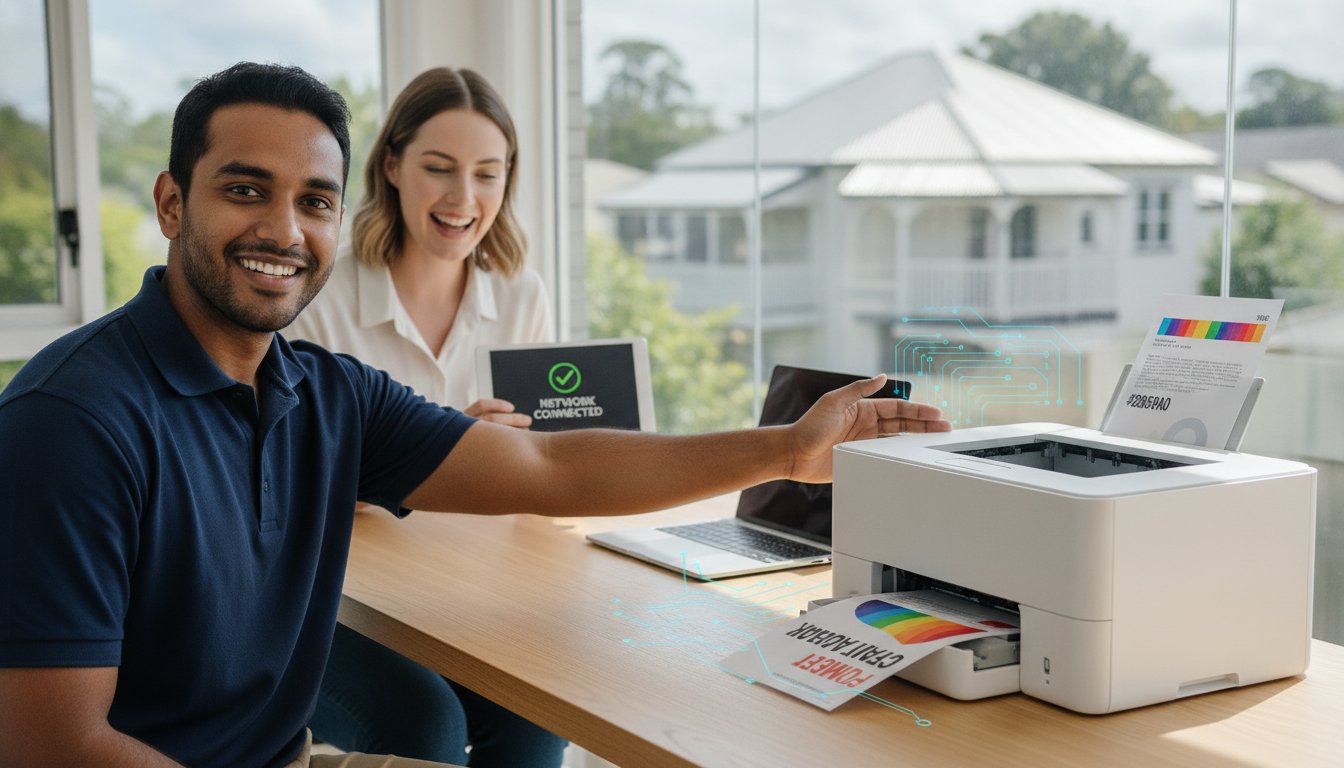
You have just unboxed your shiny new printer, the desk is cleared, and you have followed the manual word for word, yet your MacBook still insists the device does not exist. It is a common frustration for many locals, but professional printer installation Brisbane services ensure you do not have to spend your Saturday afternoon fighting with Wi-Fi passwords or stubborn drivers. Whether your mobile printing is acting up or your network connection keeps dropping out, getting your hardware to talk to your software should not feel like a full-time job.
We understand that a printer is only useful if it actually prints when you need it to. We are here to help you skip the confusion of technical manuals and move straight to a setup that works across every phone, tablet, and laptop in your home or office. This guide will show you how to achieve a seamless connection and maintain a stable network handshake that survives even the most temperamental Brisbane Wi-Fi. You will learn exactly how to organise your setup for long-term reliability and professional results.
Key Takeaways
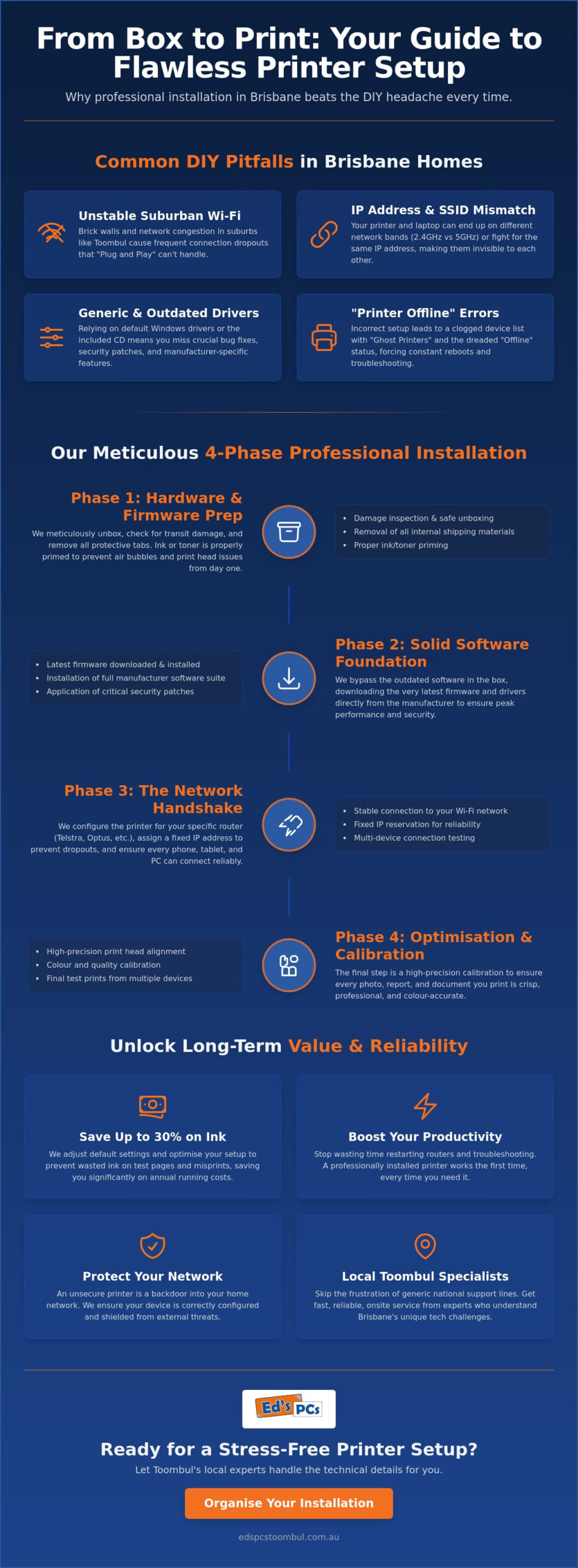
- Understand why suburban Wi-Fi interference in areas like Toombul often causes “Plug and Play” setups to fail before they even start.
- Learn how professional printer installation Brisbane services handle crucial firmware updates and hardware checks that standard manuals often overlook.
- Discover the specific power-cycle sequence that actually resolves “Printer Offline” errors and helps you identify if the fault lies with your router or the device.
- Find out how to protect your equipment from Brisbane’s humidity and adjust default settings to save up to 30% on annual ink costs.
- See why choosing a local Toombul specialist ensures a reliable setup compared to the frustration of generic national support lines.
Why DIY Printer Setup in Brisbane Homes Often Goes Pear-Shaped
The days of simply connecting a grey cable and hitting print are long gone. Today, the “Plug and Play” promise is mostly a myth. Modern wireless units are complex machines with their own operating systems and specific network needs. If you have been looking for printer installation brisbane, you have probably realised that these devices are far more temperamental than they look. They require a precise configuration to stay visible on your local network, especially when multiple family members are trying to print from different rooms.
Brisbane homes present unique challenges for wireless technology. In suburbs like Toombul, where older houses feature solid timber or brick walls, Wi-Fi signals often struggle to reach the back office or spare bedroom. Understanding what is a computer printer in the modern age means treating it as a dedicated network node rather than a simple peripheral. Most users rely on generic Windows drivers that install automatically. While these might work for basic tasks, they often lack the deep integration found in manufacturer-specific software suites. Without a fixed IP reservation, your printer might work perfectly today and vanish from the network tomorrow because your router gave its address to a guest’s smartphone or a new smart TV.
Common Printer Setup Gremlins
SSID mismatch is a frequent headache for local residents. Many modern routers broadcast on both 2.4GHz and 5GHz bands simultaneously. If your laptop sits on one and the printer on the other, they might as well be in different houses. Firewalls also cause trouble; a strict security setting can block the communication needed for a successful “handshake” between devices. This often results in “Ghost Printers” clogging up your device list. You end up with multiple versions of the same machine, yet none of them will actually pull paper from the tray when you need it most.
The Hidden Cost of a Bad Installation
A poorly configured setup drains more than just your patience. You can easily waste expensive ink on endless “alignment” or “test” pages that fail to fix the root software cause. Security is another concern that many overlook. An unsecure printer can be a weak point in your home network if it isn’t shielded correctly. The most significant cost is your productivity. Having to restart your router every time you need to scan a document is a massive waste of your day. Professional printer installation brisbane ensures your hardware is secure, efficient, and ready to work the first time you click print.
Step-by-Step Guide: How Our Professional Printer Installation Works
A professional printer installation brisbane service is about more than just finding a spare spot on your desk. It begins with a meticulous unboxing process. We check for any transit damage that might have occurred during delivery and ensure every internal orange tab or protective film is removed. Missing just one of these can lead to mechanical jams or sensor errors before you have even printed your first page. Once the hardware is physically ready, we move straight to the internal software.
The software included on the disc or suggested in the box is almost always outdated by the time you buy the unit. We skip the generic setup and download the latest firmware directly from the manufacturer. This is vital because these updates often include critical security patches and fixes for common connectivity bugs. By updating the internal BIOS of the device early, we prevent many of the issues that lead to troubleshooting ‘printer offline’ errors later down the track. It is about building a solid foundation from the start.
Phase 1: Hardware and Firmware Prep
During this phase, we focus on the mechanics. Proper priming of the ink or toner is essential to avoid air bubbles in the print head, which can cause streaks or blank spots. We also perform a high-precision calibration. This ensures that whether you are printing a photo or a business report, the results are crisp and professional. If you want this level of care for your new device, our onsite service team can handle the entire process for you.
Phase 2: The Network Handshake
This is where the magic happens. We do not just “join” the Wi-Fi. We configure the printer to communicate effectively with your specific Brisbane ISP router, whether you are with Telstra, Optus, or TPG. We assign a static IP address to the printer. This simple step is the secret to a reliable setup because it ensures your router never “forgets” where the printer is located. We also implement WPA2 or WPA3 encryption protocols to keep your wireless data transmission secure from prying eyes.
Finally, we ensure multi-device syncing. Your Windows PC, MacBook, and even your smartphone should all have identical, reliable access. We do not stop there; we also configure the “smart” features like Scan-to-Email and direct Cloud printing. These tools are incredibly useful for productivity but are often skipped by home users because the setup is notoriously fiddly. Our goal for every printer installation brisbane project is to make sure every feature you paid for is actually working and ready to use.
Solving the “Printer Offline” Mystery: Network vs. Hardware Issues
Few things are more annoying than a “Printer Offline” message when you have a deadline looming. It is a digital mystery that often leaves Brisbane residents scratching their heads. Is it the router? Is it the PC? Or has the printer simply given up the ghost? Most of the time, the hardware is perfectly fine, but the communication path has been disrupted. When we perform a professional printer installation brisbane, we look for these specific bottlenecks to prevent future headaches. We focus on building a connection that stays active even when your network experiences minor hiccups.
If your devices lose contact, the “Power Cycle” sequence is your first line of defence. Most people just flick the printer on and off, but that rarely works. You should turn off your router, your printer, and your computer. Turn the router back on first and wait for the internet light to go solid. Only then should you power up the printer, followed by your PC. This specific order allows the router to reassign the connection properly and refresh the network map. It is a simple fix that solves a surprisingly high percentage of connectivity issues.
On Windows machines, the Print Spooler often gets “clogged” with old data. If a document fails to print due to a temporary glitch, it can block everything behind it in the digital queue. Even after you fix the initial problem, the Spooler might keep trying to send the corrupt file. You might need to manually stop the Spooler service in your system settings to clear the jam and get things moving again.
Mac and Apple Device Integration
MacBook users often face unique hurdles that iPhone users do not. While AirPrint is convenient for quick documents, it frequently lacks the granular colour control and paper tray options found in manufacturer-specific drivers. If you are using macOS Sequoia or a newer version, you might encounter the dreaded “Filter Failed” error. This usually happens when the system security blocks a specific part of the driver software from executing. We ensure your iPad and iPhone can talk to the printer directly without needing your computer to act as a middleman, providing a truly wireless experience across the whole Apple ecosystem.
Advanced Network Troubleshooting
Network conflicts are another common culprit. This happens when your router accidentally gives the printer’s address to another device, like a smart fridge or a tablet. If you have a document that refuses to delete from the queue after a paper jam, you may need to clear the temporary print folder on your hard drive manually. Assigning a static IP address to your printer is the single most effective way to prevent it from dropping off your network and showing as “Offline” to your devices. This small adjustment is a standard part of our printer installation brisbane service to ensure long-term stability for your home office. If your laptop itself is causing connectivity issues, our team also provides expert Dell computer repair Brisbane services to diagnose and resolve hardware faults that may be disrupting your entire home network.
Optimising Your Setup: Maintenance, Ink Savings, and Security
Brisbane’s weather is legendary, but the high humidity isn’t exactly a friend to your office equipment. If you place your printer in a corner with poor airflow, the dampness can cause toner powder to clump or paper to swell. This leads to constant jams and poor print quality. Proper positioning is a small but vital part of a professional printer installation brisbane. We always recommend keeping the device away from direct sunlight and ensuring there is enough space around the vents for air to circulate freely. This simple step protects your investment from the local climate.
Maintaining your device also means looking at your software settings. Most people print everything in “Best” or “Standard” quality, even for internal documents. By setting “Draft Mode” as your default, you can save up to 30% on ink and toner costs over the course of a year. This doesn’t just save money; it also speeds up the printing process significantly. You should also avoid leaving your machine in “Sleep Mode” for months on end. For inkjet printers, this can lead to dried ink clogging the nozzles. It’s much better to power the unit down fully if you aren’t using it for several weeks.
Physical Maintenance Tips
Keeping the internal rollers clean is the best way to prevent the “multiple sheet feed” problem, where three pages try to go through at once. If you do get a jam, never yank the paper out from the front. This can snap the delicate internal sensors or tear the paper, leaving tiny scraps inside that are impossible to reach. We also suggest using quality computer parts Brisbane, specifically a dedicated surge protector. A sudden power spike during a summer storm can easily fry the mainboard of a modern printer.
Digital Security for Printers
Digital safety often stops at the computer, but your printer is a gateway to your network. You should always disable “Print from Web” features unless you specifically need them. These are often exploited by hackers to gain a foothold in home networks. Setting a strong admin password on the printer’s web interface is also essential. It stops neighbours from accidentally sending their documents to your machine. Regular firmware checks are just as important as your antivirus updates. They patch vulnerabilities that could otherwise leave your data exposed.
A reliable setup is part of a bigger picture. Integrating your printing needs into a broader onsite computer support Brisbane plan ensures that every part of your office works in harmony. If you want to make sure your devices stay secure and efficient, our team at Ed’s PCs is ready to help with a tailored maintenance approach.
Ed’s PCs: Your Local Toombul Experts for Stress-Free Printing
When you need printer installation brisbane, you want a technician who understands the local landscape. A voice from a national call centre doesn’t know about the unique Wi-Fi dead zones in older Toombul homes or the specific quirks of Brisbane’s internet service providers. At Ed’s PCs, we are proud to be a part of the local community. We’ve spent years helping our neighbours set up efficient home offices and reliable professional workstations. Our team provides expert support for all major brands, including HP, Brother, Canon, and Epson. We don’t just connect the cables; we ensure your machine is a perfectly integrated part of your digital life.
We stand firmly behind our “Right First Time” guarantee. This means when our technician leaves your premises, your printer is fully synced, secure, and ready to handle your workload without any lingering glitches. We take care of the entire configuration process, ensuring your new device communicates flawlessly with your existing hardware. Whether you need it paired with a high-performance gaming pc or a multi-device business workstation, we handle the technical heavy lifting so you can focus on your own projects.
The Ed’s PCs Difference
We believe that technology should be a tool, not a source of frustration. Our approach is built on helpfulness and transparency. We don’t just install your hardware and walk away. We take the time to educate you on how to use every feature of your new machine. Whether it is scanning to the cloud or setting up eco-friendly draft modes, we’ll show you how to get the most out of your purchase. Our service is always friendly and strictly jargon-free. We want you to feel confident using your equipment long after we’ve finished the job. Our pricing is straightforward, with no hidden “tech taxes” for simple setups. You get honest, professional value every time you book a printer installation brisbane with our team.
Book Your Onsite Setup Today
Preparing for your technician’s visit is easy. All we ask is that you have your Wi-Fi password ready and clear a small space where you would like the printer to be positioned. We’ll take care of the unboxing, firmware updates, and network syncing from there. Our service area extends from our home base in Toombul across the wider Brisbane Northside. We pride ourselves on being reliable partners for local families and small businesses alike. If you’re tired of fighting with confusing manuals and stubborn drivers, let a local specialist provide the solution. You can book your onsite printer installation with Ed’s PCs today and experience a truly stress-free setup.
Enjoy a Seamless Printing Experience Today
Setting up a new printer shouldn’t be a source of constant frustration. We’ve covered how a professional setup goes beyond basic hardware to create a robust network connection that actually lasts. By prioritising a stable network handshake and implementing smart maintenance habits, you can protect your device from Brisbane’s humidity and avoid the “offline” errors that plague so many home offices. You now have the knowledge to keep your equipment secure and your ink costs low.
As a local Toombul business with over 10 years of experience, Ed’s PCs is here to help you bridge the gap between your hardware and your software. We are specialists in both Windows and Apple environments, ensuring every device in your home has a reliable connection. Our onsite service saves you the trip to the shop and brings technical expertise directly to your door. For a truly stress-free printer installation brisbane, let a local specialist handle the technical heavy lifting for you.
Book Your Professional Printer Installation in Brisbane Today
We are ready to help you get your home or office perfectly organised. Reach out today and enjoy technology that just works.
Frequently Asked Questions
Why does my printer keep going offline every morning?
Your printer likely goes offline because your router reassigns its IP address overnight or the device enters a deep sleep mode that breaks the network handshake. Assigning a static IP address is the most effective fix for this common issue. This ensures your router always reserves the same digital “slot” for the printer, preventing your PC from losing the connection when you start work each morning.
Can you set up a printer that I bought from another retailer?
Yes, we provide printer installation brisbane services for hardware purchased from any retailer. Whether you bought your machine from a major electronics store or an online vendor, our technicians can handle the unboxing, software configuration, and network syncing. We focus on getting the setup right the first time, regardless of where you sourced the device, so you can skip the technical headaches.
Do I need a special cable for a wireless printer installation?
Most wireless printers don’t require a permanent cable, but you may need a standard USB A-to-B “printer cable” for the initial configuration phase. Some models require a temporary physical connection to “handshake” with your computer before they can securely join your Wi-Fi network. Once the wireless credentials are saved, you can remove the cable and enjoy a completely cordless printing experience throughout your home.
How long does a professional printer setup usually take?
A standard professional setup generally takes between 45 and 90 minutes to complete. This timeframe allows our technician to handle the physical unboxing, perform critical firmware updates, and ensure every device in your home is correctly synced. If you have a complex network or multiple workstations, we take the extra time needed to verify that the scan-to-email and cloud features are fully functional.
Can you help connect my MacBook and iPhone to my older printer?
We can certainly assist with integrating Apple devices into your existing setup. Older printers sometimes struggle with modern macOS versions or iOS updates, but we can often resolve this using specific manufacturer drivers instead of generic AirPrint settings. We ensure your MacBook and iPhone can communicate directly with the hardware, extending the life of your older equipment without compromising on convenience.
What is the most reliable printer brand for home offices in Brisbane?
Brother and HP are currently among the most reliable brands for Brisbane home offices due to their robust build quality and local parts availability. These brands tend to handle the local humidity well and offer better driver support for both Windows and Mac environments. When choosing a model, we recommend looking for units with high-yield toner options to keep your long-term running costs manageable.
Do you provide ink and toner as part of the installation service?
We don’t supply ink or toner as a standard part of the installation service, but we do help you prime and install the cartridges that come in the box. Our technicians can also advise you on the best high-quality printer installation brisbane consumables to buy for your specific model. This helps you avoid low-quality third-party inks that can often lead to print head clogs or warranty issues.
Is it better to connect via Wi-Fi or an Ethernet cable?
An Ethernet cable is always the superior choice for stability and speed if your printer is located near your router. A wired connection eliminates the risk of wireless interference from other household devices or thick walls. However, if your office layout requires the printer to be in a separate room, we can configure a high-stability Wi-Fi connection that remains reliable for all your devices.


Popular
-
 Ed's PCs Intel 4070 TI Super Build
Original price was: $4,699.$4,299Current price is: $4,299.
Ed's PCs Intel 4070 TI Super Build
Original price was: $4,699.$4,299Current price is: $4,299.
-
 Asus Notebook X1504VAP-NJ815W
Original price was: $1,704.$945Current price is: $945.
Asus Notebook X1504VAP-NJ815W
Original price was: $1,704.$945Current price is: $945.
-
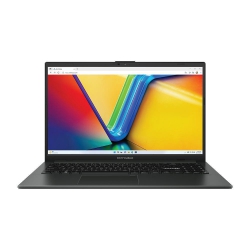 Asus Notebook E1504FA-NJ273W
Original price was: $1,439.$788Current price is: $788.
Asus Notebook E1504FA-NJ273W
Original price was: $1,439.$788Current price is: $788.
-
 Lenovo Notebook V15-G4-83A100E1AU
Original price was: $1,049.$834Current price is: $834.
Lenovo Notebook V15-G4-83A100E1AU
Original price was: $1,049.$834Current price is: $834.
-
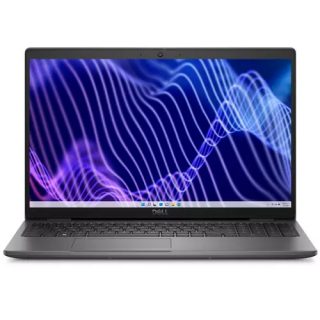 Dell Notebook 3440-N058L3440AU_VP
Original price was: $1,159.$927Current price is: $927.
Dell Notebook 3440-N058L3440AU_VP
Original price was: $1,159.$927Current price is: $927.
Leave a Reply