

Could that “bargain” MacBook Air actually cost you hundreds more in the long run? It’s a question many Brisbane locals ask when they see a cheap older model online, only to realise it won’t support the latest macOS 27 Golden Gate. We understand that choosing a laptop in 2026 feels like a high-stakes gamble. You want a machine that is fast and reliable, but the fear of choosing the wrong RAM or needing a professional macbook air repair brisbane service if a screen cracks is enough to stall anyone’s decision.
This guide is designed to remove that anxiety by giving you a clear, local perspective on what truly matters. We’ll show you exactly how to match your specs to your actual workload so you don’t overpay for power you won’t use. You will learn about the critical shift to Apple Silicon, the reality of unified memory in 2026, and why having a trusted technician nearby in Toombul is the ultimate insurance policy for your new investment. Let’s make sure your next Mac is one you’ll love for years to come.
Key Takeaways
- Identify the specific memory and processor specs you need for 2026 workflows to avoid overpaying for power you won’t use.
- Check your current software and cloud storage habits against macOS Tahoe requirements to choose the right internal storage capacity.
- Discover how to shield your Mac from Brisbane’s humidity and where to find expert macbook air repair brisbane for long-term peace of mind.
- Audit your desk setup for MagSafe 3 and monitor compatibility to ensure your new laptop connects perfectly to your existing gear.
- Learn how professional setup and regular maintenance at Toombul can help your MacBook Air last well beyond the typical five-year cycle.
The Ultimate MacBook Air Pre-Purchase Checklist for 2026
Buying a new laptop in 2026 requires more than just picking the prettiest colour. With the release of macOS Tahoe and the upcoming transition to macOS 27 Golden Gate, the hardware requirements have shifted. You need to ensure your investment won’t be obsolete within twenty-four months. Looking back at the History of the MacBook Air, we can see how the move to Apple Silicon changed everything. Today, your first step is verifying that your “must-have” software is fully optimised for the M5 architecture. Emulation via Rosetta is becoming a thing of the past, so native compatibility is non-negotiable for performance.
Storage is another area where many Brisbane buyers overspend. Before you click “buy” on a 1TB model, check your current cloud usage. If you live in iCloud, OneDrive, or Google Drive, a 256GB or 512GB internal SSD might be plenty. Use those savings to boost your RAM instead, as unified memory cannot be upgraded later. Think about your peripherals too. Do you have a desk full of USB-A gear? You will need to budget for a high-quality USB-C hub or transition to direct Thunderbolt 4 connections for the best speeds. Finally, consider your local support. Choosing a popular model ensures that if the worst happens, finding a reliable macbook air repair brisbane specialist who stocks genuine parts will be much easier.
Defining Your User Profile
Your daily habits should dictate your specs. Students should prioritise the 13-inch model for its 1.23kg weight and legendary battery life, which easily survives a full day of lectures at UQ or QUT. Creative professionals should look closely at the M5’s Neural Engine. If you use AI-heavy apps for photo editing or video rendering, that extra processing power is vital. For casual users, a refurbished M3 model often provides better value than a base M5, especially if you only plan on web browsing and streaming. It’s all about matching the machine to the mission.
The Portability vs. Power Trade-off
Size matters when you’re commuting across the Story Bridge. The 13-inch model is incredibly light at 1.23kg, while the 15-inch version jumps to 1.51kg. That extra weight provides a much larger canvas, which is helpful if you don’t use an external monitor. If you often work in the bright Brisbane sun, the 500 nits of brightness and True Tone technology are lifesavers for visibility. Remember that the Air is a fanless design. It stays silent, but if you push it with heavy 4K video edits, it will eventually slow down to stay cool. If you need sustained peak power, you might need to rethink the “Air” choice entirely. Having a local macbook air repair brisbane contact is also wise for a quick internal dust-out every year to keep that passive cooling efficient.
Deciphering the Silicon: Performance and Spec Checklist
Choosing the right processor and memory configuration is the most permanent decision you’ll make. Unlike older laptops, modern MacBooks have their components soldered directly to the logic board. This means the specs you buy today are the specs you live with until you replace the machine. If you end up with a model that struggles under load, you can’t simply add more RAM later. In these cases, a professional macbook air repair brisbane service can help with software optimisation or internal cleaning, but they can’t bypass the physical limits of the silicon.
Unified Memory: Don’t Get Caught Short
In 2026, 16GB of Unified Memory has become the absolute minimum for a smooth experience. While Apple still offers base models, the demands of macOS 27 Golden Gate and modern AI-integrated apps will quickly overwhelm 8GB. If your daily workflow involves any of the following, don’t settle for the base memory:
- Web Browsers: Keeping twenty or more tabs open in Google Chrome or Brave.
- Creative Tools: Running Adobe Photoshop, Lightroom, or Canva alongside other apps.
- AI Assistants: Using local Large Language Models or the new Neural Accelerator features.
Future-proofing is about more than just speed; it’s about security and longevity. Following official cybersecurity advice involves keeping your operating system updated. Since macOS 27 is dropping Intel support entirely, investing in at least 16GB of memory ensures your machine remains eligible for these vital security patches well into 2029.
Comparing M-Series Generations for Value
The M5 chip is a powerhouse, but the M3 remains a fantastic value proposition for many Brisbane users. Here’s how the generations stack up in 2026:
| Feature | M3 Chip (Refurbished/Reseller) | M5 Chip (Current 2026) |
|---|---|---|
| Base Price (A$) | From ~A$1,100 | From A$1,799 |
| AI Performance | Standard Neural Engine | Advanced Neural Accelerator |
| Battery Life | Up to 18 hours | Up to 20+ hours |
Avoid the “Intel Trap” at all costs. You might see pre-2020 models for as low as A$300 on local marketplaces, but these machines are nearing the end of their functional life. If you’re unsure if a second-hand deal is too good to be true, you can always ask a specialist for a quick hardware assessment before you hand over your cash. A quick check now prevents a costly macbook air repair brisbane bill for a machine that’s about to become obsolete.
The Connectivity and Accessory Checklist
How you connect your devices to your new Mac will define your daily productivity. Since the introduction of the M3 and M5 models, the MacBook Air has regained the beloved MagSafe 3 charging port. This is a significant win for Brisbane families with busy households. If a pet or child trips over the cable, it simply snaps away safely rather than sending your expensive laptop flying across the room. It also frees up both Thunderbolt 4 ports for data and displays, which is a major upgrade from the older two-port limitations. If you encounter a faulty port or a manufacturing defect early on, it is worth knowing your rights under Australian Consumer Law regarding repairs before seeking third-party help.
External display support has also seen a practical shift. The latest Air models can drive two external monitors simultaneously, provided the laptop lid is closed. This makes the Air a viable desktop replacement for home offices in suburbs like Nundah or Clayfield. You will need to verify if your current monitors use HDMI or DisplayPort. Since the Air only has USB-C shaped ports, a high-quality dongle or a dedicated Thunderbolt dock is an essential part of your budget. Buying a cheap, unbranded adapter can sometimes lead to port damage. In those instances, finding a quality macbook air repair brisbane provider is much easier if you’ve stuck to standard hardware configurations.
Mastering the Ports
The two Thunderbolt 4 ports are capable of 40Gbps data transfer. This is vital for local photographers or videographers moving large files from external SSDs. Don’t overlook the 3.5mm headphone jack either. It features advanced support for high-impedance headphones, which is a fantastic inclusion for Brisbane musicians and podcasters who need studio-quality audio without carrying an extra interface. It’s a small detail that adds massive value for creative users.
Essential Accessories for Protection
Protecting a fanless laptop requires a specific approach. While hard shells are popular, they can sometimes trap heat and interfere with the passive cooling system. A high-quality padded sleeve is often a better choice for commuting on the Translink network. Be very careful with screen protectors and keyboard covers. Unlike an iPad, the clearance between the keyboard and the screen on a MacBook Air is almost non-existent. Adding even a thin layer of glass or silicone can lead to a cracked panel when the lid is closed. Avoiding a macbook air repair brisbane visit for a broken display is often as simple as keeping the area between the screen and keyboard completely clear of accessories and debris.

The Longevity Checklist: Protecting Your Investment in Brisbane
Brisbane’s unique climate requires a specific maintenance routine for high-end electronics. If you live in suburbs like Sandgate or Hamilton, the salt air and high humidity levels can lead to internal oxidation. Since the Air lacks an internal fan, it doesn’t pull in as much dust as a Pro, but it remains susceptible to moisture build-up during our humid storm seasons. A good rule is to never store your Mac in a damp bag after commuting in the rain. If you notice any unusual port behaviour or “sticky” keys, a quick hardware assessment from a macbook air repair brisbane specialist can catch corrosion before it becomes terminal.
Your protection also extends to the legal side of ownership. While the manufacturer warranty is a standard safety net, the ACCC saw a 20% increase in reports regarding consumer guarantees in 2025. This means that if your M5 logic board fails after eighteen months, you may still be entitled to a free repair or replacement under Australian Consumer Law. Dealing with these claims can be complex, so having a local expert provide a technical report can be an invaluable asset in getting the result you deserve.
Battery Health and Maintenance
The battery is the heartbeat of your portability. To keep it healthy, avoid “deep cycling” where the charge drops to zero regularly. Modern macOS tools allow you to manage charging cycles, but physical habits matter too. Never leave your laptop in a hot car parked in the Brisbane sun, as heat is the primary killer of lithium-ion cells. If your “Maximum Capacity” drops below 80%, you will likely notice the system slowing down. In these cases, a professional battery swap is a cost-effective way to extend the life of your machine by another three or four years.
Local Repair vs. The Genius Bar
When you need help, you don’t always have to head into the Apple Store on Queen Street. While that experience has its place, it often involves long wait times and a “replace rather than repair” mentality. Choosing a local shop like Ed’s PCs Toombul offers a more personal alternative. You can speak directly to the person working on your machine and get a transparent explanation of the work required. For Toombul residents, this means faster turnaround times and the peace of mind that comes from supporting a local business that values craftsmanship over high-volume sales. If you are facing a liquid spill or a cracked screen, you can book a hardware diagnostic at Ed’s PCs Toombul to see exactly where you stand.
Setting Up Your MacBook Air with Ed’s PCs Toombul
Once you’ve selected the perfect M5 or M3 configuration, the next step is a smooth transition. Moving your life from an old Windows laptop or an Intel-based Mac requires more than just a cable. You need to ensure your software licenses are transferred and your cloud accounts are correctly synced. At Ed’s PCs Toombul, we take the stress out of this process by managing the migration for you. We help you organise your file structure and ensure your new machine is ready for work the moment you leave our shop.
Maintenance shouldn’t be an afterthought. While we’ve discussed how the fanless design helps with silence, these machines still benefit from professional care. Every two years, we recommend an internal inspection to check for thermal efficiency and component health. This proactive approach is the best way to avoid an emergency macbook air repair brisbane visit later in the machine’s life. If you’re still using an older model, we can also advise on whether a professional cleanup or a fresh macOS install can breathe new life into it before you commit to a full replacement.
Our Specialist Apple Support Services
Our team at Ed’s PCs Toombul provides dedicated expertise in Macbook repairs, ranging from intricate logic board diagnostics to high-quality screen replacements. We also specialise in helping Brisbane users bridge the gap between platforms. If you have a powerful gaming pc at home, we can help you configure your MacBook Air to work as a perfect companion device, sharing peripherals and data seamlessly. For those who need help at home or in the office, our onsite service ensures your entire local ecosystem is working exactly as it should.
The Ed’s PCs Toombul Difference
We believe that technology should be accessible and straightforward. When you visit Ed’s PCs Toombul, you aren’t just a number in a queue; you’re a member of our local community. We take pride in being a “Friendly Guide” who explains technical issues in plain English. Unlike large retailers driven by volume, we focus on building long-term relationships through transparent service and expert craftsmanship. Whether you need a simple software setup or a complex macbook air repair brisbane service, you can count on us for honest advice.
Book your MacBook health check or setup at Ed’s PCs Toombul today!
Get the Most from Your New MacBook Air Investment
Investing in a MacBook Air in 2026 is a smart move if you’ve done your homework on specs and local support. You now have the tools to choose between the M5 and M3 chips with confidence, and you know why 16GB of memory is the standard for long-term value. Protecting your hardware from the unique Brisbane humidity and understanding your rights under Australian Consumer Law ensures your laptop remains a reliable partner for years to come.
Whether you’re a student at UQ or a creative professional in the CBD, having a trusted specialist nearby is the best insurance policy for your tech. If life happens and you need a screen fix or a battery swap, our team provides the reliable macbook air repair brisbane locals trust for fast, professional results. We bring years of experience in both high-end gaming PCs and Apple hardware to every job we do in Toombul.
Our friendly technicians are ready to help with everything from complex data migrations to onsite network setups. Need a MacBook repair or expert setup in Brisbane? Visit Ed’s PCs Toombul today! We look forward to helping you get the absolute best performance from your new machine.
Frequently Asked Questions
Is 8GB of RAM enough for a MacBook Air in 2026?
No, 8GB of RAM is generally not enough for a smooth experience in 2026. Modern operating systems like macOS 27 Golden Gate and the latest AI-integrated applications require more memory to run efficiently. If you choose an 8GB model, you’ll likely notice the system slowing down when you have multiple browser tabs and apps open simultaneously. We strongly recommend 16GB as the absolute minimum to ensure your machine remains fast and usable for the next several years.
How long does the battery on a MacBook Air actually last in real-world use?
You can expect between 12 and 15 hours of real-world battery life for typical tasks like web browsing and document editing. While marketing figures often cite up to 22 hours, these are based on specific video playback tests with low screen brightness. If you’re working outdoors in the Brisbane heat or running demanding creative software, that number will drop. If your battery life is significantly lower than this, it might be time for a health check to assess the cell’s condition.
Can I use my MacBook Air for gaming in Brisbane?
Yes, you can use a MacBook Air for gaming, but it’s best suited for titles specifically optimised for Apple Silicon. Popular games like Resident Evil or Death Stranding run surprisingly well on the M5 chip. However, since the Air is a fanless device, it can get quite warm during long sessions in the Queensland summer, which may cause the system to slow down to stay cool. For serious gamers, we usually recommend a dedicated desktop setup for the best long-term performance.
What is the difference between the 13-inch and 15-inch MacBook Air?
The main differences are the screen size, weight, and audio quality. The 13-inch model is the ultimate portable choice at 1.23kg, while the 15-inch model weighs 1.51kg but provides much more screen space for multitasking. The larger 15-inch version also features a superior six-speaker sound system with force-cancelling woofers, offering a more immersive audio experience than the four-speaker setup found in the 13-inch model. Both machines use the same M5 processors, so performance is virtually identical.
Should I buy the M5 MacBook Air or wait for the M6?
We recommend buying the M5 model now if you need a new laptop today. The M5 architecture is a significant leap forward, especially with the new Neural Accelerator for AI tasks and improved power efficiency. There will always be a newer model on the horizon, but waiting for an unreleased M6 means you’re missing out on the performance gains you could be using right now. The M5 is built to handle macOS updates and modern software requirements for at least the next five years.
Can Ed’s PCs Toombul repair a MacBook Air screen cheaper than Apple?
We provide a highly competitive alternative to the big retail stores by offering personalised service and honest diagnostics. Our macbook air repair brisbane specialists focus on providing the most cost-effective solution for your specific situation. While we don’t publish fixed price lists because every screen or logic board issue is different, we often find that our boutique approach saves customers money by avoiding the rigid “tier-based” pricing used by larger corporations. You’ll also benefit from speaking directly to the technician fixing your device.
Is the MacBook Air better than a Windows laptop for students?
The MacBook Air is often the top choice for students because of its exceptional battery life and lightweight design. It’s easy to carry between lectures at UQ or QUT, and it will easily last a full day on campus without needing a charger. While some specific degrees might require Windows-only software, most modern courses are now platform-agnostic. The high resale value and long-term reliability of the Mac hardware usually make it a more economical investment over a three or four-year degree.
How do I transfer my files from a Windows PC to a new MacBook Air?
The simplest method is using the built-in Migration Assistant tool provided by Apple. You just need to download the companion app on your Windows PC and connect both machines to the same Wi-Fi network. It will automatically move your documents, photos, and email accounts over to your new Mac. If you’re worried about losing important data or have a very large library of files, Ed’s PCs Toombul can handle the entire migration for you to ensure everything is moved safely.

Popular
-
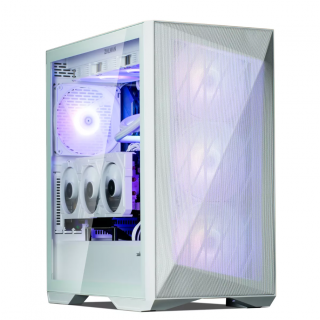 Ed's PCs Intel 4070 TI Super Build
Original price was: $4,699.$4,299Current price is: $4,299.
Ed's PCs Intel 4070 TI Super Build
Original price was: $4,699.$4,299Current price is: $4,299.
-
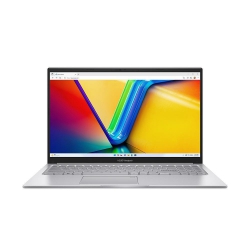 Asus Notebook X1504VAP-NJ815W
Original price was: $1,704.$945Current price is: $945.
Asus Notebook X1504VAP-NJ815W
Original price was: $1,704.$945Current price is: $945.
-
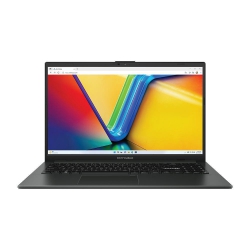 Asus Notebook E1504FA-NJ273W
Original price was: $1,439.$788Current price is: $788.
Asus Notebook E1504FA-NJ273W
Original price was: $1,439.$788Current price is: $788.
-
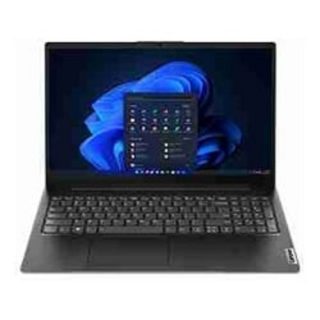 Lenovo Notebook V15-G4-83A100E1AU
Original price was: $1,049.$834Current price is: $834.
Lenovo Notebook V15-G4-83A100E1AU
Original price was: $1,049.$834Current price is: $834.
-
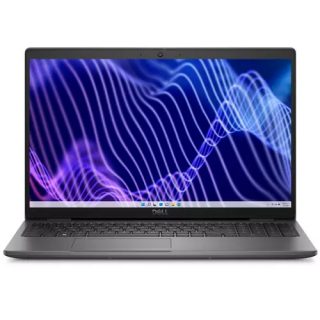 Dell Notebook 3440-N058L3440AU_VP
Original price was: $1,159.$927Current price is: $927.
Dell Notebook 3440-N058L3440AU_VP
Original price was: $1,159.$927Current price is: $927.
Leave a Reply