
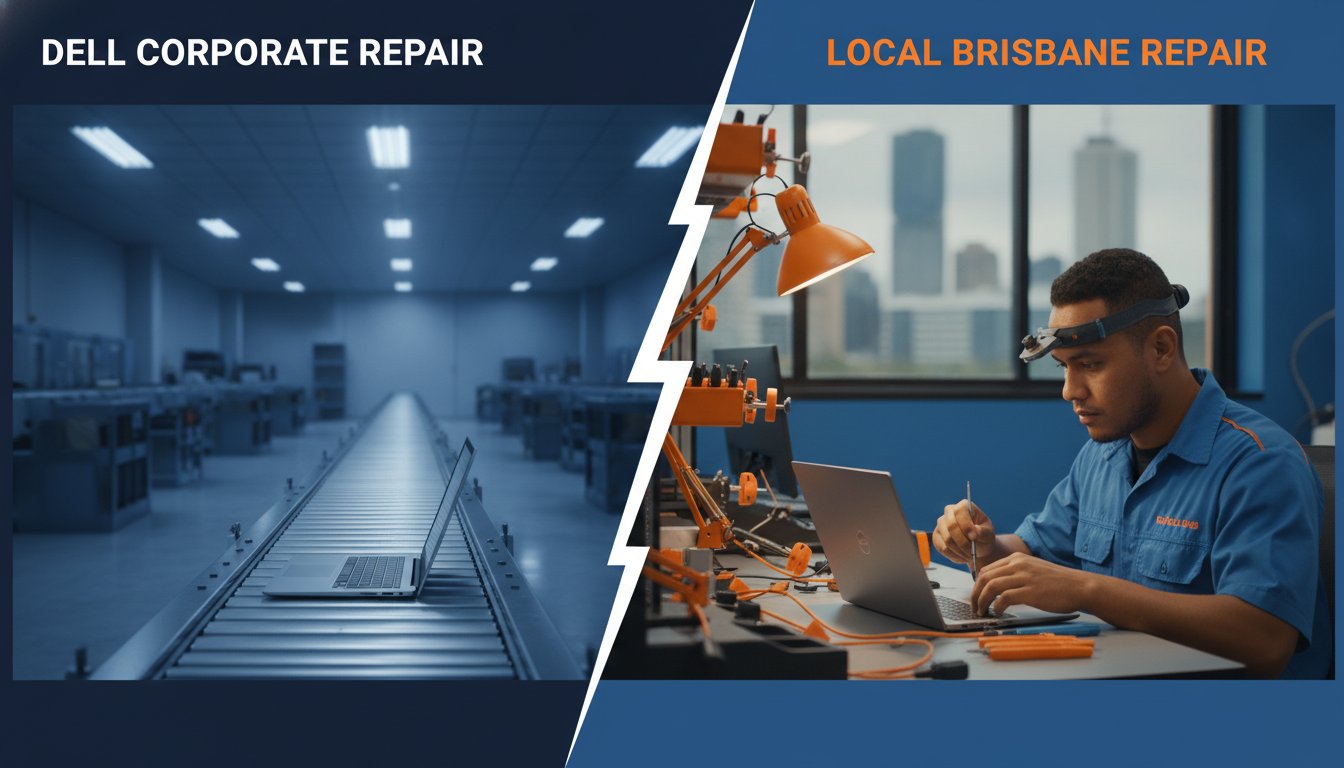
The most expensive way to fix your laptop might be the one with the manufacturer’s logo on the box. When your XPS or Inspiron starts acting up, the first instinct is often to head straight to the source, but waiting weeks for a mail-in service is a massive headache. If you are looking for a reliable dell computer repair brisbane, you’re likely weighing up the perceived safety of official support against the speed of a local expert. It’s a stressful spot to be in, especially when you’re worried about losing your data during a factory reset or getting hit with a bill that’s nearly the price of a new machine.
We know you just want your computer back quickly without the confusing technical jargon or hidden fees. You deserve a solution that gets you back online without the corporate runaround. This guide will help you decide whether local Brisbane specialists or official Dell support is the right choice for your machine in 2026. We will look at turnaround times, data safety, and the benefits of getting face-to-face advice from a technician who actually lives in your community.
- Compare the turnaround times and costs between local Brisbane specialists and official mail-in support for out-of-warranty Dell machines.
- Identify common hardware issues like failing hinges or swollen batteries in XPS and Inspiron laptops before they lead to permanent damage.
- Learn how to use Dell SupportAssist and hard reset methods to resolve minor software glitches at home without spending a cent.
- Understand why a dell computer repair brisbane expert offers better data security and more personalised technical advice than distant support centres.
Why Dell Computers are a Brisbane Favourite (and Where They Falter)
Dell is a household name across Brisbane. You’ll find them in the hands of students at UQ, on the desks of corporate teams in the CBD, and powering home offices in the suburbs. Looking at Dell’s history and market position, it’s clear why they dominate the local landscape. They offer a range that fits almost every budget and use case. In 2026, we’ve seen a sharp rise in high-end XPS and Alienware models as Brisbane users demand more power for creative work and competitive gaming. But with more power comes more heat, and that’s often where the trouble starts.
Finding a quality dell computer repair brisbane service becomes essential once that initial manufacturer’s warranty expires. While Dell builds sturdy machines, no piece of hardware is immune to the wear and tear of daily use. There’s a big difference between a simple software bug that needs a quick patch and a hardware failure that requires a steady hand and a screwdriver. Knowing which one you’re dealing with is the first step toward a fix. Even the most reliable Dell machine will eventually need a bit of professional care to keep it running at its peak.
The Popularity of Dell in the Brisbane Market
Local companies often choose Dell for fleet deployments because of their consistent build quality and manageable ecosystems. It’s a practical choice for keeping a large workforce connected. Meanwhile, the local esports community has made Dell’s gaming rigs a common sight at home setups across the Northside. However, the humid Queensland climate is a factor many people overlook. High humidity levels can accelerate internal wear, especially if dust builds up inside the chassis. It’s a uniquely Brisbane challenge that requires a bit of local knowledge to manage effectively. If your laptop isn’t breathing properly, the internal components will suffer.
Common Signs Your Dell Needs Professional Attention
Recognising the early warning signs of trouble can save you from a total system crash. If you’re noticing any of the following, it might be time to chat with a specialist. If you’re searching for dell computer repair brisbane, keep an eye out for these red flags:
- The Blue Screen of Death (BSOD): These unexpected errors often point to driver conflicts or failing hardware components like RAM or your storage drive.
- Loud Fan Noise: If your laptop sounds like it’s trying to fly away during a Brisbane summer, it’s likely overheating. This can throttle your performance and eventually damage the motherboard.
- Sluggish Performance: Even if you have a modern SSD, a slow boot time or freezing apps suggest your system needs a professional tune-up or a hardware check.
Dell Official Support vs. Local Brisbane Repair Shops: A Comparison
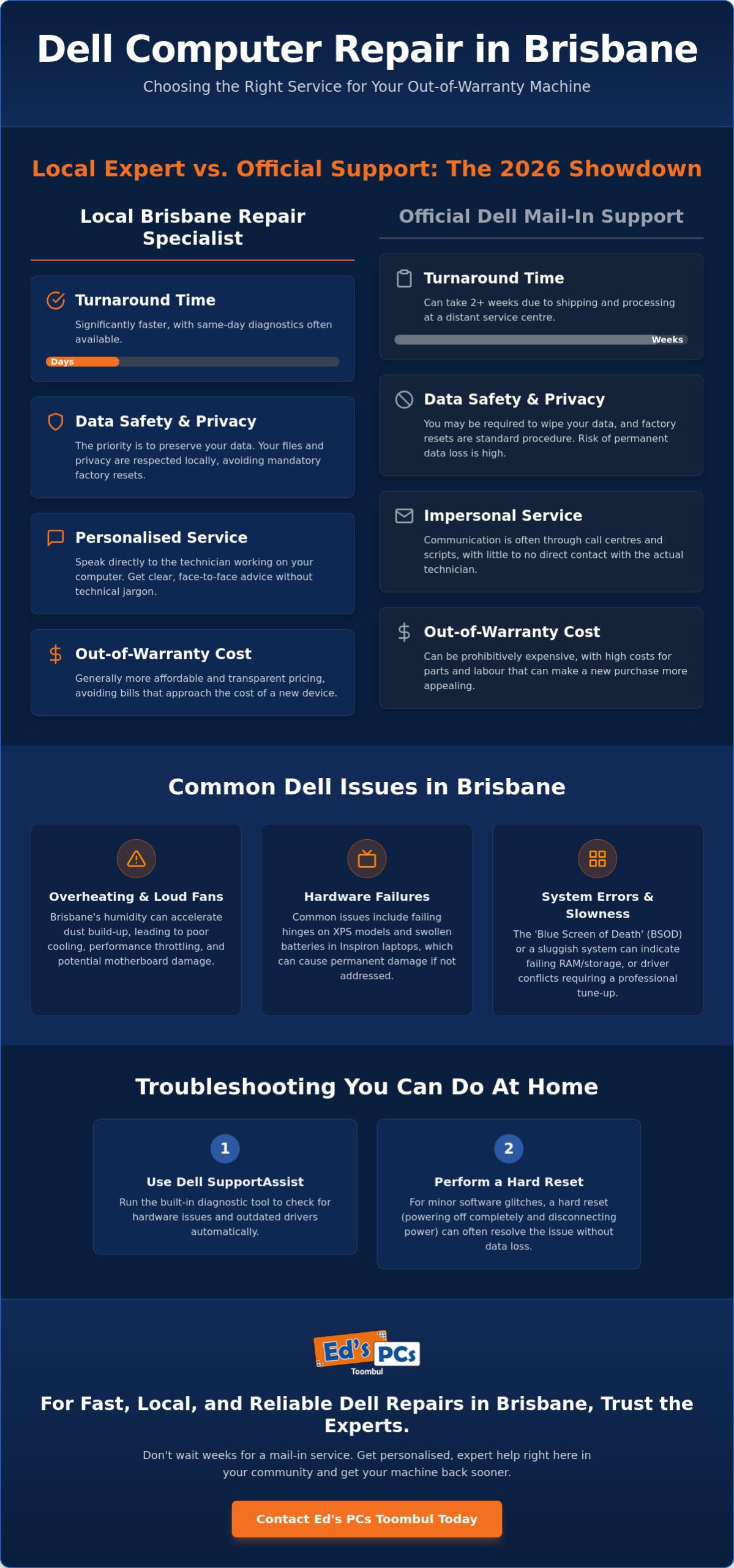
Choosing between official Dell support and a local workshop often comes down to how much you value your time and your budget. If your machine is out of warranty, the official route can feel like a steep climb. It is vital to understand your consumer rights for repairs under Australian Consumer Law, which might provide protection even after the manufacturer’s period ends. However, for most out-of-warranty hardware issues, seeking a reliable dell computer repair brisbane service is usually the more practical path. You get to talk to the person actually holding the screwdriver. This is a world away from a call centre script.
There’s also the matter of data privacy. When you send a laptop away to a large-scale service centre, you are often told to wipe your data or expect a factory reset. This creates a massive fear of losing precious photos or sensitive work files. A local specialist understands the value of your digital life. They work to preserve your files whenever possible, giving you peace of mind that your privacy is being respected right here in Brisbane. In 2026, having local control over your hardware is more than a convenience; it is a security essential.
Speed and Convenience for Toombul Residents
The biggest downside to official support is the logistics. Most official repairs involve a courier, a shipping box, and a trip to a distant service centre. This can easily put your laptop out of action for two weeks or more. For those of us working from home or running a business on the Northside, that’s simply not an option. Local specialists offer a much faster turnaround. Many can provide same-day diagnostics, so you aren’t left wondering what the problem is for days on end. For those who can’t leave the house, onsite computer support Brisbane is a lifesaver, bringing the expert directly to your office desk.
Pricing Transparency and Hidden Fees
Official quotes for out-of-warranty repairs are notoriously high. It is not uncommon for a manufacturer to quote a price that is a significant percentage of the cost of a brand-new laptop. Local shops generally operate on a more transparent, flat-rate labour model. You won’t get hit with “assessment fees” that disappear into a black hole. Because local experts can source high-quality components without the corporate markup, the savings stay in your pocket. This makes repairing an older Inspiron or XPS a viable choice rather than an expensive mistake. If you’re unsure about the cost, getting a quote for professional computer repairs locally is a smart first step.
Common Dell Hardware Issues: From XPS Hinges to Inspiron Batteries
Every laptop brand has its own set of common quirks. For Dell, these often manifest as physical wear and tear or specific power delivery glitches. As more people join the Right to Repair movement in Australia, understanding these common faults becomes the first step in extending your device’s lifespan. Whether you’re using a sleek XPS or a sturdy Latitude, knowing what to look for can prevent a small annoyance from turning into a total hardware failure. If you are noticing your trackpad is harder to click or your screen feels wobbly, you’re likely dealing with one of these well-documented Dell issues.
One of the most pressing concerns for many users is battery swelling. This is particularly common in the Inspiron and XPS lines. When a lithium-ion battery reaches the end of its life or struggles with heat, it can physically expand. You might notice your laptop casing bulging or the trackpad lifting out of place. This isn’t just a cosmetic problem; it’s a safety risk that requires immediate attention. Seeking a specialist in dell computer repair brisbane ensures that the old battery is disposed of safely and replaced with a component that won’t compromise your machine’s delicate internal circuitry.
Laptop Screen and Hinge Specialist Fixes
Dell hinges often require delicate handling because they are frequently anchored into plastic mounts. Over time, the resistance in the hinge can overcome the strength of the plastic, causing the screen to pull away from the base. A specialist fix often involves reinforcing these mounts rather than just tightening a screw. If you’re dealing with a high-end 4K display, you don’t always need to replace the entire top assembly. Sometimes, a flickering screen is just a loose or damaged video cable. A professional diagnostic can tell you if you need a new panel or just a simple cable adjustment, saving you hundreds of dollars.
Power and Battery Management
Charging issues are another frequent headache for Dell owners. A damaged DC jack is a common culprit, especially if you’ve accidentally tripped over your power cord. If the port feels loose or you have to wiggle the plug to get a charge, the internal connection is likely failing. It’s also important to distinguish between a dead battery and a faulty AC adapter. The ‘Plugged in, not charging’ error is a common Dell BIOS handshake failure where the system fails to verify the wattage of the connected power supply. Using genuine parts for these repairs is vital, as Dell’s charging circuitry is notoriously picky about the components it recognises.
Troubleshooting Your Dell at Home: What You Can Fix Yourself
Not every glitch requires a trip to the repair shop. Sometimes, your laptop just needs a fresh start to clear out minor bugs. If your machine is acting up, you don’t always need to search for a dell computer repair brisbane expert immediately. A simple hard reset can often resolve issues where the computer won’t wake up or feels unresponsive. To do this, unplug the power adapter, remove any external batteries if possible, and hold the power button for 15 seconds. This drains the residual static electricity that can sometimes prevent a successful boot. It is a quick trick that fixes more “dead” laptops than you might expect.
Dell SupportAssist is another handy tool already living on your hard drive. This software runs automated diagnostics on your hardware and drivers to keep things running smoothly. It can spot failing fans or drive errors before they become a total disaster. However, software can only do so much. If SupportAssist starts flagging physical hardware failures, that is your signal to put down the tools. DIY attempts are great for software, but opening a modern Dell chassis without the right equipment can lead to snapped plastic clips or damaged ribbon cables.
Software Tweaks and Driver Updates
Keeping your BIOS up to date is vital for system stability. Always make sure your laptop is plugged into a wall socket before you start a BIOS update. If the power drops out halfway through the process, you could brick the motherboard entirely. Windows updates can also occasionally clash with Dell’s proprietary drivers. This is common with the Alienware Command Centre, where a Windows patch might suddenly stop your fans or lights from working. If this happens, try rolling back the specific driver in Device Manager or checking the Dell support site for a newer version tailored to your model.
Physical Maintenance for Longevity
Dust is a constant battle in Brisbane, especially during the dry months. A quick blast of compressed air into the side vents every few months can prevent thermal throttling. When cleaning your keyboard and touchpad, stick to a slightly damp microfibre cloth. Harsh chemicals can actually strip the protective coating off your keys over time. You should also keep an eye on your docking station cables. Constant bending or strain on the USB-C or Thunderbolt port can lead to a loose connection that eventually requires a port replacement. For a deeper clean or a speed boost, our onsite PC upgrade Brisbane service is the safest way to handle internal maintenance without risking your hardware.
If these home troubleshooting steps don’t solve the problem, it’s time to let a professional take a look. For a fast and reliable dell computer repair brisbane, bring your machine into our Toombul centre for a expert diagnostic and a clear path to recovery.
Expert Dell Repairs at Ed’s PCs Toombul: Fast, Local, and Reliable
When you’re dealing with a broken laptop, you don’t want a corporate script. You want a local who knows your machine. At Ed’s PCs Toombul, we’ve spent years working inside the Dell ecosystem. From the latest Alienware rigs to the dependable Latitude laptops used in Brisbane offices, we understand how these machines are built. Our team provides a reliable dell computer repair brisbane service that prioritises quality and speed. We take pride in our craftsmanship and ensure every repair meets a high standard of professional care.
Our Toombul location is a convenient hub for anyone on the Brisbane Northside. You can skip the stress of international shipping centres and talk directly to our technicians. We offer a choice between genuine Dell parts and high-quality alternatives to suit your specific budget. This flexibility ensures you get the best value without compromising on performance. Our ‘No Worries’ guarantee means you’ll always get transparent pricing. We believe in being a friendly guide through the repair process, making sure you understand exactly what’s happening with your computer.
Tailored Service for Brisbane Gamers and Pros
Brisbane’s gaming community relies on high-performance hardware. We provide custom upgrades for Dell G-Series and Alienware rigs to keep them running cool during those humid Queensland summers. If you’re a professional using a Latitude laptop, we offer fast-track repairs to minimise your downtime. Sometimes a simple fix isn’t enough. We can combine your repair with a total system overhaul using our extensive range of computer parts Brisbane. This approach turns a basic recovery into a significant performance boost for your machine.
How to Get Started with Your Repair
Booking your machine in for a professional diagnostic at our Toombul centre is straightforward. To help us get started quickly, please bring your AC adapter and any passwords needed to access the system. It’s also a great idea to bring along an external drive if you need us to perform a data backup. We’re here to demystify the technology and provide a clear, honest assessment of your machine’s health. Contact us today for a fair dinkum quote on your dell computer repair brisbane and let us get your tech back on track.
Get Your Dell Back in Peak Condition Today
Choosing the right path for your laptop recovery shouldn’t be a source of stress. While official support has its place for new machines under warranty, a local specialist offers a faster and more personal alternative for everything else. You’ve seen how local expertise can save you from long mail-in wait times and the high costs of out-of-warranty repairs. By keeping your machine right here in the city, you ensure your data stays secure and your hardware gets the attention it deserves from someone who understands the local climate.
If you’re ready for a reliable dell computer repair brisbane, our team is here to help. We provide expert Dell hardware diagnostics in our local Brisbane workshop; this means there is no need for international shipping or distant service centres. Whether you’re running a high-end Alienware gaming rig or a sleek XPS, we have the specialist knowledge to get it running perfectly again. Don’t let a hardware glitch slow you down any longer.
Book Your Dell Repair at Ed’s PCs Toombul Today and experience the difference of local, expert care. We’re looking forward to getting your tech back to its best.
Frequently Asked Questions
How long does a Dell laptop repair typically take in Brisbane?
Most local repairs take between one and three business days, depending on part availability. Unlike the two-week wait often seen with official mail-in centres, we aim for a quick turnaround to get you back to work. If we have the components in our Toombul workshop, we can often finish the job even faster. We will always give you a realistic timeframe after the initial diagnostic so you can plan your week accordingly.
Will a local repair void my Dell manufacturer warranty?
No, a professional repair by a third party does not automatically void your manufacturer warranty under Australian Consumer Law. However, if a technician causes new damage, that specific issue will not be covered by Dell. It is a common misconception that only the manufacturer can touch the hardware. We follow strict industry standards to ensure your machine is handled with the same care as an official service centre, keeping your consumer rights intact.
Is it worth repairing a 5-year-old Dell Inspiron or should I buy new?
Repairing a 5-year-old Inspiron is often worth it if the issue is a hardware fix like an SSD upgrade or a battery replacement. These machines are quite modular, and a small investment can breathe new life into an older device. If the motherboard has failed or the repair cost exceeds half the price of a new machine, we might suggest an upgrade instead. We will give you an honest appraisal during the diagnostic.
Can you fix a Dell laptop that has had water or coffee spilled on it?
Yes, liquid damage can often be repaired if you act quickly and keep the power off. We use specialised techniques to remove corrosion from the motherboard and internal components. The key is to avoid turning it on after the spill, as this causes short circuits. Bring it into our Toombul centre as soon as possible so we can begin the decontamination process before permanent damage sets in.
Do I need to send my Dell back to the factory for a screen replacement?
No, you definitely do not need to send your laptop away to a factory for a screen replacement. We perform screen swaps right here in our local workshop, which is much faster than the official mail-in process. Whether you have a standard HD panel or a high-end XPS touchscreen, we source quality parts that match your original specifications. It is a straightforward job that usually gets your laptop back in your hands within a few days.
How much does it cost to fix a Dell charging port in Brisbane?
The cost to fix a charging port depends on whether the DC jack is a separate plug-in module or soldered directly to the motherboard. While we do not provide fixed prices without seeing the machine, local repairs are typically a fraction of the cost of a full motherboard replacement quoted by official support. For a reliable dell computer repair brisbane, we provide a clear quote after inspecting the physical damage to the port.
Can you recover data from a Dell computer that won’t turn on?
Yes, we can usually recover data even if your Dell computer will not turn on at all. We can remove the storage drive and access your files using specialised equipment, provided the drive itself has not suffered a mechanical failure. If the motherboard is dead, your photos and documents are likely still safe on the SSD or hard drive. We prioritise data safety and can transfer your files to a new device or an external drive.
Do you offer onsite Dell computer repair for small businesses in Brisbane?
Yes, we offer onsite dell computer repair brisbane for small businesses and home offices across the region. We understand that taking multiple machines offline and transporting them is a logistical nightmare. Our technicians can come to your location to handle networking issues, printer installations, or hardware troubleshooting. This service is designed to keep your business running smoothly without the need for you to leave your desk.


Popular
-
 Ed's PCs Intel 4070 TI Super Build
Original price was: $4,699.$4,299Current price is: $4,299.
Ed's PCs Intel 4070 TI Super Build
Original price was: $4,699.$4,299Current price is: $4,299.
-
 Asus Notebook X1504VAP-NJ815W
Original price was: $1,704.$945Current price is: $945.
Asus Notebook X1504VAP-NJ815W
Original price was: $1,704.$945Current price is: $945.
-
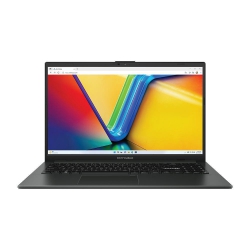 Asus Notebook E1504FA-NJ273W
Original price was: $1,439.$788Current price is: $788.
Asus Notebook E1504FA-NJ273W
Original price was: $1,439.$788Current price is: $788.
-
 Lenovo Notebook V15-G4-83A100E1AU
Original price was: $1,049.$834Current price is: $834.
Lenovo Notebook V15-G4-83A100E1AU
Original price was: $1,049.$834Current price is: $834.
-
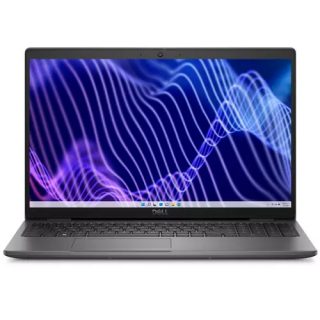 Dell Notebook 3440-N058L3440AU_VP
Original price was: $1,159.$927Current price is: $927.
Dell Notebook 3440-N058L3440AU_VP
Original price was: $1,159.$927Current price is: $927.
Leave a Reply