
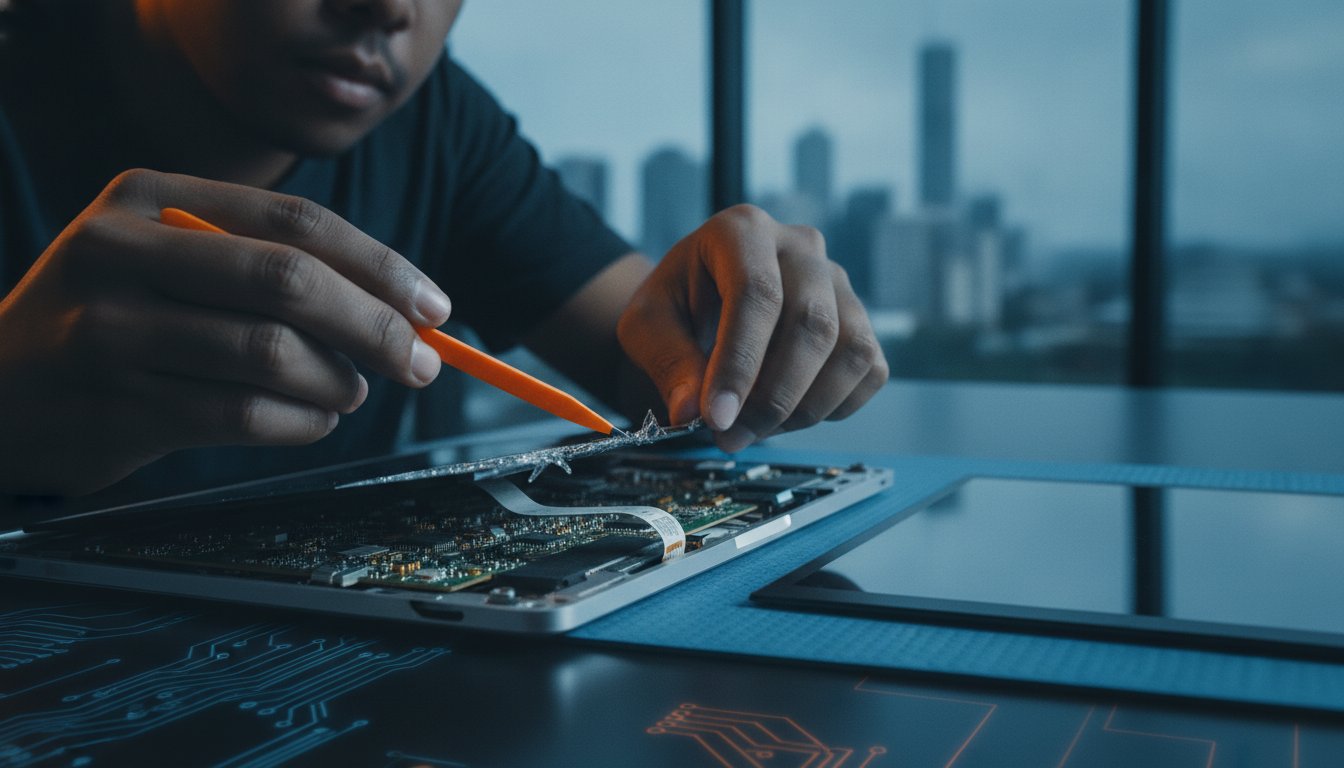
You are right in the middle of an important project when a single accidental drop or a mysterious flicker turns your device into an expensive paperweight. It is a moment of pure panic that every tech user dreads. Finding a fast, high quality laptop screen repair Toombul residents can trust shouldn’t feel like another problem to solve. Whether you are worried about the rising cost of replacements or the privacy of your personal data, your concerns are completely valid and shared by many in our community.
We understand that you need your laptop back in as-new condition without waiting for weeks or dealing with dodgy parts. This guide helps you diagnose exactly what is wrong with your display and outlines the most reliable path to a professional fix. We will explore the local repair process, discuss your rights under Australian Consumer Law, and show you how to get back to work with total peace of mind. By the end of this article, you will know exactly how to find a knowledgeable local specialist who treats your technology with the care it deserves.
Key Takeaways
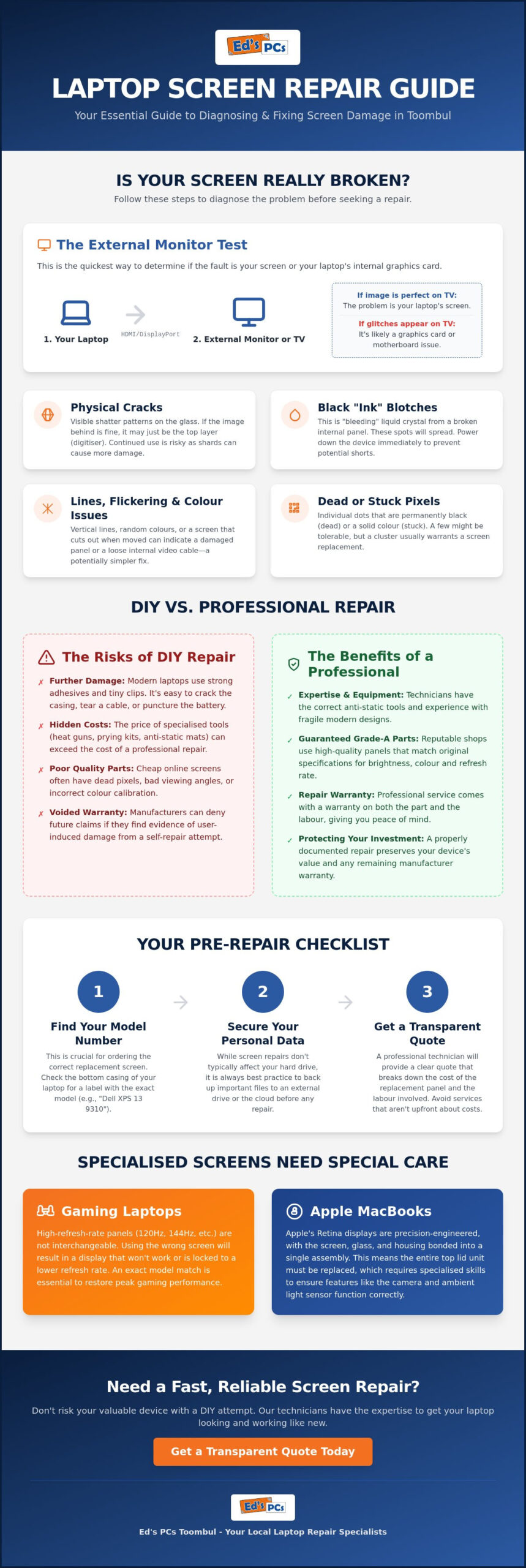
- Learn how to use the ‘External Monitor Test’ to quickly determine if your issue is a broken screen or a more complex graphics card failure.
- Understand why modern ‘thin and light’ laptop designs and specialised adhesives make professional repairs the safest choice for your device.
- Find out how to prepare for your laptop screen repair Toombul by locating your exact model number and securing your personal data beforehand.
- Discover the specific technical requirements for high-refresh-rate gaming panels and Apple Retina displays to ensure a perfect, ‘as-new’ replacement.
- Gain peace of mind by learning what to look for in a local technician, including transparent quoting systems and proven technical expertise.
Assessing the Damage: Is Your Laptop Screen Actually Broken?
You have just seen a crack or a strange line appear across your workspace. It is a gut-wrenching moment. Before you assume your device is a total loss, it’s worth taking a minute to identify what is actually happening. Not every visual glitch requires a full screen replacement, but knowing the difference can save you time and money when looking for a laptop screen repair Toombul specialist. Sometimes the damage is just skin deep; other times, the problem lies buried in the hardware.
The first step is identifying the difference between a cracked digitiser and a bleeding panel. If the glass feels rough or shattered but the image behind it is perfect, you have likely only damaged the touch-sensitive outer layer. However, if you see black “ink” blotches or vertical rainbow lines, the internal panel is gone. Understanding how LCD screens work helps you realise that while these layers are distinct, they are often bonded together in modern laptops, meaning a complete assembly replacement is usually the standard professional fix.
To be certain about the culprit, try the ‘External Monitor Test’. Plug your laptop into a TV or a spare monitor using an HDMI cable. If the picture on the second screen looks flawless, your graphics card is healthy and only the laptop display needs attention. If the glitches appear on the TV too, you are likely facing a motherboard or GPU issue rather than a broken screen. You should also look closely at any “dead” pixels. A single black dot might be annoying but manageable; however, “stuck” pixels that stay bright red or green can sometimes be fixed with software. If the screen flickers only when you tilt the lid, the issue might just be a loose or worn internal ribbon cable rather than a dead display.
Physical vs. Software Display Issues
Don’t skip the basics. A simple driver update can sometimes resolve strange colour shifts or ghosting. To rule out software entirely, restart your laptop and enter the BIOS or UEFI screen. If the display issues are still visible on this basic start-up screen, the fault is definitely hardware-based. We also frequently see cases where a stiff or damaged hinge pinches the video cable, causing the screen to cut out intermittently. This is a mechanical fix that is often much cheaper than a full panel replacement.
When to Stop Using a Cracked Screen Immediately
It is tempting to “soldier on” with a small crack, but this can be a risky move. Small glass shards can flake off and damage the delicate keyboard or even your fingers. More importantly, applying pressure to a screen that is already “bleeding” liquid crystal can cause a total motherboard short. If you notice dark ink-like spots spreading across the glass, shut the device down. Getting a professional laptop screen repair Toombul service early prevents a simple screen swap from turning into a much more expensive internal hardware rebuild.
Repairing Your Laptop Screen: DIY vs. Professional Help
The urge to follow an online tutorial is understandable when you’re trying to save a few dollars, but 2026 laptops are engineering marvels that aren’t designed for easy access. Modern “thin and light” ultrabooks often use heat-activated adhesives and microscopic clips instead of traditional screws, making a DIY laptop screen repair Toombul attempt a very risky gamble. Without the right thermal tools and precise suction equipment, you’re likely to warp the plastic bezel, crack the casing, or even damage the internal battery during the prying process.
Beyond the physical teardown, the investment in proper equipment often costs more than the repair service itself. You need grounded anti-static workstations and specific driver bits that aren’t found in a standard household toolkit. Static discharge is a silent threat; a tiny spark you can’t even feel can fry a motherboard instantly. Professional shops in our area have established supply chains for “Grade A” panels, ensuring you don’t end up with a screen that has dim corners, poor viewing angles, or dead pixels common in cheap online imports.
It’s also vital to consider your consumer rights for repairs. While Australian Consumer Law provides robust protection against faulty goods, performing a self-repair can complicate future warranty claims. If a manufacturer finds evidence of “user-induced damage” like a stripped screw or a bent bracket, they may deny coverage for unrelated hardware failures down the track. Professional documentation of a repair is always the safer path for your long-term investment.
The Risks of the ‘YouTube University’ Approach
A common pitfall for many hobbyists is failing to account for the microscopic webcam and ambient light sensor cables tucked behind the glass. These ribbons are thinner than a strand of hair and one slip with a metal pry tool can sever these connections permanently. There’s also the issue of environmental contamination; without a controlled, clean-room environment, it’s almost impossible to prevent tiny dust specks or lint from becoming trapped behind the panel, which is incredibly frustrating once the adhesive has set.
Why a Local Toombul Tech is the Safer Bet
Handing your device to a specialised tech provides a level of security that a video tutorial simply can’t match. You benefit from industrial-grade bonding agents that ensure the new screen stays flush with the frame and doesn’t lift over time. If you’re feeling overwhelmed by the technical hurdles or the risk of making the damage worse, a quick visit to Ed’s PCs Toombul can save you from an expensive DIY mistake and get your machine back to ‘as-new’ condition.
How to Organise Your Laptop Screen Repair in Toombul
Getting your machine back to full health starts with a few simple steps at home. Before you head out, grab a torch and look at the bottom of your laptop chassis for the specific model number. This string of letters and numbers is the only way a tech can give you a firm price for a laptop screen repair Toombul. Just telling a shop you have “a 15-inch Dell” isn’t quite enough; there are hundreds of different screen types for that size alone. Once you have the model details, back up your files. While a screen replacement shouldn’t affect your data, it’s always better to have your photos and documents safe on a cloud service or an external drive.
It is also a smart move to take a few photos of the device from different angles. This gives you a clear record of the current condition and helps you track the repair progress. If you are using a high-end MacBook or a gaming rig with a specific refresh rate, call the shop ahead of time. Some specialised panels might need to be ordered in from a central warehouse, and a quick phone call can save you a wasted trip. Taking these small precautions ensures that your laptop screen repair Toombul experience is as smooth and predictable as possible.
Preparing Your Device for the Shop
Privacy is a major concern for many of our neighbours. You don’t necessarily need to give away your main password. Most technicians just need a guest login or a temporary password to test the brightness controls and colour calibration after the install. If you have a BIOS password enabled, please disable it or have the code ready. Always bring your power adapter along. A tech needs to verify that the screen functions correctly under full power, and your battery might be low after the display failed. A quick wipe with a microfibre cloth also helps the tech spot any hairline cracks in the surrounding bezel that you might have missed.
What to Ask Your Toombul Repair Specialist
Don’t be afraid to ask direct questions before handing over your machine. A trustworthy local specialist will be happy to explain their process. Consider asking these three key questions to ensure you are getting the best service:
- What is the part quality? Ask if they use OEM-equivalent panels or cheaper aftermarket alternatives that might have poor viewing angles or duller colours.
- How long will it take? A standard repair usually takes a few business days, but it depends on part availability.
- Is there a dead pixel guarantee? Some manufacturers allow for a few dead pixels on a new screen, but a high-quality repairer should offer a replacement if the new panel isn’t flawless.
Special Considerations for Gaming Laptops and Macbooks
While a standard office laptop might use a generic panel, high-performance machines require a much higher level of technical precision. If you are looking for a laptop screen repair Toombul service for a premium device, you need to ensure the technician understands the specific hardware handshakes involved. A mismatch in specifications can lead to more than just a poor image; it can actually cripple the features that made you buy the machine in the first place.
Gaming laptops are defined by their speed. Panels with 144Hz or 240Hz refresh rates are standard in 2026, providing the fluid motion necessary for competitive play. If a replacement screen doesn’t match these original specs exactly, you will experience noticeable ghosting and screen tearing. The new panel also must be compatible with G-Sync or FreeSync technology to communicate properly with your graphics card and maintain a stable frame rate.
For photographers and video editors, colour accuracy is the top priority. A replacement panel must meet the original brightness (nits) rating and colour gamut coverage to ensure your work remains professional. Touchscreen users also face a unique challenge; since the digitiser is usually bonded to the glass, a single crack often kills all touch functionality. In these cases, a full assembly swap is the only way to restore the device to factory standards.
Gaming Rig Screen Restoration
Restoring a gaming machine is about maintaining performance benchmarks. We focus on matching response times and sync capabilities so your gaming experience feels identical to the day you unboxed the laptop. If your current system is outdated or the damage is severe, it might be a good time to look at an upgrade. Have a look at our guide on choosing the best gaming PC for more advice.
Apple Macbook Screen Nuances
Apple hardware is famously integrated. Since the introduction of Retina displays, the screen is part of a fused top-lid assembly that includes the webcam and aluminium housing. Replacing just the glass is often impossible without compromising the “True Tone” sensors or ambient light calibration. Ensuring you use high-quality computer parts in Brisbane is essential for keeping your Mac’s resale value and functionality intact. If you need a hand with a complex Mac or gaming display, the team at Ed’s PCs Toombul is ready to help.
Why Ed’s PCs Toombul is the Go-To for Laptop Screen Repair in Toombul
Choosing a repair partner involves more than just finding the lowest price; it’s about finding a technician who understands the value of your data and the importance of your daily workflow. Ed’s PCs Toombul has been a fixture in the Brisbane tech community for decades, building a reputation for technical excellence and honest advice. We aren’t a high-volume warehouse where devices are treated as just another ticket number. Instead, we operate as a boutique specialist, offering a level of craftsmanship and personal care that mass-market retailers simply can’t provide.
Transparency is the cornerstone of our service. We’ve all heard stories of ‘surprise’ fees appearing on a final bill, which is why we use a strict ‘no-surprises’ quoting system. Once we’ve identified your specific model and the required panel, you’ll receive a firm price for your laptop screen repair Toombul before we start the work. We’ve invested in the specialised precision tools needed for the latest hardware, and we maintain a commitment to using only high-grade replacement panels. This ensures your display isn’t just fixed, but restored to its original brightness, colour accuracy, and structural integrity.
Our Local Brisbane Advantage
Convenience is a major factor when your primary computer is out of action. Located right in Nundah, Ed’s PCs Toombul is easily accessible for residents across the north side, meaning you don’t have to deal with the stress or delays of courier services. Because we keep a range of common panels in stock and have established local supply lines, we offer fast turnaround times that keep your downtime to a minimum. You’ll deal directly with the technicians performing the work, ensuring clear communication and a personalised experience from start to finish.
More Than Just Screen Fixes
We believe every repair is an opportunity to improve your device’s overall performance. That’s why every screen replacement at Ed’s PCs Toombul includes a complementary system health check. While the chassis is open, we can identify potential issues like dust-clogged fans or failing batteries that might cause problems later. We also provide expert advice on cost-effective upgrades, such as RAM or SSD boosts, that can make an older machine feel brand new again. If you’re ready for a reliable, professional fix, contact Ed’s PCs Toombul today for a fast and accurate screen quote.
Restore Your View with Confidence
A broken display doesn’t have to mean the end of your device. By using the ‘External Monitor Test’ and identifying the specific panel requirements for your machine, you’ve already taken the first step toward a successful fix. Whether you are dealing with a high-refresh-rate gaming panel or a delicate Apple Retina assembly, choosing a professional laptop screen repair Toombul service ensures your hardware is handled with the precision it needs.
We have been Brisbane’s local tech experts since the early days, specialising in the complex requirements of both Apple products and high-end gaming rigs. You don’t need to post your laptop away or wait weeks for a simple fix. Our team provides fast, reliable service right here in our community, using only high-grade parts that stand the test of time and heavy use.
Get your laptop screen fixed today at Ed’s PCs Toombul and enjoy a crystal-clear display once again. We are ready to help you get back to work or play with total peace of mind.
Frequently Asked Questions
How much does a laptop screen repair in Toombul typically cost?
The cost of a laptop screen repair Toombul residents can expect depends entirely on the brand, resolution, and whether the device has touch capabilities. While basic panels are more affordable, high-end OLED or Retina displays require a larger investment in specialised parts. We provide a transparent, firm quote after identifying your specific model number so you know the exact cost before any work begins on your machine.
Can you fix a laptop screen if it has lines but isn’t cracked?
Yes, we can certainly fix screens that show vertical lines or flickering even if the glass isn’t cracked. These issues often point to a failing internal panel or a pinched video cable near the hinge. By performing a quick diagnostic, we can determine if the fault is a simple connection issue or if a full panel replacement is necessary to restore your picture to its original clarity.
How long does it take to replace a laptop screen at your shop?
Most standard screen replacements are completed within two to three business days, provided the specific part is in our local stock. If we need to source a specialised high-refresh-rate gaming panel or a specific MacBook assembly, it might take a little longer to arrive. We always aim for a fast turnaround so you aren’t left without your essential technology for weeks at a time.
Will I lose my data if I get my laptop screen replaced?
You won’t lose any data during a screen replacement because the repair only involves the display hardware and doesn’t affect your hard drive or SSD. Your files, photos, and settings remain exactly where you left them. However, we always suggest a quick cloud backup before any repair as a standard safety precaution for your own peace of mind while your device is in the shop.
Do you offer a warranty on your laptop screen repairs?
Every professional repair we perform comes with a local warranty that covers the replacement part and our workmanship. If you notice any manufacturer defects or issues with the installation after you get home, you can simply bring it back to our Toombul location. This gives you far more protection than a DIY fix or a cheap aftermarket part sourced from an unknown online seller.
Can you fix screens on all brands, including Apple and Alienware?
We have the specialised tools and experience to perform a laptop screen repair Toombul for all major brands, including Apple, Alienware, Dell, and HP. High-performance gaming rigs and Retina displays require specific technical knowledge to ensure features like G-Sync or True Tone continue to function correctly. Our team is well-versed in the unique assembly requirements of both premium and budget models.
Is it worth repairing an older laptop with a broken screen?
Repairing an older laptop is often worth it if the rest of the hardware is still performing well and meets your daily requirements. If the cost of the fix is significantly lower than buying a new machine, a screen swap can add years to the device’s life. We include a full system health check with our repairs to help you decide if a fix or an upgrade is your best path.
Do you offer onsite laptop screen repair in Brisbane?
We do offer an onsite service for many computer repairs, but screen replacements are generally best handled in our controlled workshop environment. Replacing a screen requires a dust-free space and specialised bonding agents that are difficult to manage on-site. We can, however, help with an initial onsite diagnostic to confirm the screen is the problem before bringing the device into our shop for the final fix.


Popular
-
 Ed's PCs Intel 4070 TI Super Build
Original price was: $4,699.$4,299Current price is: $4,299.
Ed's PCs Intel 4070 TI Super Build
Original price was: $4,699.$4,299Current price is: $4,299.
-
 Asus Notebook X1504VAP-NJ815W
Original price was: $1,704.$945Current price is: $945.
Asus Notebook X1504VAP-NJ815W
Original price was: $1,704.$945Current price is: $945.
-
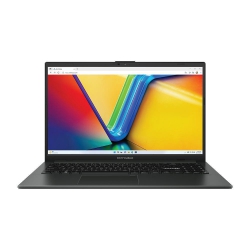 Asus Notebook E1504FA-NJ273W
Original price was: $1,439.$788Current price is: $788.
Asus Notebook E1504FA-NJ273W
Original price was: $1,439.$788Current price is: $788.
-
 Lenovo Notebook V15-G4-83A100E1AU
Original price was: $1,049.$834Current price is: $834.
Lenovo Notebook V15-G4-83A100E1AU
Original price was: $1,049.$834Current price is: $834.
-
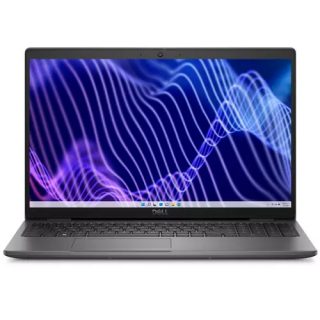 Dell Notebook 3440-N058L3440AU_VP
Original price was: $1,159.$927Current price is: $927.
Dell Notebook 3440-N058L3440AU_VP
Original price was: $1,159.$927Current price is: $927.
Leave a Reply