
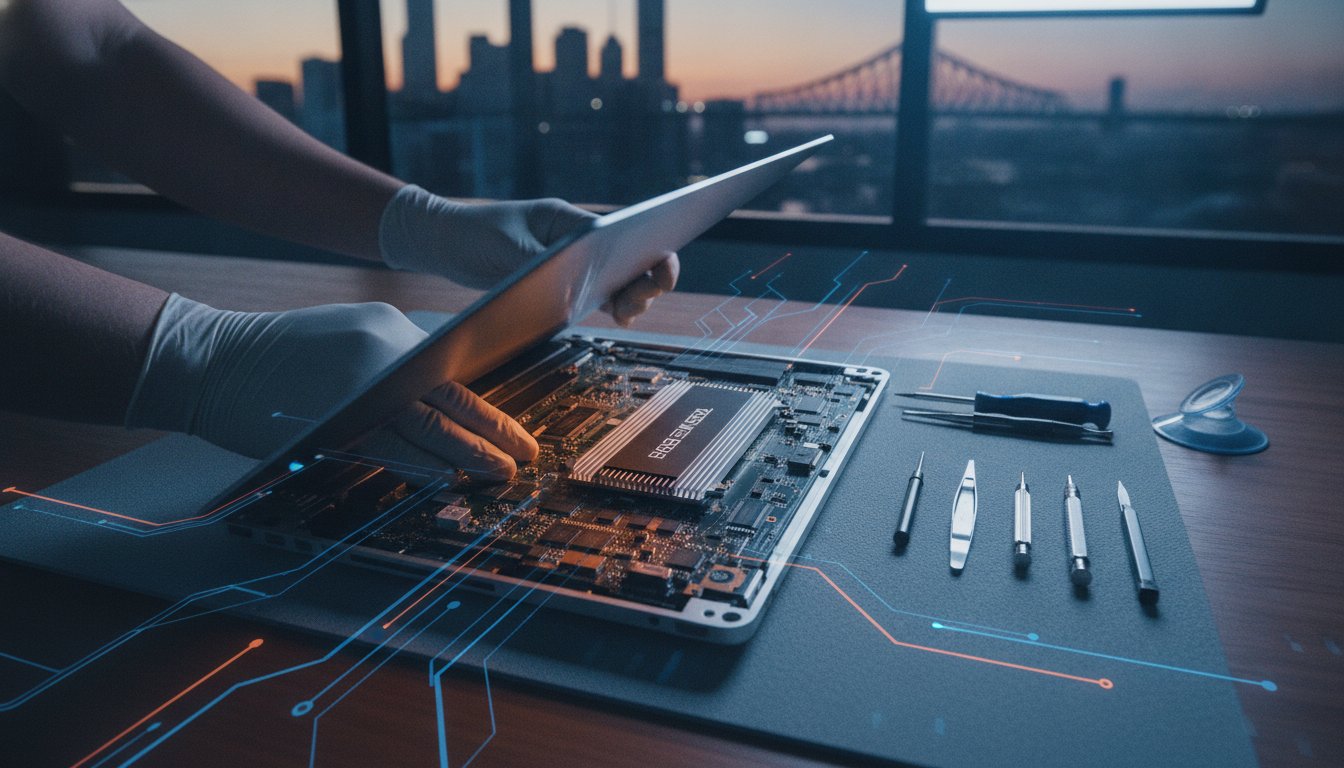
Spending four thousand dollars on a new laptop just because you’ve run out of space is a choice, not a necessity. While the tech giants want you to believe that every machine is sealed shut, a professional macbook pro ssd upgrade brisbane remains the smartest way to dodge the “Apple Tax” in 2026. It’s exhausting to deal with constant storage warnings and slow boot times when you’re just trying to get work done on your Mac.
We agree that your hardware shouldn’t have an expiration date dictated by a small hard drive. This article will show you how to reclaim your digital life with a massive 1TB or 2TB storage boost right here in North Brisbane. We’ll preview which specific models can still be upgraded, separate fact from fiction regarding soldered components, and explain how to keep your current machine fast enough to handle macOS Tahoe and beyond without breaking the bank.
Key Takeaways
- Identify which MacBook Pro models still support physical storage expansion and which are permanently locked by Apple’s design.
- Understand why a nearly full factory drive causes “spinning beachballs” and how a fresh SSD restores your Mac’s original performance.
- Learn why a professional macbook pro ssd upgrade brisbane is essential for protecting delicate ribbon cables and avoiding static damage.
- Get a clear roadmap for choosing between 1TB and 4TB of storage to ensure your machine stays relevant for years to come.
- Discover how to access expert help in the Toombul area and skip the long queues at the city’s bigger retail centres.
The Soldered Storage Myth: Is Your Macbook Pro Actually Upgradeable?
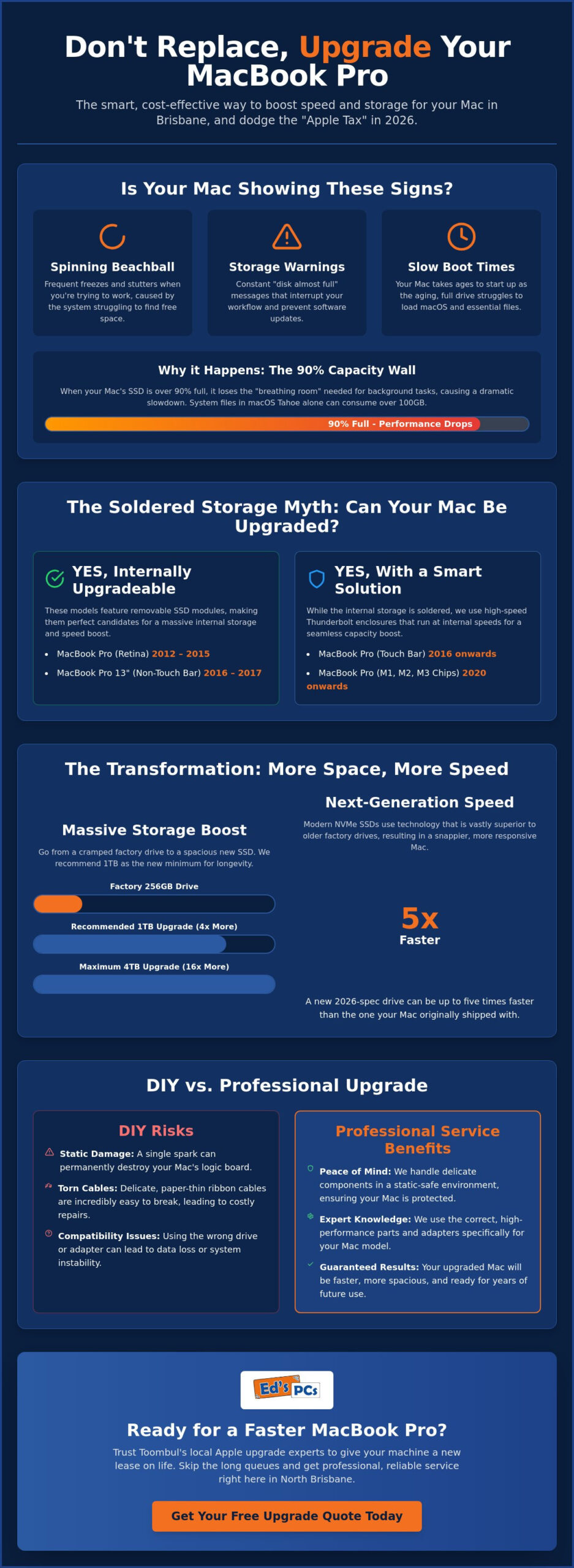
Many Brisbane locals walk into our shop convinced their MacBook Pro is a dead loss. They’ve been told by big-box retailers that because the storage is “soldered,” they’re forced to buy a brand new machine. It’s a frustrating spot to be in, especially when your laptop still looks and feels great. The “Apple Trap” is designed to make you feel like your tech has a hard expiry date. While it’s true that Apple moved towards integrated storage to save space, the idea that you’re completely stuck is often a myth. For many owners, a macbook pro ssd upgrade brisbane is still a very real, very affordable possibility that bypasses the need for a $4,000 replacement.
The Golden Era: Macbook Pro Models (2012–2015)
These machines are the true workhorses of the Apple world. Even in 2026, a 2015 Retina model can outperform many modern budget laptops if it has the right hardware under the hood. These models use removable drives, though Apple used proprietary connectors to keep things exclusive. We use specialised adapters to fit modern, high-speed NVMe drives into these slots. If you’re curious about what is an SSD in the modern sense, it’s essentially a massive speed jump over the original factory parts. A fresh 2026-spec drive can be up to five times faster than the one your Mac originally shipped with.
The Modern Challenge: 2016 to 2026 Models
Things got a bit trickier after 2016, but there are still clever workarounds. If you have a 13-inch MacBook Pro from 2016 or 2017 without the Touch Bar, you’re in luck; these still have a removable module. For the newer M1, M2, and M3 chips, the storage is indeed part of the logic board. However, a macbook pro ssd upgrade brisbane doesn’t always have to be internal. We help users set up “invisible” external upgrades using Thunderbolt 4 enclosures that mount discreetly to the lid. These run at internal speeds, giving you 2TB of space without the “Apple Tax” or the need for a new computer.
By the time you’ve updated to macOS Tahoe 26.5.1 in mid-2026, a standard 256GB factory drive is likely gasping for air. System files and “System Data” caches now regularly hog over 100GB. This leaves you with a tiny sliver of space for photos, videos, or work projects. When a drive hits 90% capacity, it slows down significantly because it lacks the “breathing room” needed for background maintenance. This is why we now recommend 1TB as the absolute minimum for any serious user in North Brisbane who wants their machine to last another three to five years.
Performance Reality: Why Your Factory SSD is Slowing You Down
Your MacBook Pro doesn’t just get slower because the software gets heavier. There is a physical reality to how storage works that most users never see. Solid-state drives rely on NAND flash cells to store your data. Over time, these cells degrade through a process of wear and tear. Technical SSD performance analysis shows that as these cells age, the controller has to work harder to verify data, which leads to those frustrating micro-stutters. If you’ve noticed your Mac taking longer to open simple folders, it’s likely a hardware fatigue issue rather than a software bug.
The relationship between free space and speed is also critical. A feature called TRIM helps your Mac manage deleted data, but it requires empty “blocks” to work effectively. When your drive is 90% full, the controller spends more time shuffling existing data around than actually writing new files. This is why a macbook pro ssd upgrade brisbane is so transformative. By moving to a modern 2TB drive, you aren’t just getting more room; you’re often getting a drive that outpaces your original factory unit by up to three times. Newer controllers are also more efficient, which actually helps with thermal management. A bigger drive won’t make your Mac run hotter. In fact, because it finishes tasks faster, the system can return to an idle, cooler state much sooner.
The Swap File Struggle in 2026
In 2026, macOS Tahoe uses your SSD as “virtual RAM” more aggressively than ever. When you’re multitasking in the Brisbane heat, your system constantly writes temporary data to the drive to keep things moving. If your drive is nearly full, this “swap file” process hits a wall. You’ll see the dreaded spinning beachball as the system waits for the drive to find a few megabytes of free space. Moving from a drive at 90% capacity to one at 50% capacity can feel like a total hardware refresh because the system finally has the breathing room it needs to think.
NVMe Technology vs. Older Flash Storage
The tech inside modern drives has leapt forward. Think of your original Mac storage as a two-lane road; modern NVMe drives are like a twelve-lane highway. They use multiple PCIe lanes to move data simultaneously, which is essential for professional creative work or heavy database management. The NVMe protocol significantly reduces latency by allowing the drive to process commands in parallel rather than waiting in a single queue like older SATA-based flash. If you’re tired of the wait, a professional laptop repair and upgrade can bridge that performance gap instantly.
Upgrading is about more than just avoiding “Disk Full” messages. It is about restoring the snappy, responsive feeling you had on day one. When we perform a macbook pro ssd upgrade brisbane, we ensure the new drive is perfectly matched to your model’s maximum throughput. This ensures you aren’t just buying space, but a significant boost in daily productivity.
DIY vs. Professional Macbook SSD Upgrade in Brisbane
It’s tempting to watch a quick video and think a macbook pro ssd upgrade brisbane is a simple weekend project. While the kits look straightforward, the internal layout of a MacBook is notoriously unforgiving. Apple uses proprietary pentalobe screws that are incredibly soft and prone to stripping if you don’t have precision-grade bits. Once you’re inside, you’re dealing with ribbon cables as thin as paper and connectors that can snap with the slightest slip of a hand. It’s a high-stakes environment for your primary work machine.
Environmental factors in South East Queensland add another layer of risk. Opening a laptop in our humid Brisbane air without proper grounding can lead to static discharge on sensitive logic board components. While you might not see a spark, this “invisible” damage often leads to random crashes or boot failures weeks after the upgrade. Professional workshops use anti-static environments and ensure the System Management Controller (SMC) is correctly calibrated to handle the power profile of a modern, high-capacity drive.
The DIY Disaster List
We’ve seen many well-intentioned projects end up on our repair bench. Here are the most frequent pitfalls that turn a simple storage boost into a costly headache:
- Forgetting the battery: Touching the internal circuitry while the battery is still connected can short the logic board instantly.
- The “eBay Adapter” trap: Low-quality adapters lack proper shielding and often fail after a few weeks of use, potentially corrupting your data.
- Stripped proprietary screws: Without the exact Apple-spec driver, you’ll round the screw heads, making future access nearly impossible.
- Data migration failure: Moving your entire OS and hidden library files to a new drive requires specific cloning tools to avoid frustrating boot loops.
The Ed’s PCs Toombul Professional Advantage
Choosing a professional macbook pro ssd upgrade brisbane means you get a “no drama” experience. At Ed’s PCs Toombul, our data cloning service ensures your Mac stays exactly as you left it, with all your bookmarks, passwords, and local settings intact. Every upgrade also includes a complimentary internal cleaning and a thermal paste refresh. Over several years, Brisbane dust builds up in the fans and the original thermal compound dries out. By refreshing these, we often see a significant drop in operating temperatures, which protects your hardware and extends the life of your processor.
If you’re still weighing up whether to fix your current machine or invest in a newer model, our guide on choosing the best laptop in Brisbane offers a helpful comparison of modern specs and long-term value. We take pride in our local craftsmanship, providing a full warranty and the peace of mind that your machine has been handled by experts in our Nundah workshop.
The 5-Step Roadmap to a Faster Macbook Pro
Getting your Mac back to peak performance isn’t a guessing game. We follow a methodical process to ensure your machine leaves our centre faster and more reliable than the day you bought it. If you’re ready to start your macbook pro ssd upgrade brisbane, this is exactly what the journey looks like. We move from initial diagnostics to a final stress test so you can get back to work with confidence.
Step 1: Identifying Your Mac’s Potential
Before we touch a single screw, we need to know what we’re working with. You can find your specific Model Identifier by clicking the Apple logo and selecting “About This Mac”. This tells us the exact generation of your hardware and whether it supports an internal or external high-speed upgrade. We also run SMART diagnostic tools to see if your current drive is failing or just full. To check your current storage usage, navigate to the Apple menu, select System Settings, and click General followed by Storage to see exactly what is hogging your space.
Choosing the right capacity is the next vital step for future-proofing. In 2026, 1TB is the baseline for casual users, while 2TB or 4TB is essential for creative professionals handling 4K video or massive photo libraries. Once the target is set, we secure your data. Whether you provide a fresh Time Machine backup or ask us to perform a professional clone, we ensure not a single file is left behind. This is where we handle the “Data Migration” headache mentioned earlier, making sure your passwords and bookmarks stay exactly where they belong.
Step 4 & 5: The Handover and Result
When you drop your machine at our Toombul shop, the real work begins. We perform the physical swap with precision, ensuring all internal connectors are seated perfectly. As part of our professional macbook pro ssd upgrade brisbane, we also perform a thermal check to ensure your fans are clear of Brisbane dust. After the hardware is in, we don’t just hand it back. We run a series of stress tests to ensure the new SSD maintains consistent read and write speeds under heavy load. If you can’t make it into the shop, we also offer a onsite PC upgrade Brisbane service for your convenience.
Ready to ditch the “Disk Full” notifications? Book your MacBook Pro upgrade today and get your Mac running like new again.
Why Toombul Locals Trust Ed’s PCs Toombul for Apple Upgrades
Living on the Northside means you shouldn’t have to battle CBD traffic or pay exorbitant parking fees just to get a computer repair. Our workshop is a convenient alternative for anyone seeking a macbook pro ssd upgrade brisbane without the typical city headaches. We’ve built our reputation on being a welcoming local resource where you can speak directly to the technician working on your machine. You won’t find any “Genius Bar” wait times or scripted corporate answers here; just straightforward technical advice from people who genuinely love hardware. We take pride in our craft, ensuring that every screw is torqued correctly and every internal component is handled with the care it deserves.
We believe in transparent service at Ed’s PCs Toombul. If your MacBook Pro is a model where the storage is truly soldered and an internal upgrade isn’t viable, we’ll tell you immediately. We’ll even help you explore the “invisible” external options mentioned earlier in this guide so you don’t waste money on a solution that doesn’t fit your needs. Our goal is to ensure you get the best value for your money, even if that means advising against a specific service. This honest, community-first approach is why so many Brisbane professionals and students trust us with their most important work tools.
The “Knowledgeable Local” Experience
We treat every MacBook that comes across our bench with the same level of precision we apply to our high-end gaming rigs. This means we never cut corners with generic, unbranded components that might fail during a heatwave. We exclusively use premium parts from trusted names like OWC or Samsung EVO to ensure your data stays safe for years to come. We also understand that your Mac is likely your livelihood. We prioritise quick turnaround times so you aren’t left stranded without your laptop for weeks on end. It is about providing boutique-level care with professional-grade results right here in your own backyard.
Beyond the SSD: Complete Macbook Care
While storage is often the primary bottleneck, it isn’t the only way we can refresh your machine. Our workshop is equipped to handle battery replacements, keyboard fixes, and screen repairs on-site. If you’re looking for a total system overhaul, we can guide you through the process of selecting the right computer parts in Brisbane to suit your specific workflow. Whether you need a simple macbook pro ssd upgrade brisbane or a more complex logic board repair, we have the tools and the expertise to help. Our team is always ready to answer your questions and provide a clear plan for your hardware. If you’re also building out a complete workstation or gaming setup alongside your Mac upgrade, our experts can point you toward the best gaming mouse Brisbane options to complement your refreshed system. For those looking to complete their setup with a high-quality display, our AOC desktop monitor guide for Brisbane gamers and pros covers everything from budget office screens to elite AGON PRO panels to match your upgraded Mac.
Ready to breathe new life into your Mac? Pop into our Toombul shop today and let’s see how much faster your machine can really be. We’re here to help you skip the “Apple Tax” and keep your favourite laptop running perfectly well into 2026 and beyond.
Reclaim Your Mac’s Speed and Space Today
Your MacBook Pro doesn’t have to be a victim of planned obsolescence. We’ve shown that whether your machine has a removable drive or requires a high-speed external workaround, there is a clear path forward. A macbook pro ssd upgrade brisbane is the most effective way to handle the storage demands of 2026 without the cost of a new machine. By addressing the physical wear on your original drive and providing your system with the breathing room it needs, you can extend the life of your hardware significantly.
At Ed’s PCs Toombul, we bring professional expertise in both Apple and PC hardware to every service. Our specialists understand the nuances of macOS Tahoe and the specific hardware requirements of MacBook Pro models from the last decade. From our convenient Toombul location, we offer the personalised care of a local business combined with the technical skills needed for delicate internal repairs. Whether you need a full data clone or a simple hardware boost, we are here to ensure your Mac remains a reliable tool for your work or creative projects.
Book Your Macbook Pro SSD Upgrade in Toombul Today and experience the difference that a professional storage boost makes. We look forward to helping you get your Mac back to its peak performance.
Frequently Asked Questions
Will upgrading my Macbook Pro SSD void my warranty?
Upgrading your storage will typically void the official Apple warranty if your machine is still covered by their original terms or AppleCare+. Most people seeking a macbook pro ssd upgrade brisbane own machines that are several years old and well past their original coverage period. We provide our own local warranty on the new components and our professional workmanship, giving you peace of mind that your “vintage” machine is backed by reliable support here in Toombul.
Can I upgrade the SSD in a Macbook Pro with a Touch Bar?
Most MacBook Pro models with a Touch Bar have the storage soldered directly to the logic board, which makes an internal swap impossible. This includes the M1, M2, and M3 Apple Silicon series. If you own one of these newer units, we can set up a high-speed external Thunderbolt 4 drive that mounts discreetly to your lid. This allows you to bypass the storage trap without needing to replace your entire computer or lose your current setup.
How long does a professional SSD upgrade take at Ed’s PCs?
A standard upgrade usually takes between 24 and 48 hours to complete at our workshop. While the physical hardware swap is relatively quick, the data cloning process requires a methodical approach to ensure every file and setting moves across perfectly. We aim for a fast turnaround so Brisbane professionals can get back to work quickly. We’ll give you a clear timeframe when you drop your machine off at our Nundah centre.
Do I lose my photos and files if I upgrade my storage?
You won’t lose your photos, documents, or system settings when we perform a professional macbook pro ssd upgrade brisbane. We use specialised cloning software to create an exact bit-for-bit copy of your old drive onto the new, larger one. When you pick up your Mac, it will look exactly as you left it, just with a lot more breathing room and significantly faster read and write speeds for your daily tasks.
Why is my Macbook Pro still slow after deleting files?
Deleting files often fails to fix speed issues because the underlying problem is usually hardware fatigue or “wear level” on the flash cells. As explained earlier, SSDs slow down as they age regardless of how much free space you make. Additionally, if your drive was nearly full for a long time, the background maintenance processes may have struggled to keep the drive healthy. A fresh SSD is often the only way to restore day-one performance.
Is an external SSD as fast as an internal upgrade?
Modern Thunderbolt 4 external drives are remarkably fast and can nearly match internal speeds for most professional tasks. However, standard USB-C drives are significantly slower and may bottleneck your workflow if you’re editing video or working with large databases. We help you choose the right enclosure and drive combination to ensure your external storage feels as snappy and responsive as an integrated part of your Mac’s system for years to come.
What is the maximum SSD capacity I can put in my 2015 Macbook Pro?
You can upgrade a 2015 MacBook Pro to a massive 4TB of storage. While Apple originally offered much smaller options, modern NVMe technology allows us to install high-capacity drives that were not available when your laptop was first released. This makes the 2015 model one of the most versatile machines for a storage boost. It provides plenty of room for heavy media libraries while maintaining excellent performance for macOS Tahoe and other 2026 software.
Can Ed’s PCs help if my Macbook Pro won’t turn on at all?
We certainly can help if your machine has stopped responding entirely. Our team handles a wide range of computer repairs, from power issues and battery failures to logic board diagnostics. If your Mac won’t turn on, we’ll perform a thorough assessment to find the root cause. Often, a dead Mac can be revived and then upgraded, saving you thousands of dollars compared to buying a brand new replacement from a retail store.


Popular
-
 Ed's PCs Intel 4070 TI Super Build
Original price was: $4,699.$4,299Current price is: $4,299.
Ed's PCs Intel 4070 TI Super Build
Original price was: $4,699.$4,299Current price is: $4,299.
-
 Asus Notebook X1504VAP-NJ815W
Original price was: $1,704.$945Current price is: $945.
Asus Notebook X1504VAP-NJ815W
Original price was: $1,704.$945Current price is: $945.
-
 Asus Notebook E1504FA-NJ273W
Original price was: $1,439.$788Current price is: $788.
Asus Notebook E1504FA-NJ273W
Original price was: $1,439.$788Current price is: $788.
-
 Lenovo Notebook V15-G4-83A100E1AU
Original price was: $1,049.$834Current price is: $834.
Lenovo Notebook V15-G4-83A100E1AU
Original price was: $1,049.$834Current price is: $834.
-
 Dell Notebook 3440-N058L3440AU_VP
Original price was: $1,159.$927Current price is: $927.
Dell Notebook 3440-N058L3440AU_VP
Original price was: $1,159.$927Current price is: $927.
Leave a Reply