
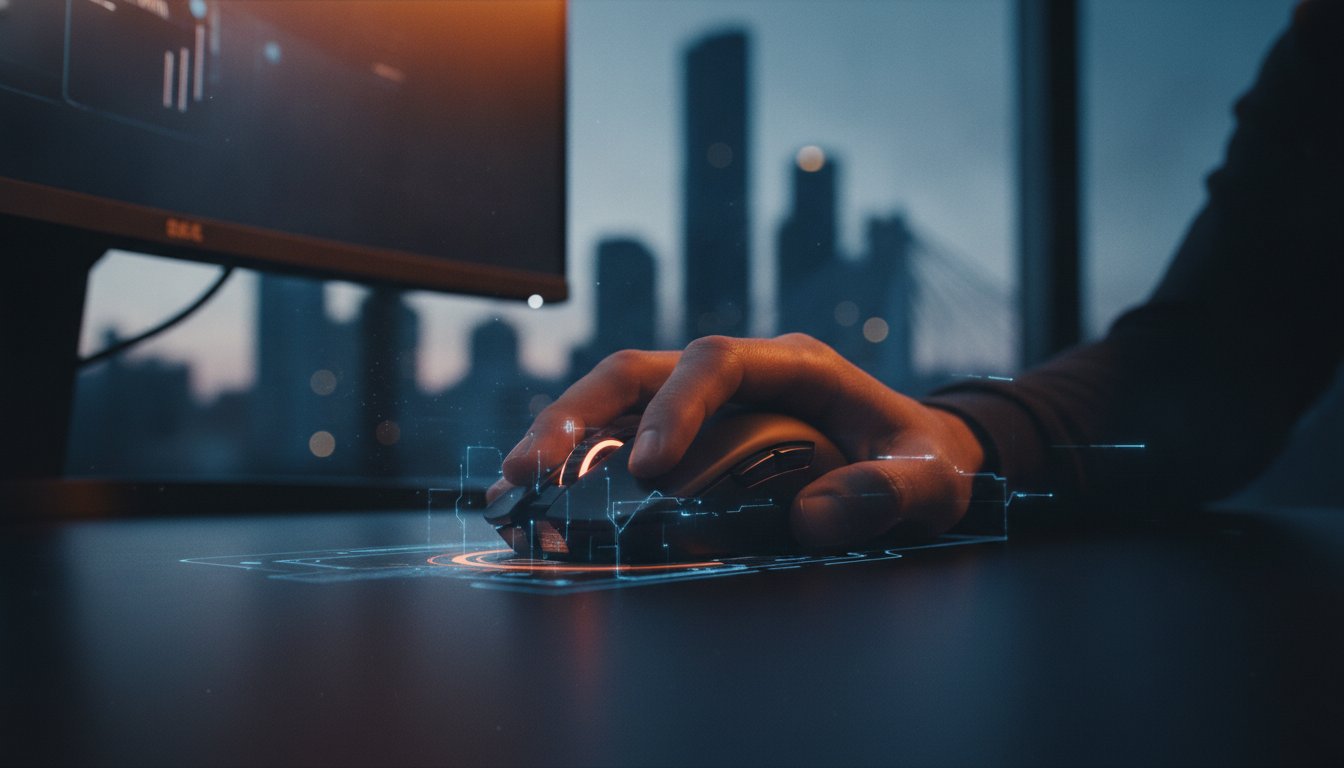
The most expensive peripheral on the shelf isn’t always the one that will land you more headshots in your favourite shooter. When searching for a gaming mouse brisbane players often get distracted by flashing RGB lights and inflated DPI numbers that don’t actually improve their gameplay. The truth is that a mouse is the most personal part of your rig; if it doesn’t suit your specific grip or local environment, it’s just a fancy paperweight.
We know how frustrating it is to deal with hand fatigue during a long session or discover your new wireless model has noticeable input lag. You want a device that feels like a natural extension of your arm and comes with reliable local support if something goes wrong. This guide will help you cut through the marketing jargon like polling rates and BAMF sensors to find a perfect match. We’ll explore the best 2026 models from Razer and Logitech, explain why 70% of gamers now prioritise customisation, and show you where to get expert advice right here in Brisbane.
Key Takeaways
- Understand why high DPI numbers are often just marketing fluff and how polling rates actually affect your 2026 gaming performance.
- Identify your specific grip style, whether it’s palm for comfort or claw for competitive speed, to keep your hand fatigue-free during long sessions.
- Learn why modern wireless technology has finally matched wired speeds, provided you’re comfortable with the slight increase in battery weight.
- Discover the benefits of choosing a gaming mouse brisbane experts recommend, including the chance to test the ergonomics in person before you buy.
- Avoid the hassle of interstate shipping by securing local warranty support that gets you back into the game faster if things go wrong.
Why Your Gaming Mouse Choice Matters for Your Brisbane Setup
A gaming mouse isn’t just a standard peripheral with extra lights. It’s a high-precision instrument engineered with specialised optical sensors and mechanical or optical switches designed to register every movement with pixel-perfect accuracy. While a basic office mouse is fine for spreadsheets, it fails miserably in high-stakes gaming scenarios. Standard sensors often “spin out” or lose track during fast flicks, and mushy buttons can lead to missed clicks that cost you the match. For Brisbane’s diverse gaming community, having a tool that matches your specific playstyle is the first step toward a better experience.
The Interface Between You and Your PC
Your mouse is the primary way you interact with your digital world. It’s the most critical “feel” component in your setup because it’s the only part you constantly touch and move. If you’re playing FPS or MOBA titles, sensor accuracy is the difference between a direct hit and a frustrating miss. High-end sensors ensure your on-screen cursor mirrors your hand movement exactly. Beyond simple movement, programmable buttons allow you to streamline your workflow or map complex abilities to your thumb. While the history of the computer mouse shows how far we’ve come from wooden blocks and trackballs, modern 2026 tech focuses on this seamless connection between player and machine.
Reliability in the Queensland Climate
Brisbane’s unique environment presents specific challenges for electronics. High humidity and sweltering summer heat can be brutal on cheap plastics and rubber side grips. When searching for a gaming mouse brisbane players need to prioritise build quality and sweat-resistant coatings. These features prevent the “sticky” feeling that often develops on budget models after a few months of Queensland use. At Ed’s PCs Toombul, we lean towards durable brands that stand up to local conditions. If your hardware develops a double-click issue, local support is invaluable. You won’t have to mail items back to interstate warehouses or wait weeks for a replacement.
Choosing the right mouse is also a matter of long-term health. A poorly fitted peripheral forces your hand into unnatural positions, which often leads to Repetitive Strain Injury (RSI) over time. Customisation isn’t just about RGB; it’s about adjusting the weight, shape, and button tension to fit your hand perfectly. This tailored approach ensures you can play for longer without discomfort or damage to your wrist. Finding the right gaming mouse brisbane residents can trust means looking for a balance between pure performance and ergonomic safety.
Decoding the Tech: DPI, Polling Rates, and Sensors Explained
Tech specs for a gaming mouse brisbane users see on the box can feel like a different language. DPI, polling rates, and IPS ratings are often used as marketing weapons, but they don’t always tell the whole story. To get the best performance, you need to know which numbers actually matter for your gameplay and which ones are just for show. Understanding these metrics helps you avoid overpaying for features you will never use.
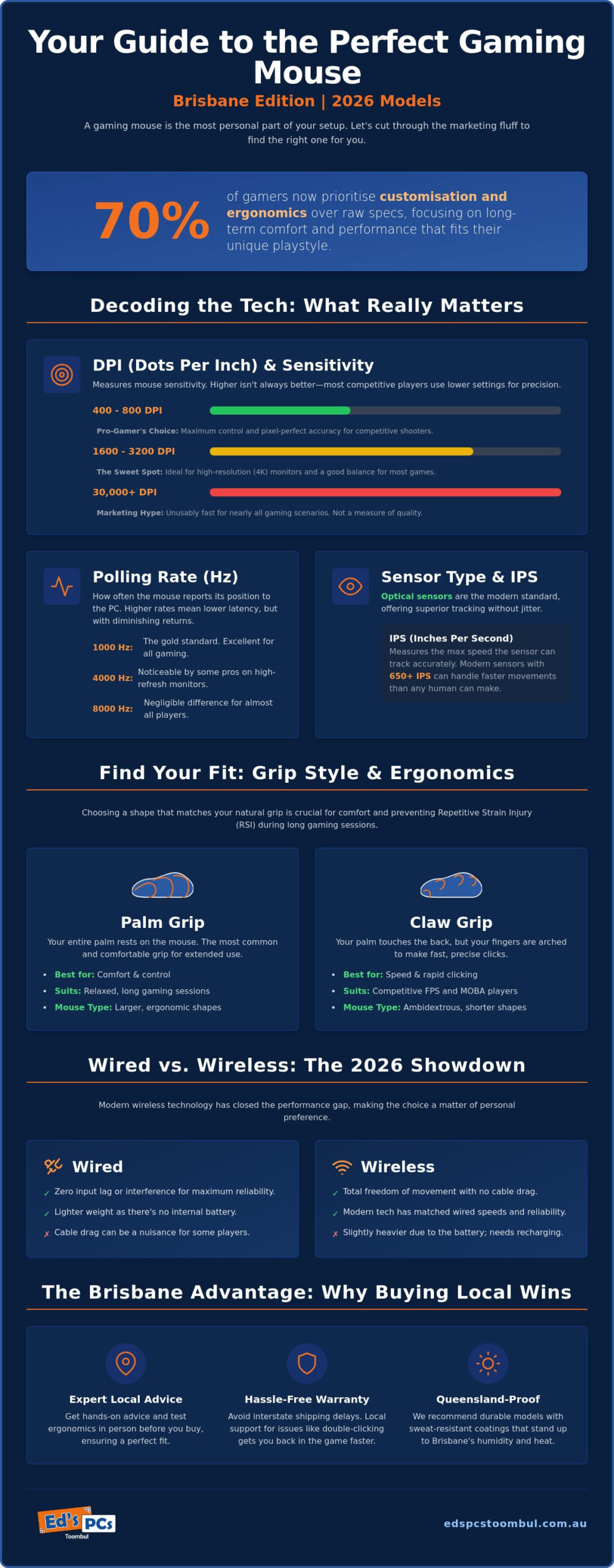
Optical sensors have officially won the battle for precision over laser alternatives. Modern optical sensors offer superior tracking and fewer jitter issues on common surfaces like cloth pads. When checking specs, look at the IPS (Inches Per Second) rating. This tells you how fast you can move the mouse before the sensor loses track of the surface. In 2026, most high-end sensors handle over 650 IPS, which is far more than any human can physically achieve during a flick shot.
Understanding DPI and Sensitivity
Here is a fair dinkum explanation of DPI (Dots Per Inch). It measures how many pixels your cursor moves for every inch of physical movement. While some 2026 sensors boast 30,000 DPI, most competitive players still stick to 400 or 800 DPI for maximum control. If you have a high-resolution 4K monitor, you might find your “Goldilocks” setting around 1600 or 3200 DPI to avoid dragging your hand across the entire desk. You can find more DPI and polling rates explained in detail if you want to dive into the mathematics of sensitivity.
Polling rate is another hot topic in the 2026 market. It determines how often your mouse sends data to your PC. While 1000Hz was once the gold standard, we now see high-end models offering 4000Hz or even 8000Hz. For the average gamer, the difference is negligible. However, if you are running a high-refresh-rate monitor, higher polling can result in noticeably smoother cursor movement. Pairing your mouse with the right display is just as important as the sensor itself, and our AOC desktop monitor guide for Brisbane gamers and pros can help you find a screen that matches your input device’s capabilities.
The Importance of Switch Quality
The switches under your main buttons determine the “click” feel and longevity of your device. Mechanical switches offer that classic tactile snap, but they can eventually develop “double-click” faults due to physical wear. Optical switches use a light beam to register clicks, making them faster and immune to the mechanical degradation that causes faults. We often recommend these durable optical options for our custom gaming PC complete sets in Brisbane because they offer the best long-term reliability for our customers.
Avoiding budget models with “mushy” clicks will save you a lot of grief. If you are unsure which tech fits your playstyle, it helps to chat with a knowledgeable local specialist who can help you compare the latest sensors and switches in person.
Finding the Right Fit: Grip Styles and Ergonomics for Local Gamers
Choosing a gaming mouse brisbane players will actually find comfortable involves more than just reading a spec sheet. Your grip style is the single most important factor in how a mouse performs in your hand. While technical specs like sensors are objective, the “hand-feel” is entirely subjective. If the shape doesn’t match how you naturally hold a peripheral, you’ll likely struggle with accuracy regardless of how much you spent. In 2026, the trend in the Brisbane scene has shifted heavily toward ultra-lightweight designs, often weighing under 60 grams, to reduce inertia during fast-paced movements.
There are three primary ways gamers hold their mice. A palm grip involves resting your entire hand on the device, providing maximum support for long, casual sessions. Competitive players often prefer a claw grip, where the palm rests on the back but the fingers arch up for rapid clicking. The fingertip grip is the most agile, with only the tips of your fingers touching the mouse. This allows for micro-adjustments and high dexterity but can be tiring if you aren’t used to it. Finding the right balance between these styles and the physical weight of the device is key to a consistent gaming experience.
Measuring Your Hand for the Perfect Match
To narrow down your choices, you should measure your hand from the base of your palm to the tip of your middle finger. Most brands categorise their products into small (under 17cm), medium (17 to 20cm), and large (over 20cm) sizes. While online charts are helpful, they can’t tell you how a specific “hump” or side curve will feel against your thumb. This is why trying a gaming mouse brisbane retailers have on display is a massive advantage. You can instantly tell if a mouse is too wide for your grip or if the side buttons are positioned exactly where you need them.
Ergonomics and Wrist Health
Proper ergonomics go beyond just the shape of the mouse. The “skates” or feet on the bottom of the device determine how smoothly it glides across your desk. High-quality PTFE skates can make a heavy mouse feel much lighter and more responsive. When considering your overall health, desk height and mouse pad thickness play a significant role in preventing “tech neck” and wrist strain. Many industry leaders are explaining gaming mouse technology as a combination of hardware specs and physical wellness. For non-gaming tasks, you might even consider a contoured or vertical mouse to give your wrist a break from the traditional horizontal position. Small adjustments to your setup can lead to a significant improvement in long-term comfort.
Wired vs Wireless: Performance in the Modern Brisbane Home
The choice between a cord and a battery is a major decision for any gaming mouse brisbane users are considering. By 2026, the performance gap has practically vanished. High-end wireless models now deliver sub-1ms latency, making them indistinguishable from their wired counterparts in terms of raw speed. The decision now comes down to your specific desk layout, your budget, and how much you value a lightweight feel. In a crowded Brisbane apartment where signal interference from routers and other devices can be an issue, choosing a model with a dedicated 2.4GHz dongle is essential for stability.
When to Choose Wireless
Wireless is heaps better for gamers who prefer low sensitivity settings. If you find yourself swiping your mouse across a massive pad to land a flick shot, a cable can easily get snagged or create unwanted drag. A wireless setup also keeps your desk looking clean and professional, which is a big plus for a modern Brisbane home office. For those who need a portable setup that fits in a bag without a tangled mess, wireless mice are the perfect companion when choosing the best laptop in Brisbane for gaming on the go.
Batteries do add a small amount of heft to your peripheral. Even in 2026, the absolute lightest mice on the market are usually wired because they don’t need a power cell. However, modern battery efficiency has improved significantly. Many wireless models now last over 100 hours on a single charge. Charging docks have also made “juice” management much easier; you simply drop the mouse on the dock overnight, and you’re ready for another week of play.
The Case for Staying Wired
Staying wired remains the gold standard for pure reliability. You never have to worry about your mouse dying mid-boss fight or experiencing a random dropout during a competitive match. Modern wired mice have also benefited from the “Paracord” revolution. These cables are made from incredibly light, flexible fabric that doesn’t kink or drag. When used with a mouse bungee, a wired setup can feel almost as free as a wireless one.
Value for money is the other big factor. You can often get top-tier sensors and high polling rates at a much lower price point by sticking with a cord. This is why we often include high-quality wired mice in our affordable AMD budget gaming rigs. It allows you to put more of your budget into the core components like your CPU or graphics card without sacrificing input precision. If you’re torn between the two technologies, come visit us at Ed’s PCs Toombul to feel the difference between a paracord cable and a wireless setup for yourself.
Why Buying Local at Ed’s PCs Toombul Beats Big-Box Retailers
Finding the right gaming mouse brisbane players can rely on is much easier when you step away from the screen and into a local shop. While giant online retailers promise fast shipping, they can’t offer the tactile experience of holding a device before you pay for it. At Ed’s PCs Toombul, we believe a mouse is too personal to buy based on a picture. Our store gives you the chance to test different shapes and weights in person, ensuring the ergonomics actually match your hand size and grip style before you commit to a purchase.
Local warranty support is another massive advantage that big-box stores and online giants simply cannot match. If your hardware develops a double-click fault or a sensor issue, you don’t have to deal with the headache of mailing items back to interstate warehouses or waiting weeks for a response. You just bring the device back to us. Our team consists of local legends who spend their days building and repairing high-end systems. We don’t just read the back of the box; we know which sensors actually hold up under pressure and which brands offer the best long-term reliability.
Personalised Setup and Support
Buying a high-end peripheral is only half the battle. Getting the most out of your 2026 tech often requires firmware updates and specific driver configurations. We provide hands-on assistance with driver installations and RGB synchronisation to make sure your new gear looks and performs exactly how you want it. Our team can also help match your new gaming mouse brisbane purchase to your specific onsite PC upgrade Brisbane needs. Whether you’re a competitive tactical shooter player or a casual MMO fan, we offer genuine advice on which mouse actually suits your specific game library and desk setup.
Supporting the Brisbane Tech Community
Choosing to shop local keeps technical expertise alive right here in Toombul. When you visit us, you’re dealing with enthusiasts who value individual connections over mass-market anonymity. You get immediate pick-up, which means you can get your game on today without having to wait for the postie to show up. We pride ourselves on providing fair dinkum service that focuses on your actual requirements rather than just hitting a sales target. It’s a boutique experience that ensures you walk away with a tool that feels natural in your hand and a reliable partner to support your gaming journey for years to come.
Level Up Your Setup with the Right Fit
Choosing the right peripheral comes down to finding a balance between high-end technical specs and personal comfort. We have seen how your specific grip style and hand size are far more important than the inflated DPI numbers found on most boxes. You also know that 2026 wireless technology now matches wired speeds, giving you the freedom to move without any fear of input lag. Selecting a gaming mouse brisbane players can actually test in person is the best way to ensure your new gear feels like a natural extension of your arm.
Our team of local Brisbane technical specialists is ready to help you find that perfect match. We provide expert advice on custom gaming setups and offer onsite support to get your firmware and RGB settings exactly right. You don’t have to guess based on a picture online when you can visit us for a hands-on demonstration and professional care. We take pride in helping our local community build rigs that perform as good as they look.
Find your perfect gaming mouse at Ed’s PCs Toombul today and enjoy a more comfortable, accurate gaming experience. We look forward to seeing you in the shop and getting you back into the game with the right tools.
Frequently Asked Questions
What is the best gaming mouse for small hands available in Brisbane?
The Razer Viper V4 Pro is currently one of the best choices for smaller hands due to its low profile and lightweight build. It provides a secure grip for those who find larger ergonomic models too bulky. You can find these compact models when looking for a gaming mouse brisbane players recommend for high-speed agility and comfort.
Is a wireless gaming mouse good enough for competitive gaming in 2026?
Wireless technology in 2026 is absolutely ready for the highest levels of competitive play. Modern 2.4GHz connections offer latency that is on par with wired cables. As long as you choose a model with a high-quality sensor and a stable dongle, you won’t experience any lag or dropouts during your matches.
How much should I actually spend on a gaming mouse in Australia?
A high-quality wired mouse in Australia typically starts around A$69, while premium wireless flagships often reach A$159. You don’t need to spend more than this to get world-class performance. Budget-friendly wireless options in the A$80 to A$110 range also offer excellent value for casual and semi-competitive gaming.
Does DPI really matter if I am not a professional eSports player?
DPI matters for your daily comfort even if you aren’t a professional player. If you’re using a 4K monitor, a higher DPI setting allows you to move the cursor across the screen without having to swipe your hand across the entire desk. It’s about matching your sensitivity to your screen real estate rather than just following what the pros do.
Can Ed’s PCs Toombul help me set up my mouse buttons for specific games?
We certainly can help you map your mouse buttons to streamline your gameplay or work tasks. Our technicians can assist with installing the necessary software and setting up custom profiles for your specific game library. This ensures your new hardware is ready to go the moment you get it home.
What is the difference between an optical and a laser mouse sensor?
Optical sensors use LED light to track movement and are generally more accurate on cloth mouse pads. Laser sensors use a laser beam and can track on more surfaces, including glass, but they often introduce unwanted mouse acceleration. For gaming, the consistency of an optical sensor is almost always the better choice.
How do I clean my gaming mouse without damaging the sensor or coating?
You should use a slightly damp microfibre cloth to wipe down the body and side grips of your mouse. Avoid using harsh chemicals that could strip the sweat-resistant coating. For the sensor, a quick blast of compressed air is usually enough to clear any hair or dust that might be causing tracking issues.
Where can I test different gaming mice in-person near Toombul?
You can test a range of different models in-person at our store in Nundah. We are located at 89 Buckland Rd, just a short trip from the Toombul area. Trying out a gaming mouse brisbane specialists have on display is the only way to be 100% sure the shape and weight suit your hand perfectly.

Popular
-
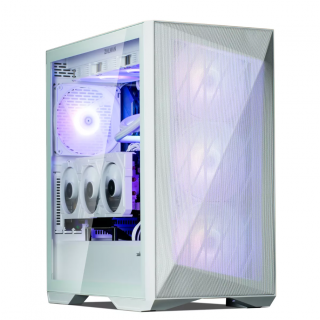 Ed's PCs Intel 4070 TI Super Build
Original price was: $4,699.$4,299Current price is: $4,299.
Ed's PCs Intel 4070 TI Super Build
Original price was: $4,699.$4,299Current price is: $4,299.
-
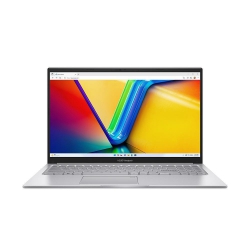 Asus Notebook X1504VAP-NJ815W
Original price was: $1,704.$945Current price is: $945.
Asus Notebook X1504VAP-NJ815W
Original price was: $1,704.$945Current price is: $945.
-
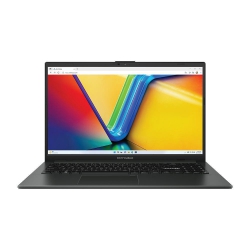 Asus Notebook E1504FA-NJ273W
Original price was: $1,439.$788Current price is: $788.
Asus Notebook E1504FA-NJ273W
Original price was: $1,439.$788Current price is: $788.
-
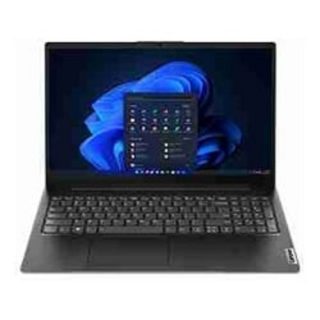 Lenovo Notebook V15-G4-83A100E1AU
Original price was: $1,049.$834Current price is: $834.
Lenovo Notebook V15-G4-83A100E1AU
Original price was: $1,049.$834Current price is: $834.
-
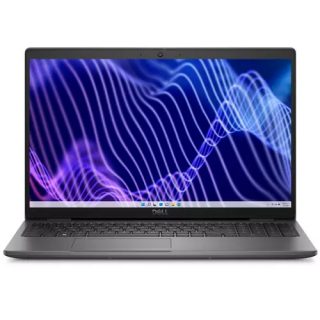 Dell Notebook 3440-N058L3440AU_VP
Original price was: $1,159.$927Current price is: $927.
Dell Notebook 3440-N058L3440AU_VP
Original price was: $1,159.$927Current price is: $927.
Leave a Reply