
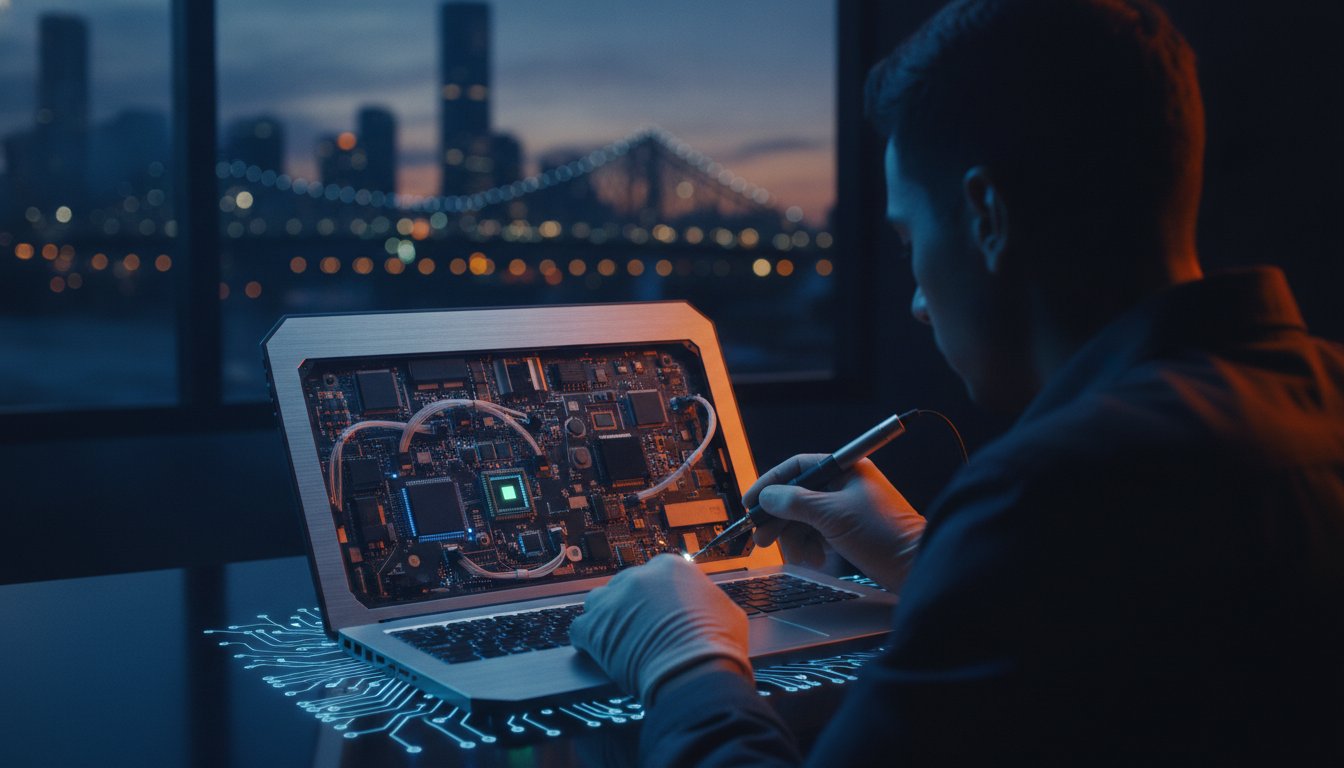
Have you ever wondered why a brand-new laptop starts sounding like a jet engine the moment a Brisbane summer hits? It’s a common story for many locals who find that high-end specs don’t always translate to reliability in our humid climate. We understand the frustration of technical jargon and the fear of buying a device that becomes a paperweight the moment it develops a minor fault. You want a machine that works as hard as you do without the constant worry of overheating or expensive, overseas-only repairs.
This guide is here to help you choose a laptop that survives the heat and serves you for years. We’ll break down the latest 2026 hardware like the Apple M5 and Intel Core Ultra series while showing you how to navigate the current EOFY sales for the best value. You’ll learn how to prioritise repairability and why a professional setup is the secret to avoiding annoying bloatware. Let’s look at how to find the perfect balance of power, price, and local support right here in Brisbane.
Key Takeaways
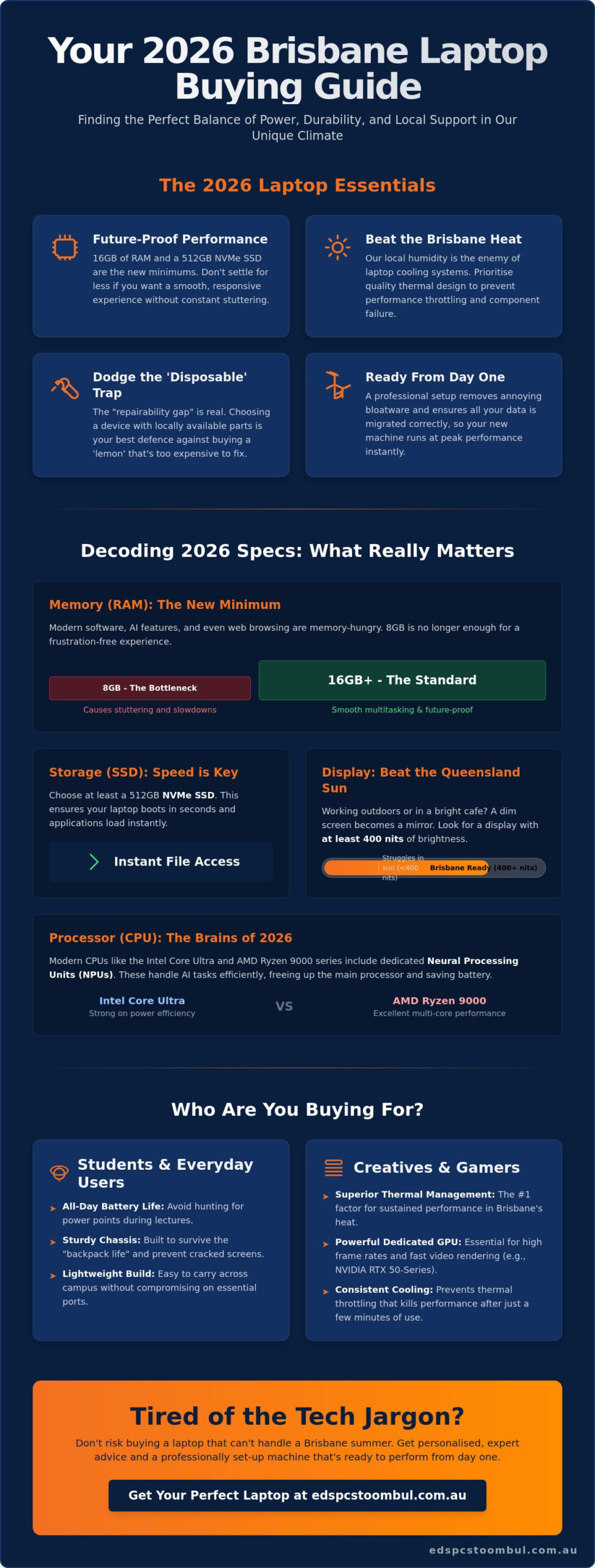
- Learn why 16GB of RAM and a 512GB SSD are the essential benchmarks for a smooth, future-proof experience in 2026.
- Discover how the unique Brisbane humidity affects your laptop and what steps you can take to prevent common cooling system failures.
- Understand the “repairability gap” and why selecting a device with locally available parts is your best insurance against buying a “lemon.”
- Find out how professional data migration and bloatware removal ensure your new machine is ready to use from day one.
Navigating the Laptop Landscape: Finding Your Perfect Match in 2026
Choosing a new device in 2026 feels different than it did just a few years ago. We’ve moved past simple speed upgrades to a period where integrated AI processing is the standard. If you’re looking at an Intel Core Ultra or an AMD Ryzen AI series machine, you’re buying into a system designed to handle complex tasks locally rather than relying entirely on the cloud. Before diving into the technical details of specific models, it helps to understand the basics of What is a Laptop? and how its modern components work together to survive daily use in our unique environment.
The biggest mistake we see at our Brisbane workshop is the “cheap” trap. A budget machine might look attractive at A$500, but these often use plastic hinges and low-quality cooling systems that struggle with our humidity. Spending a bit more on a mid-range laptop usually pays for itself through a longer lifespan and better repairability. You aren’t just buying a retail box; you’re investing in a tool that needs to last. We’ve seen a rise in “portable workstations” that offer desktop-class power in a slim frame, bridging the gap for those who used to need two separate computers.
Laptops for Students and Everyday Use
Students at UQ or QUT need more than just a screen and a keyboard. You need a battery that survives a full day of lectures without hunting for a power point in a crowded library. While Chromebooks are popular for basic schoolwork, they often fall short when university courses require specific software for statistics, design, or engineering. We recommend a sturdy chassis because the “backpack life” is rough. A bit of extra structural integrity prevents the cracked screens we see so often. Focus on a lightweight build that doesn’t compromise on port selection, as carrying dongles is just one more thing to lose.
High-Performance and Gaming Laptops
For creatives and gamers, the focus shifts to thermal management. Brisbane’s heat is the enemy of performance. A laptop with a powerful NVIDIA RTX 50-series GPU is useless if the thermal design causes it to throttle after ten minutes of use. Raw clock speed looks great on a spec sheet, but consistent cooling is what actually keeps your frame rates high. If you find yourself rarely moving your setup, you might consider a custom gaming PC instead. You’ll get more power for your dollar and a system that’s much easier to upgrade or repair as technology evolves.
Deciphering the Specs: What Actually Matters for Real-World Performance
Walking into a shop and seeing a wall of spec sheets can be overwhelming. Many big-box retailers still push 8GB RAM machines to hit a low price point, but in 2026, that is a recipe for frustration. Modern software and background AI processes are memory-hungry. If you want a laptop that doesn’t stutter when you have twenty browser tabs and a video call open, 16GB of RAM is your new absolute minimum. Similarly, speed is just as important as capacity. Ensure your device has at least a 512GB NVMe SSD. This ensures your system boots in seconds and your files open instantly, rather than leaving you staring at a loading icon.
The processor landscape has also evolved. We are currently seeing a fierce competition between the Intel Core Ultra series and the AMD Ryzen 9000 series. For most users, both offer incredible speed, but they differ in how they manage power and heat. If you often work in bright cafes or outdoors near the Brisbane River, screen brightness is a spec you cannot ignore. Look for a display with at least 400 nits of brightness. Anything less will struggle against the Queensland sun, turning your screen into a mirror. For a deeper look at how these components stack up against each other, the CHOICE laptop buying guide provides an excellent breakdown of performance tiers for Australian consumers.
The CPU and GPU Power Balance
2026 laptops now feature “Neural Processing Units” (NPUs). These dedicated chips handle AI-driven tasks like real-time noise cancellation or photo enhancements, which takes the load off your main processor. You only need a dedicated graphics card if you are into heavy gaming or professional video editing. For everyday office work or study, an integrated chip is often the smarter choice. It generates less heat and helps your battery last longer. If your current device is feeling sluggish under these modern workloads, it might be worth investigating professional computer repairs to see if an upgrade or a clean-out can restore its performance.
Ports and Connectivity in a Wireless World
Connectivity is about more than just Wi-Fi. While Wi-Fi 7 is a game-changer for high-speed Brisbane NBN connections, your physical ports still matter. Thunderbolt 4 and USB-C charging are essential for modern convenience, allowing you to use one cable for power and external displays. Local photographers should also double-check for a built-in SD card slot. It’s a small detail that saves you from the constant hassle of carrying external adapters in your bag.
The Durability Factor: Why Repairability and the Brisbane Climate Matter
Brisbane’s subtropical climate is beautiful, but it is remarkably tough on hardware. High humidity and soaring summer temperatures create a stressful environment for any laptop. While a machine might work perfectly in a climate-controlled office in a cooler city, the reality of a Queensland summer is different. Moisture in the air can lead to subtle corrosion on internal circuits over time, while the heat forces fans to work at maximum capacity for hours on end. We always advocate for choosing hardware designed with airflow in mind to ensure your investment doesn’t cook itself from the inside out.
Dust and pet hair are the most common silent killers we see in our workshop. In Brisbane, many of us leave windows open to catch a cross-breeze, which brings in fine dust and allergens. This debris gets sucked into cooling vents and settles on the fan blades. Over time, it forms a thick layer that acts like a thermal blanket. This traps heat inside the chassis and eventually leads to component failure or permanent motherboard damage. Buying a device with accessible internals makes it much easier to perform a quick clean-out every year; a simple service that can add significant life to your machine.
Thermal Management in Subtropical Climates
Thermal design is often more important than the processor speed listed on the box. You can spot a poor cooling design by looking at the underside of the chassis. If the intake vents are tiny or positioned where your lap naturally covers them, the laptop will struggle. Better designs feature large, unobstructed grilles and exhaust ports that move air away from the screen. High-end models now use advanced heat pipes or liquid metal thermal compounds to move heat more efficiently. A simple tip for our humid summers: never use your machine on a soft surface like a bed or couch, as this blocks vital airflow and causes temperatures to spike in minutes.
Repairability vs. Replacement
We are seeing a worrying trend of “disposable” technology where manufacturers solder RAM and batteries directly to the motherboard. This makes them impossible to upgrade or fix, leading to a massive financial trap if a single part fails. Choosing brands that prioritise modularity ensures your device stays in your hands and out of the landfill. In many cases, professional screen replacements or battery swaps are far more economical than buying a new unit. Apple users who are running low on storage should also know that a Macbook Pro SSD upgrade in Brisbane can be a far smarter investment than spending thousands on a brand-new machine. With the right local support, a well-maintained machine can easily serve you for five or six years instead of the typical three-year retail cycle.
Buying Local: The Advantage of Personalised Setup and Expert Advice
Many people head straight to large electronics stores because of the flashy displays and interest-free finance offers. However, these big-box retailers often operate on sales commissions. This means the advice you receive is frequently geared toward moving specific stock rather than finding the right fit for your needs. When you buy a laptop through a local specialist, the focus shifts from a simple transaction to a long-term service relationship. You get honest advice about which models are actually reliable and which ones we see most often in our repair queue. This transparency is something you simply won’t find at a national chain store.
This commitment to community-focused service is something we share with other local specialists, such as Mobility and You, who provide tailored mobility and daily living solutions across Greater Brisbane and the Moreton Bay region. In both technology and healthcare, having a local expert who understands your specific environment and needs makes all the difference.
The setup process is where the local advantage really shines. Most new machines come pre-loaded with bloatware, which includes trial software and manufacturer utilities that slow down your system from day one. We ensure you start with a clean, fast version of Windows that is optimised for performance. We also handle the heavy lifting of data migration. Moving your photos, documents, and emails from an old machine to a new one is often the most stressful part of upgrading. We make sure nothing is left behind so your new environment feels familiar the moment you turn it on.
Customisation and Upgrades
You can often save a significant amount of money by purchasing a base model and upgrading the RAM locally. Retailers charge a premium for high-spec configurations, but we can often perform these upgrades for much less while ensuring the parts are high-quality and compatible. We can also add secondary storage for large media libraries, which is essential if you work with high-resolution video or photography. This tailored approach means you only pay for the performance you actually need, rather than a generic bundle designed for the mass market.
Onsite Support for Brisbane Homes and Offices
Setting up a new device involves making it work within your existing ecosystem. Our onsite computer support is a personalised alternative to a generic, overseas-based helpdesk. We can visit your Brisbane home or office to ensure your new device connects seamlessly to your local network and printers. Many older Brisbane homes have unique layouts that create Wi-Fi dead zones; we can troubleshoot these connectivity issues on the spot. If you want to ensure your new machine is ready for work without the technical headaches, you can book a professional setup with our local team today.
A professional setup isn’t just about the software; it’s also about having an efficient physical workspace. For high-quality desk accessories and filing solutions to complement your new tech, megaofficesupplies.com.au offers a wide range of essentials for any Australian home office.
Professional Laptop Repairs and Services at Ed’s PCs Toombul
A single coffee spill or a hairline fracture on a hinge shouldn’t mean the end of your device. While many big-box retailers treat a broken machine as an excuse to sell you a new one, we believe in the value of craftsmanship and professional maintenance. We provide specialist laptop repair for every major brand, from high-end gaming rigs to everyday office machines. Unlike national retailers who often send your machine to an interstate service centre for weeks, we handle our work right here in Toombul. This means faster turnaround times for Brisbane Northside residents and a direct line of communication with the person actually working on your hardware.
Liquid spill recovery is one of the most time-sensitive tasks we handle. If your morning coffee meets your keyboard, the first thing you should do is turn the power off and get it to a specialist immediately. We use professional cleaning processes to remove corrosion and sugar residue before they can cause permanent motherboard failure. Our goal is always to save your data and your hardware whenever possible. We take pride in being a reliable partner for locals who need their technology back in working order without the corporate run-around.
Apple and Macbook Specialist Support
Macbook repairs don’t always require a trek to the CBD or a long wait for a Genius Bar appointment. We assist with a wide range of Apple hardware issues, including battery replacements for older Macbook Air and Pro models that the manufacturer may no longer support. For Mac users frustrated by constant storage warnings and slow performance, a professional Macbook Pro SSD upgrade in Brisbane can breathe new life into your machine without the cost of a full replacement. We also solve frustrating macOS software glitches and iCloud sync problems that can disrupt your workflow. You get the same high standard of technical expertise in a much more personal, boutique environment.
Hardware Upgrades and Life Extensions
As we discussed earlier regarding durability, your machine’s lifespan is often determined by how well it is maintained. We can help you get more years out of your current investment through strategic hardware upgrades.
- SSD Upgrades: Replacing a failing or slow mechanical hard drive with a lightning-fast SSD can make an old machine feel faster than the day you bought it.
- Thermal Servicing: Professional internal cleaning and fresh thermal paste can restore cooling performance, which is vital for surviving Brisbane’s humid summers.
- Physical Repairs: We fix broken screens and loose hinges to ensure your device remains portable and protected.
Starting with a simple diagnosis can save you A$1,000 or more compared to the cost of a full replacement. We’re here to provide straightforward, honest advice on whether a repair is the right financial move for you.
Secure Your Technology Investment Today
Choosing a new machine in 2026 is about more than just reading a spec sheet at a big-box retailer. It’s about finding a laptop that can handle the Queensland humidity while providing the performance you need for years to come. By prioritising 16GB of RAM and a repairable chassis, you’re protecting yourself from the “disposable tech” trap. You’ve seen how local expertise in setup and data migration can turn a stressful upgrade into a seamless transition.
At Ed’s PCs Toombul, we take pride in being a trusted part of the Toombul community. Our local Brisbane Northside workshop is equipped for everything from specialist Macbook and Apple repair services to professional internal cleaning. Whether you need a brand-new setup or a life-extending upgrade for your current device, we’re here to provide the expert technical support you deserve. Visit Ed’s PCs Toombul for Expert Laptop Advice and Local Repairs and let us help you stay productive and connected.
Frequently Asked Questions
Is it better to buy a laptop or a desktop for gaming in Brisbane?
A desktop is generally better for gaming in Brisbane because it offers superior thermal management and more power for your dollar. Our subtropical climate puts immense strain on portable devices during long gaming sessions. While a high-end gaming machine is convenient, a desktop allows for easier hardware upgrades and better airflow, ensuring your components don’t throttle when the summer temperature rises.
Can Ed’s PCs Toombul repair a laptop screen if it’s cracked?
Yes, we provide professional screen replacement services for almost all major brands and models at our Toombul workshop. A cracked display doesn’t have to mean the end of your device. We source high-quality replacement panels and install them with precision. This is often a much more cost-effective solution than purchasing a brand-new machine, especially if your laptop is otherwise in good working condition.
How much RAM do I really need for a laptop in 2026?
You should aim for at least 16GB of RAM to ensure a smooth experience with 2026 software standards and AI-integrated applications. Modern operating systems are memory-intensive, and 8GB is no longer sufficient for multitasking without performance stutters. If you’re a creative professional or a gamer, 32GB is the preferred standard to avoid bottlenecks and ensure your system remains fast for several years.
Do you provide Macbook repairs for older models?
We certainly provide support and repairs for older Apple hardware, including Macbook Air and Pro models that the manufacturer might consider vintage. Whether you need a battery replacement, a keyboard fix, or a storage upgrade, we can help. Many older Macbooks are still very capable machines. A simple hardware refresh can often add several years of useful life to your device at a fraction of the cost of a new replacement.
How does the Brisbane humidity affect my laptop’s lifespan?
Brisbane’s high humidity can lead to subtle internal corrosion on motherboards and cause cooling fans to work harder than they would in drier climates. Over time, moisture and dust combine to form a layer that blocks vital airflow. This puts extra stress on your internal components, which can shorten the overall lifespan of your laptop. Regular professional cleaning and maintaining good airflow are essential for protecting your technology in Queensland.
Can you help transfer my files from my old laptop to a new one?
We can definitely help you move your photos, documents, and emails from your old machine to your new one. Our data migration service ensures that your files are transferred safely and organised correctly on your new system. We take the stress out of upgrading by ensuring your new environment is ready to use immediately, with all your important information exactly where you expect it to be.
Why is my laptop fan making a loud noise?
A loud fan is usually a sign that your cooling system is struggling due to dust buildup or a failing mechanical bearing. In Brisbane, dust and pet hair often clog the internal vents, forcing the fan to spin faster to keep temperatures down. If your fan sounds like a jet engine, it’s time for a professional internal clean. Ignoring this issue can lead to overheating and permanent damage to your processor.
Is it worth repairing a 4-year-old laptop or should I buy new?
Deciding whether to fix a 4-year-old machine depends on the specific fault and the overall condition of the hardware. If the repair involves a simple part like a battery or an SSD upgrade, it’s usually a very smart investment. However, if the motherboard has failed, a replacement might be more economical. We provide honest assessments to help you decide if a repair makes financial sense for your specific situation.


Popular
-
 Ed's PCs Intel 4070 TI Super Build
Original price was: $4,699.$4,299Current price is: $4,299.
Ed's PCs Intel 4070 TI Super Build
Original price was: $4,699.$4,299Current price is: $4,299.
-
 Asus Notebook X1504VAP-NJ815W
Original price was: $1,704.$945Current price is: $945.
Asus Notebook X1504VAP-NJ815W
Original price was: $1,704.$945Current price is: $945.
-
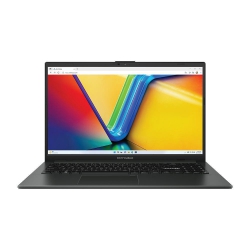 Asus Notebook E1504FA-NJ273W
Original price was: $1,439.$788Current price is: $788.
Asus Notebook E1504FA-NJ273W
Original price was: $1,439.$788Current price is: $788.
-
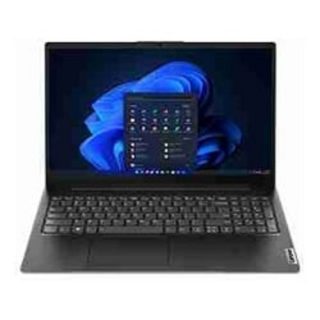 Lenovo Notebook V15-G4-83A100E1AU
Original price was: $1,049.$834Current price is: $834.
Lenovo Notebook V15-G4-83A100E1AU
Original price was: $1,049.$834Current price is: $834.
-
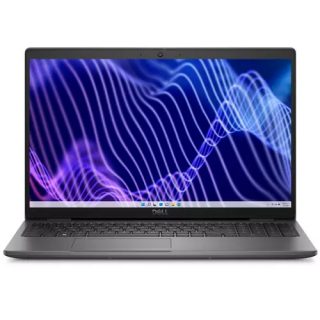 Dell Notebook 3440-N058L3440AU_VP
Original price was: $1,159.$927Current price is: $927.
Dell Notebook 3440-N058L3440AU_VP
Original price was: $1,159.$927Current price is: $927.
Leave a Reply