
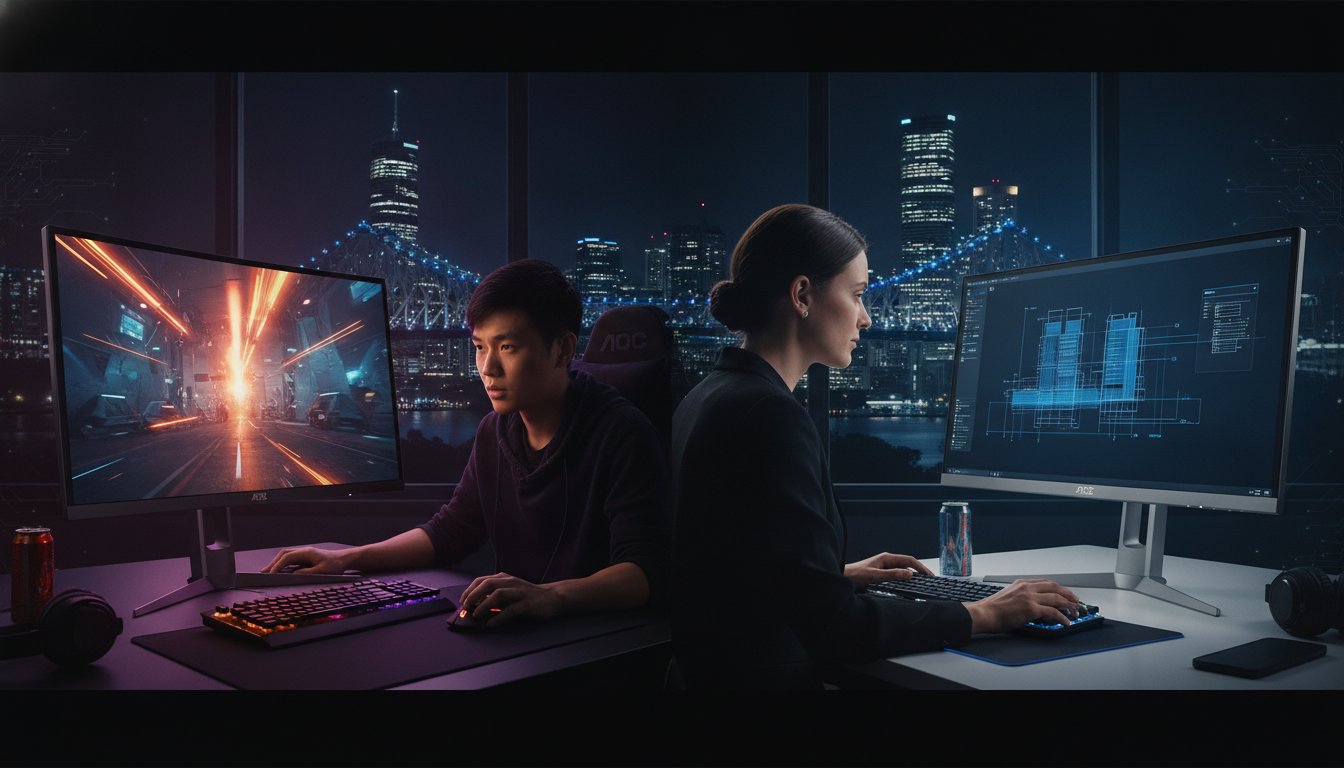
Why pay a massive premium for a “big name” label when an aoc desktop monitor might actually give you better specs for less? It’s a question many Brisbane gamers and professionals are asking in 2026 as the gap between budget and high-end gear continues to shrink. We know it’s frustrating to stare at endless rows of confusing model numbers like the AG276QSD or U32G4. You don’t want to end up with a screen that suffers from ghosting or a 4K display that your current graphics card can’t even handle.
You deserve a setup that makes your favourite games look stunning and your daily work crisp; all without the technical lag that ruins the experience. This guide simplifies the entire AOC lineup, from standard office screens to the elite AGON PRO series. You’ll discover how to match a monitor to your specific hardware and where to find expert local support right here in Brisbane. Let’s find the perfect display to complete your rig and ensure you get the best value for your money.
Key Takeaways
- Learn why an aoc desktop monitor offers the best value-to-performance ratio for Brisbane gamers and office workers in 2026.
- Understand the clear differences between the mainstream G-Line and the high-end AGON PRO series to avoid overspending on features you don’t need.
- Discover how to match your monitor’s resolution and refresh rate to your PC’s graphics card to prevent lag and screen tearing.
- Compare AOC against competitors like BenQ to decide if you prioritise gaming speed or professional colour accuracy.
- Find out why visiting a local specialist in Nundah for a hands-on test is the smartest way to avoid issues like dead pixels or backlight bleed.
What is an AOC Desktop Monitor and Why Are They So Popular in Australia?
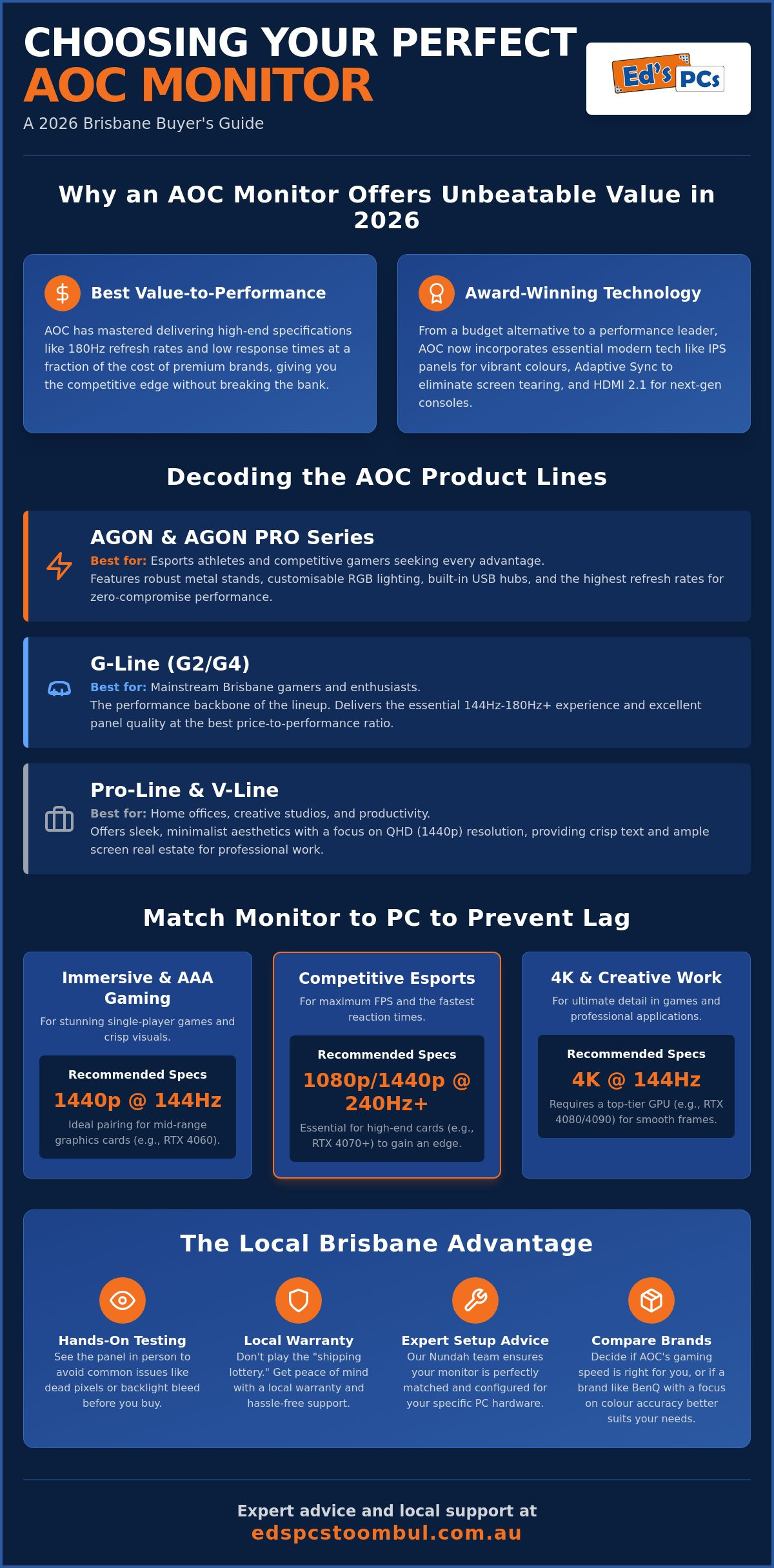
Choosing an aoc desktop monitor has become a rite of passage for many Brisbane tech enthusiasts. AOC, which stands for Admiral Overseas Corporation, has spent decades refining its reputation as a global leader in display technology. While they were once seen as a simple entry-level brand, the 2026 market tells a different story. They’ve shifted from being the “affordable alternative” to becoming award-winning performance leaders that frequently top the charts for value.
The company, officially known as AOC International, has mastered the art of the value-to-performance ratio. Brisbane gamers choose these screens because they can often get a 180Hz or even a 240Hz display for a fraction of the price of a boutique competitor. It’s about getting the specs that actually matter, like low response times and accurate colours, without paying for flashy marketing or unnecessary plastics.
The Evolution of AOC Display Technology
The journey from basic office monitors to the high-end AGON gaming sub-brand is impressive. AOC has carved out a unique market position as the “sweet spot” for Australian tech enthusiasts who want professional-grade performance on a realistic budget. They haven’t just stuck to the basics either. Modern AOC screens have fully adapted to the latest GPU requirements, featuring HDMI 2.1 ports and DisplayPort connections. This ensures your monitor can actually handle the massive data output from a modern gaming PC without bottlenecking your frame rates.
The current 2026 lineup relies on three technical pillars that define the brand’s quality. First, they use high-quality IPS panels that provide wide viewing angles and vibrant colours. Second, they’ve pushed refresh rates into the mainstream, making 144Hz the bare minimum for most gaming models. Finally, their widespread use of Adaptive Sync technology ensures your screen stays in perfect sync with your graphics card, eliminating the stuttering that used to plague mid-range setups.
Why Local Support Matters for Your Monitor
It’s tempting to click “buy” on a massive international website, but monitors are sensitive pieces of glass. Buying locally from a shop like Ed’s PCs Toombul means you aren’t playing the “shipping lottery.” Large online retailers often have complex return policies for minor issues like a single dead pixel or slight backlight bleed. By visiting us in Nundah, you get the benefit of a local warranty and a team that actually understands the hardware.
We take pride in helping our customers select the right panel for their specific needs. Whether you are building a new rig or upgrading an old one, seeing the screen in person makes a world of difference. We can even help with specialised testing to ensure your new display is flawless before it ever hits your desk. This personal touch is something you simply won’t get from a warehouse in another state.
Understanding the AOC Product Lines: Agon, G-Line, and Pro
Picking the right aoc desktop monitor starts with understanding their naming system. AOC organises their displays into distinct families to help you match your budget to your performance needs. In 2026, the aoc desktop monitor range is more diverse than ever, covering everything from the ultra-fast AGON series to the minimalist Pro-Line designed for creative studios.
The AGON series represents the pinnacle of their engineering. These screens are built for esports athletes who need every possible advantage. On the other hand, the G-Line (including the popular G2 and G4 models) serves as the backbone for most local gaming setups. It provides that essential 144Hz or 180Hz experience without the premium price tag of competitive gear. For those working in the Brisbane CBD or from a home office, the V-Line and Pro-Line offer sleek aesthetics that look professional on any desk. If you’re a mobile professional, their Portable Series uses a single USB-C cable to turn your cafe table into a dual-screen workstation.
AGON vs G-Line: Which Gamer Are You?
Comparing the AGON and G-Line often comes down to build quality and extra features. AGON monitors usually feature robust metal stands and customisable RGB lighting. They also include built-in USB hubs and advanced On-Screen Display (OSD) controllers for quick adjustments mid-game. The G-Line is more modest, using plastic finishes to keep costs down while maintaining excellent panel quality. For most Brisbane gamers, the G-Line offers the best price-to-performance ratio, while AGON is for those who want the absolute best craftsmanship.
AOC for the Home Office and Productivity
Modern office work in Brisbane has shifted towards the 27-inch QHD (1440p) standard. This resolution provides enough screen real estate to have two documents open side-by-side without the text becoming blurry. AOC prioritises eye health in these models with “Low Blue Light” and “Flicker-Free” technology. These features are vital for anyone spending eight hours a day in front of a screen. These monitors also integrate perfectly with your laptop, allowing you to create a productive dual-screen setup with ease. If you’re looking to upgrade your current workstation, checking our local stock of computer parts and accessories can help you find the right display and cables to get the job done.
AOC vs BenQ: Choosing the Right Desktop Monitor in 2026
When you’re standing in a showroom looking at a wall of displays, the choice usually narrows down to an aoc desktop monitor or a BenQ. These two brands dominate the Australian landscape, but they cater to very different priorities. BenQ has long been the darling of the design world, focusing on clinical colour precision and professional certifications. AOC, however, has claimed the throne for gaming vibrancy and raw speed. If you want a screen that makes colours “pop” during a session of Cyberpunk, AOC is often the more satisfying choice.
The biggest differentiator in 2026 remains the value proposition. AOC typically offers more “Hz per dollar” than almost any other brand in Brisbane. For instance, the AOC 24G4ZR provides a massive 260Hz refresh rate for around $200, a price point where competitors often struggle to break the 180Hz barrier. While BenQ stands are famous for their heavy-duty engineering, AOC has closed the gap with their AGON series. These models now feature compact metal bases that take up less desk space while offering the same height and tilt flexibility.
The Gaming Showdown: Agon vs Mobiuz
Comparing the flagship gaming lines reveals two distinct philosophies. BenQ’s Mobiuz range uses DyAc technology to reduce motion blur, which is a fantastic tool for competitive shooters. However, AOC’s latest OLED panels, like the AGON Pro AG276QSD, achieve a 0.03ms response time. This hardware-level speed eliminates ghosting without needing the software tricks that can sometimes dim your screen brightness. Both brands enjoy excellent local support in Queensland, but AOC’s wider range of curved options gives them the edge for immersive, open-world gaming.
Productivity and Eye Care
If your day involves staring at spreadsheets for eight hours, eye care becomes your number one priority. BenQ uses a “Brightness Intelligence” sensor to adjust the screen based on your room’s lighting. AOC takes a more direct approach with built-in Flicker-Free technology and hardware-level blue light filters that don’t turn your screen an ugly shade of yellow.
For a professional who has just invested in a macbook pro ssd upgrade brisbane, an AOC Pro-Line monitor is a brilliant secondary screen. It offers the high resolution you need for multitasking without the “Apple tax” found on first-party displays. AOC monitors tend to have a more aggressive, gamer-focused aesthetic with red accents and sharp angles, whereas BenQ stays safely in the minimalist, corporate camp. Choosing between them often comes down to whether you want your desk to look like a high-tech battle station or a clean, modern studio.
How to Match an AOC Monitor to Your PC Specs
Buying an aoc desktop monitor is an exciting upgrade, but it’s easy to get caught in a technical mismatch. You don’t want to spend hundreds on a high-end screen only to find your graphics card can’t keep up. It’s all about balance. If your PC is a few years old, it might only have HDMI 2.0 ports. This limits you to 60Hz at 4K resolutions. To unlock the full potential of a 144Hz or 240Hz aoc desktop monitor, you really need a GPU with HDMI 2.1 or DisplayPort 1.4 connections.
Resolution should always match the screen size to keep the image sharp. For a 24-inch monitor, 1080p is the sweet spot for pixel density. Once you move up to a 27-inch screen, 1080p can start to look a bit “soft” or pixelated. At that size, 1440p (QHD) is the professional standard. It’s also vital to understand the difference between refresh rate and frame rate. Buying a 240Hz monitor won’t make your games smoother if your PC only manages 60 frames per second. Always check your benchmarks before you commit to a high-speed panel.
Pairing with a Gaming Rig
When you are building a new gaming pc, the monitor should be the first thing you consider, not the last. Your choice of screen dictates which computer parts brisbane you actually need to buy. For a clean Brisbane setup, remember that high-refresh monitors often require specific “certified” cables to work correctly. Don’t use a cheap, unbranded HDMI cable and expect 144Hz performance. We always recommend using the DisplayPort cable that comes in the box for the most stable connection.
Panel Types Explained: IPS, VA, or TN?
The “engine” of your monitor is the panel type. In 2026, most users should stick to IPS or VA. IPS panels are the gold standard for colour accuracy and wide viewing angles. They are perfect for office work and immersive RPGs. VA panels offer incredible contrast and deep blacks, making them the best choice for watching movies or playing dark, moody games. TN panels were once the kings of speed, but they are rarely recommended today unless you are on a very tight budget and only care about esports. If you’re unsure which panel fits your desk, come chat with us about our range of computer parts and accessories to see the difference in person.
Syncing technologies like AMD FreeSync and Nvidia G-Sync are also worth checking. Most AOC monitors support FreeSync, which prevents “screen tearing” by matching the monitor’s refresh rate to your GPU’s output. Many of these are also G-Sync compatible, meaning Nvidia users can enjoy the same smooth experience without the premium price tag of a dedicated G-Sync module.
Expert Advice and Setup at Ed’s PCs Toombul
A spec sheet for an aoc desktop monitor only tells part of the story. While technical data like “nits” and “contrast ratios” are helpful, they don’t describe the actual viewing experience in your specific environment. At Ed’s PCs Toombul, we encourage a hands-on approach. Seeing the vibrancy of an AGON OLED or the motion clarity of a G4 panel in our Nundah showroom ensures you aren’t guessing when you make your purchase. It’s about finding the display that feels right for your eyes and your desk setup.
One of the biggest concerns for any buyer is the “panel lottery.” We eliminate this worry with our onsite testing service, where we check every screen for dead pixels and backlight bleed before it leaves our shop. Beyond just unboxing, we provide professional calibration advice to help you get the most out of your new screen. Most factory settings are far too bright for a typical Brisbane home office; we help you adjust the colour balance and gamma for a more natural, comfortable image. We can also help you create custom bundles, matching your display with a high-performance gaming mouse brisbane enthusiasts use for precision and comfort.
Local Support and Warranty
Dealing with warranty claims can be a massive headache when you’ve purchased from a faceless online retailer. If an issue arises, you won’t have to navigate overseas call centres or wait weeks for a courier. We handle the local warranty process right here in Brisbane, providing a direct point of contact for any technical hurdles. For local businesses and complex home setups, we even offer onsite installation services to ensure your cable management is tidy and your ergonomics are perfectly dialled in.
Visit Our Toombul Shop
Our shop in Nundah is designed to be a helpful resource for the local community. You can drop in for a hands-on demo of the latest AOC models and get straightforward advice from fellow enthusiasts. Whether you need a simple screen upgrade or you want to book a consultation for a full onsite PC upgrade Brisbane wide, our team is ready to help. Upgrade your visual experience today with a local expert who values your long-term satisfaction and technical performance.
Ready to Upgrade Your Visual Experience?
Choosing an aoc desktop monitor has proven to be the smartest way for Brisbane users to get high-end performance without the “big brand” tax in 2026. We’ve explored how matching your display to your PC’s output and selecting the right panel type can transform your gaming or work experience. From the competitive speeds of the AGON series to the professional clarity of the Pro-Line, there is a perfect screen for every desk in Queensland.
At Ed’s PCs Toombul, we bring over 10 years of local experience to help you make the right choice. We aren’t just a retail shop; we are expert custom gaming PC builders who understand how every component works together. Our onsite testing for dead pixels and backlight bleed ensures your new display is flawless before you take it home. We take pride in being a reliable partner for our community, offering straightforward advice and local warranty support you can actually count on.
Check out our latest AOC Monitor range and Custom Gaming PCs at Ed’s PCs Toombul and take the guesswork out of your next tech purchase. We look forward to seeing you at our Nundah shop and helping you build a faster, clearer, and more reliable rig today.
Frequently Asked Questions
Is AOC a good brand for gaming monitors?
AOC is widely considered one of the best value-for-performance brands in the gaming market. They offer high refresh rates and low response times that rival premium brands at a much lower price point. Their AGON PRO series is specifically engineered for esports, proving they can compete at the highest level of professional play without the massive price tag often associated with boutique labels.
What is the difference between AOC G2 and G4 monitors?
The G4 series is the modern successor to the G2, offering faster refresh rates and improved panel technology. While the G2 was famous for its 144Hz performance, the G4 models often push this to 180Hz or higher as standard. You will also notice a more refined stand design and better colour accuracy on the newer G4 panels, making them a superior choice for 2026 rigs.
Do AOC monitors come with built-in speakers?
Many AOC models include basic built-in speakers, but they are generally designed for system notifications rather than immersive audio. If you are using an aoc desktop monitor for gaming or movies, we usually recommend a dedicated set of speakers or a headset. Always check the specific model number, as some budget or ultra-slim models omit speakers entirely to keep the profile as thin as possible.
Can I use an AOC monitor with my MacBook?
Yes, you can use any AOC monitor with a MacBook as long as you have the correct adapter or cable. Most modern MacBooks require a USB-C to DisplayPort or USB-C to HDMI cable to connect. For the best experience, look for an AOC Pro-Line model that supports USB-C Power Delivery, which allows you to charge your laptop and output video through a single cable.
What refresh rate do I need for competitive gaming in 2026?
For competitive gaming in 2026, 240Hz has become the recommended standard for serious players. While 144Hz is still perfectly fine for casual play, the higher refresh rate provides a smoother experience and lower input lag in fast-paced shooters. If you are an esports professional, you might even look at AOC’s 360Hz or 500Hz models to get every possible frame-to-eye advantage.
Are curved AOC monitors better than flat ones?
Curved monitors are better for immersion and reducing eye strain on larger screens, but the “best” choice depends on your specific tasks. A 1500R or 1000R curve is fantastic for racing sims and open-world games because it wraps the image around your field of vision. However, professionals doing precise graphic design often prefer flat panels to avoid any perceived distortion of straight lines in their work.
How do I enable G-Sync on an AOC FreeSync monitor?
You can enable G-Sync by connecting your monitor via DisplayPort and toggling the “G-Sync Compatible” setting in the Nvidia Control Panel. Most modern aoc desktop monitor models are Adaptive-Sync enabled, which allows them to work with both AMD and Nvidia cards. Just make sure you have the latest drivers installed and that “FreeSync” is turned on in the monitor’s own OSD menu first.
Where can I get an AOC monitor repaired in Brisbane?
You can get expert assistance and desktop repairs at Ed’s PCs Toombul in Nundah. We specialise in computer repairs and screen replacement services for a wide range of desktop displays. If your monitor is still under warranty, we can help guide you through the local claim process to ensure you aren’t left without a screen for weeks while dealing with overseas centres.

Popular
-
 Ed's PCs Intel 4070 TI Super Build
Original price was: $4,699.$4,299Current price is: $4,299.
Ed's PCs Intel 4070 TI Super Build
Original price was: $4,699.$4,299Current price is: $4,299.
-
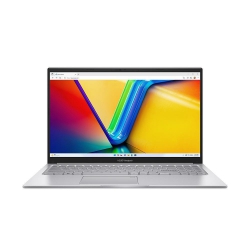 Asus Notebook X1504VAP-NJ815W
Original price was: $1,704.$945Current price is: $945.
Asus Notebook X1504VAP-NJ815W
Original price was: $1,704.$945Current price is: $945.
-
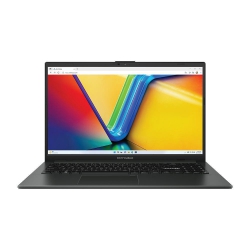 Asus Notebook E1504FA-NJ273W
Original price was: $1,439.$788Current price is: $788.
Asus Notebook E1504FA-NJ273W
Original price was: $1,439.$788Current price is: $788.
-
 Lenovo Notebook V15-G4-83A100E1AU
Original price was: $1,049.$834Current price is: $834.
Lenovo Notebook V15-G4-83A100E1AU
Original price was: $1,049.$834Current price is: $834.
-
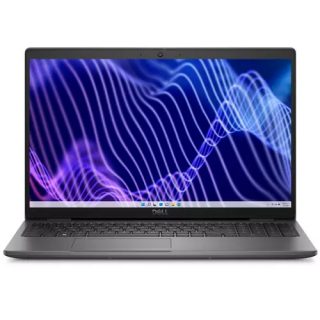 Dell Notebook 3440-N058L3440AU_VP
Original price was: $1,159.$927Current price is: $927.
Dell Notebook 3440-N058L3440AU_VP
Original price was: $1,159.$927Current price is: $927.
Leave a Reply