

The most powerful MacBook Pro M5 Max might actually be the worst choice for your daily commute through Brisbane, despite its incredible speed. It is easy to feel a bit lost in the 2026 lineup when the new MacBook Neo starts at a budget-friendly A$899 while a high-end Pro can cost upwards of A$5,799. You likely want a macbook that balances performance with longevity, ensuring your investment does not feel outdated or sluggish by the time the next chip arrives.
We know how confusing it is to weigh up M5 Pro versus Max specs while worrying about the high cost of out-of-warranty repairs in Australia. This article will show you exactly which model fits your lifestyle and how to maintain it using local expertise. You will learn which RAM and storage configurations are truly non-negotiable for 2026, how the new A18 Pro chip compares to the M5 series, and where to find the best support in Brisbane to keep your laptop running like new.
Key Takeaways
- Identify the core differences between the budget-friendly Neo and the high-performance M5 Pro models to find the right balance of price and power.
- Discover why choosing the right SSD and RAM configurations today prevents your macbook from becoming obsolete as software demands grow over the next few years.
- Understand how the unique Brisbane climate impacts your laptop’s cooling system and what simple steps you can take to extend its physical lifespan.
- Find out why local specialised repair services often provide a faster and more thorough alternative to the Genius Bar for out-of-warranty hardware issues.
- Learn how professional data migration can ensure a seamless transition from your old PC or Mac without losing your important files or settings.
The 2026 Macbook Lineup: Understanding the M5 Generation and Beyond
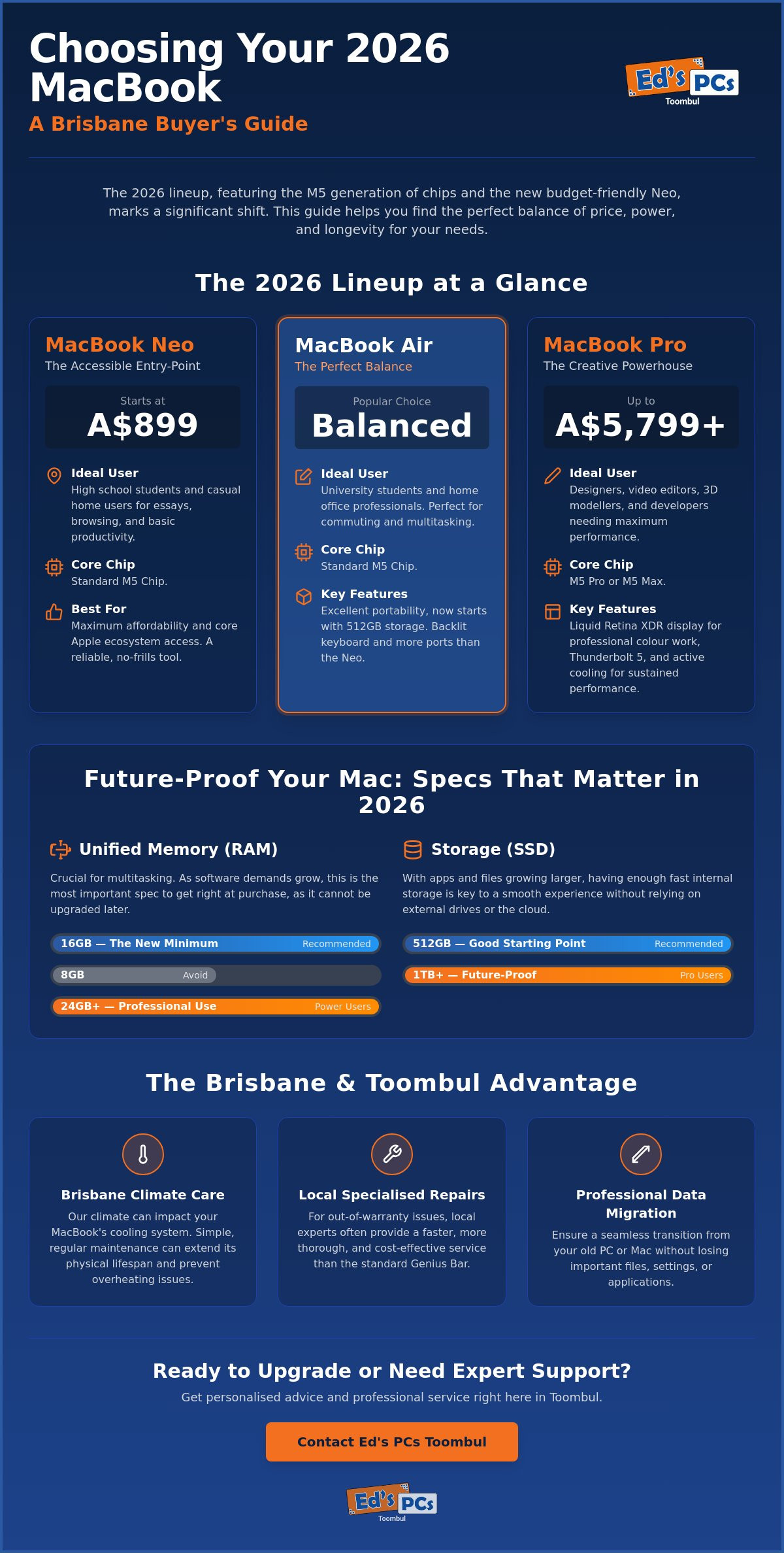
The 2026 lineup represents one of the most significant shifts in the history of the MacBook. For years, many users stayed on their reliable M1 or Intel machines, but the arrival of the M5 generation has changed the calculus. With the introduction of the MacBook Neo starting at A$899, Apple has finally provided an entry-level option that makes professional-grade hardware accessible to everyone from high school students in Toowong to casual users in Chermside. This year is a pivotal moment for an upgrade because the gap between older silicon and the new M5 architecture has never been wider.
The M5, M5 Pro, and M5 Max chips aren’t just incremental speed boosts. They are built around “Apple Intelligence,” a suite of AI features that run locally on your device rather than in the cloud. This means your data stays private while your macbook handles complex tasks like real-time transcription or advanced photo editing with ease. If you are still using an Intel-based Mac, you’ll notice that modern macOS versions are increasingly designed for this specific hardware, leaving older machines feeling sluggish and hot under pressure.
M5 Chip Architecture: More Than Just Speed
The Neural Engine in the M5 chip is now up to four times faster for AI tasks compared to the previous M4 generation. This is crucial for 2026 because modern software increasingly relies on machine learning for basic productivity. We are also seeing the standardisation of Wi-Fi 7 and Bluetooth 6 across the range. These protocols offer more stable, faster connections in crowded Brisbane cafes or busy office buildings. Unified memory remains the most critical spec to get right. Because the CPU and GPU share this pool of RAM, choosing 16GB or 24GB is no longer a luxury; it is a necessity for a smooth experience that lasts several years.
macOS Tahoe Features You Will Actually Use
Running on the latest hardware, macOS Tahoe introduces features that genuinely improve your daily workflow. The new window management system allows you to snap applications into place instantly, which is a lifesaver for multi-tasking. iPhone mirroring has also been refined, letting you control your phone directly from your macbook screen without reaching into your bag. Spotlight AI is perhaps the most impressive update. You can now search for files using natural Australian English phrases like “find that PDF about the Fortitude Valley project” instead of remembering exact filenames. For those spending long days at UQ or commuting from the north side, the new battery optimisation settings learn your routine to ensure you have power when you need it most.
Macbook Air vs. Pro vs. Neo: Finding Your Perfect Match
Choosing the right macbook in 2026 is no longer a simple two-way choice. With the recent launch of the M5 series and the budget-friendly Neo, the decision depends heavily on your daily routine. If you are catching the train from Toombul to the CBD or spending hours in a lecture theatre, portability might be your top priority. However, if you are a designer based in Fortitude Valley, you likely need raw power and a screen that shows colours accurately.
The Student and Home Office Framework
The 13-inch Air remains the most popular choice for locals in Toombul. It strikes a perfect balance between weight and performance. For most university students or home office users, we recommend opting for at least 16GB of unified memory. This prevents the dreaded “spinning beachball” when you have thirty browser tabs and a video call running at once. The M5 Air now starts with 512GB of storage, which is a massive win for those who don’t want to rely entirely on the cloud.
The new macbook Neo is a surprising contender here. Starting at just A$899, it is an excellent option for secondary school students who primarily need to write essays and browse the web. While it lacks the backlit keyboard and extra ports found on more expensive models, its price point makes it the most accessible entry into the Apple ecosystem we have seen in years. It is a reliable, no-frills tool for basic productivity.
The Professional Creative Powerhouse
For the creatives in the Valley, the 14-inch and 16-inch Pro models are the only serious options. The Liquid Retina XDR display is essential for anyone doing professional colour grading or high-end photography. It offers extreme brightness and contrast ratios that the Air simply cannot match. When your work involves 8K video rendering or complex 3D modelling, jumping to the M5 Max chip is worth the investment. These models also feature Thunderbolt 5, allowing you to organise a high-speed desk setup with multiple external drives and displays.
Deciding how much “Pro” you actually need to carry is a physical decision as much as a technical one. The 16-inch Pro is a beast of a machine, but it adds noticeable weight to your backpack. If you are a mobile professional who is always on the move, the 14-inch Pro or the 15-inch Air might be the sweet spot. You get a larger screen without the bulk of the top-tier hardware. If you feel unsure about which specs are non-negotiable for your specific software, it’s worth getting tailored advice from a specialist who understands the local creative industry.
Beyond the Glossy Screen: Technical Specs That Matter in Brisbane
While the sleek aluminium finish of a new macbook is always impressive, the internal specifications are what determine how well it survives the unique challenges of the Queensland climate. Brisbane is known for its high humidity and sweltering summer days, both of which can wreak havoc on sensitive electronics. Choosing the right hardware isn’t just about speed; it is about ensuring your laptop doesn’t become a very expensive paperweight after two years of heavy use in the heat.
Heat and Performance Throttling
The biggest difference between the MacBook Air and the MacBook Pro in 2026 is how they handle the heat. The Air uses a fanless design, which is silent but relies entirely on its chassis to dissipate warmth. On a 35-degree day in an office without great air conditioning, an Air will reach its thermal limits much faster than a Pro with active fan cooling. Thermal throttling is a protective mechanism where the M5 chip automatically reduces its processing speed to prevent permanent hardware damage when internal temperatures reach a critical threshold. If you often find yourself working on complex projects in non-chilled environments, the active cooling in the Pro models is a safer bet to maintain consistent performance.
Storage and Memory: The “Point of No Return”
Because Apple uses a unified architecture, your initial choice of RAM and SSD is permanent. You cannot simply pop the back off and add more storage later. This makes the “Swap Memory” trap a serious concern for long-term health. When your macbook runs out of physical RAM, it uses a portion of your SSD as temporary memory. While this keeps things running, it puts immense wear on the SSD’s flash cells. Over time, this constant writing and erasing can significantly shorten the lifespan of your drive. We strongly suggest avoiding the base 256GB or 512GB models if you plan to keep the machine for more than three years. Opting for 24GB of RAM or higher effectively protects your internal drive from excessive wear.
For those who spend time working outdoors at South Bank or in bright cafes, the new Nano-texture display option is finally worth the extra cost. It significantly reduces glare without the “muddy” look of older matte screens. Regarding battery health, try to avoid charging your device while it is sitting on a soft surface like a couch or bed. This traps heat against the bottom casing, which is the primary enemy of lithium-ion capacity. Keeping your laptop on a hard, flat surface helps maintain that 24-hour battery life for much longer.
Protecting Your Investment: Maintenance and Local Support
Owning a premium laptop is only half the battle. Maintaining it is where most people get stuck. While AppleCare+ is a popular choice, many Brisbane residents find that local Macbook repairs offer a more personal and cost-effective solution for out-of-warranty issues. Instead of being told your entire logic board needs replacing for a four-figure sum, a specialist at Ed’s PCs Toombul can often perform component-level fixes that target the specific fault. This approach saves you money and keeps perfectly good hardware out of landfill.
Local Support vs. The Apple Store
The biggest advantage of choosing a Toombul specialist is the direct communication. You speak to the technician who actually opens your macbook, not a retail staff member reading from a script. Turnaround times are usually much faster too. We understand that your laptop is your livelihood. We prioritise getting you back to work without the week-long wait times often found at the crowded CBD Genius Bar. Whether it is a cracked screen or a mysterious power issue, having a local point of contact makes the process far less stressful.
Hardware issues like “Flexgate” display cable failures or debris under the keyboard can still happen even with the latest models. Liquid spills are another common disaster. If you drop your morning flat white on your keyboard, the first step is to turn it off immediately and seek professional help. Attempting to dry it out with rice often does more harm than good by allowing corrosion to set in. Professional ultrasonic cleaning is the only way to properly save a water-damaged board.
Preventative Care Checklist
Preventative care is the best way to avoid expensive bills. We recommend a professional internal clean every 18 months. Brisbane can be surprisingly dusty, and that fine grit clogs up the fans. This leads to the thermal throttling we discussed earlier, making your M5 chip work harder than it needs to. Here are a few daily tips to keep your machine in top shape:
- Display care: Use only a dry or slightly damp microfibre cloth on the Liquid Retina screen. Avoid harsh chemicals that can strip the anti-reflective coating.
- Software hygiene: Keep macOS Tahoe lean by removing old apps and clearing cache files. A cluttered drive slows down the entire system.
- Power protection: Queensland storm season brings frequent power surges. Always use a high-quality surge protector to prevent motherboard damage during a lightning strike.
If your device refuses to initialise or you see the dreaded question mark folder, don’t panic. Data recovery is often possible even when the hardware seems dead. If you are worried about a strange noise or a slow startup, it’s time to book a professional diagnostic check before a small problem becomes a major failure.
Why Sourcing and Servicing Your Macbook Locally in Toombul Makes Sense
Buying a new macbook is a significant investment. While big-box retailers focus on shifting inventory, we focus on the person using the machine. At Ed’s PCs Toombul, we don’t just sell you a box and send you on your way. We take the time to understand your specific workflow. Whether you are a student at QUT or running a small business in Clayfield, we match the hardware to your actual lifestyle. This local accountability is what sets us apart from larger, anonymous stores.
Moving your digital life from an old machine is often the most stressful part of an upgrade. We specialise in seamless transitions, helping you migrate every photo, document, and email from your old PC or Mac. You won’t have to worry about losing important files or spending hours trying to remember passwords. Our team ensures your new system is ready to use the moment you get it home.
More Than Just a Retail Transaction
We provide a level of post-purchase support that you simply won’t find at a national chain. This includes helping you customise your Mac with the right software and accessories. For Brisbane business owners, we also support multi-device fleets, ensuring your entire team stays productive. If something goes wrong, you have access to local warranty assistance and straightforward technical help without needing to book an appointment weeks in advance.
Our service extends beyond our shopfront in Toombul. We offer onsite service for things like printer installation, making sure your home office actually works the way it should. If you are struggling to get your old printer to talk to macOS Tahoe, we can come to you. This hands-on approach ensures you get the full value out of your new technology without the frustration of troubleshooting alone.
Your Next Steps in Brisbane
Choosing between the M5 Air, the Pro, or the Neo is easier when you can see them side-by-side. We invite you to visit us in Toombul for a hands-on comparison of the 2026 range. You can feel the weight difference and see the Liquid Retina displays in person. If you are still undecided, book a consultation with our team to discuss your specific upgrade path. We will help you cut through the marketing hype to find the specs that really matter for your work.
Ready to make the switch? Chat with our local Apple specialists today to find your perfect macbook and ensure it is set up correctly from day one.
Maximise Your Mac’s Potential in Brisbane
Selecting the right machine in 2026 is about more than just speed. It’s about finding a macbook that fits your specific lifestyle while ensuring the RAM and storage are sufficient for the years ahead. We’ve looked at how the Brisbane heat impacts your device and why professional maintenance is the key to longevity. From the student-friendly Neo to the high-end Pro, your choice today defines your productivity tomorrow.
Ed’s PCs Toombul is a local Brisbane business dedicated to expert Macbook repairs and professional Apple hardware maintenance. We are specialists in both custom gaming builds and professional Apple support, offering onsite technical services to make your life easier. We don’t just sell you a device; we ensure it’s set up correctly and remains reliable through every Queensland summer. You can trust our team to provide the honest, tailored advice you deserve.
Get Expert Macbook Support and Local Sales at Ed’s PCs Toombul
We’re here to help you make a confident decision. Visit us in Toombul to see the range and get your new setup started on the right foot.
Frequently Asked Questions
Is the Macbook Air M5 powerful enough for video editing?
Yes, the M5 Air is a capable machine for most 4K video editing projects. The dedicated media engines and updated Neural Engine handle ProRes footage efficiently without much lag. However, if you are working on long timelines or 8K projects in a warm Brisbane office, the lack of a fan might cause the system to slow down. For heavy professional workloads, the active cooling in the Pro model is still the safer choice.
How long should a Macbook typically last before needing a repair?
You can usually expect three to five years of peak performance before a macbook requires a battery replacement or an internal service. While the hardware itself often lasts seven years or longer, the Brisbane humidity can lead to internal dust becoming sticky and blocking airflow. We recommend a professional internal clean every 18 months to prevent heat-related damage and ensure your components stay in top condition for the long haul.
Can I upgrade the RAM or SSD in my Macbook after I buy it?
No, you cannot upgrade these components after purchase because they are soldered directly to the logic board. This unified architecture is why it is so important to choose the right specs from the start. We always suggest opting for more RAM than you think you currently need. This prevents your system from becoming sluggish as future macOS updates and AI-driven applications become more demanding over the next few years.
What is the difference between AppleCare+ and a local specialist warranty?
AppleCare+ acts as a global insurance policy for accidental damage, while a local specialist focuses on personalised, component-level care. Many Brisbane residents prefer local support for out-of-warranty issues because we can often repair specific parts of a board rather than replacing the entire thing. This approach is usually more affordable and provides you with a direct line to the technician who is actually performing the work on your device.
Why is my Macbook getting so hot during the Brisbane summer?
High ambient temperatures and humidity make it much harder for your laptop to dissipate heat effectively. If dust has settled inside the chassis, it acts like a blanket over the processor and battery. This trapped heat leads to thermal throttling, where your computer slows down to protect itself. Keeping your laptop on a hard, flat surface and ensuring the internal fans are clear of debris will help maintain a lower operating temperature.
Should I buy the 14-inch or 16-inch Macbook Pro for office work?
The 14-inch model is generally the best fit for standard office work and commuting. It provides the same professional port selection and high-quality XDR display as the larger version but is much lighter in a backpack. Unless you specifically need the extra screen real estate for complex spreadsheets or side-by-side window management, the 14-inch Pro offers a better balance of portability and power for most Brisbane professionals.
Does Ed’s PCs Toombul provide onsite support for Macbook setups?
Yes, we offer onsite service to help you get your new macbook perfectly configured in your home or office. Our team can assist with data migration from your old machine, network configurations, and printer installations. We understand that setting up a new ecosystem can be frustrating, so we come to you to ensure everything from your iCloud backup to your peripheral devices is working seamlessly from day one.
Is it worth repairing an older Intel-based Macbook in 2026?
It depends on the specific fault, but usually, a replacement is a wiser investment in 2026. While we still perform reliable repairs on Intel models, the performance gap between those older chips and the M5 series is now massive. If the repair cost is high, you might be better off putting that money toward a new MacBook Neo or Air. The improvements in battery life and AI capabilities make the switch to Apple Silicon very compelling.


Popular
-
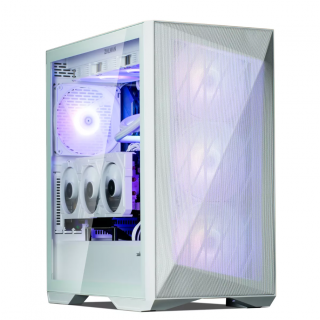 Ed's PCs Intel 4070 TI Super Build
Original price was: $4,699.$4,299Current price is: $4,299.
Ed's PCs Intel 4070 TI Super Build
Original price was: $4,699.$4,299Current price is: $4,299.
-
 Asus Notebook X1504VAP-NJ815W
Original price was: $1,704.$945Current price is: $945.
Asus Notebook X1504VAP-NJ815W
Original price was: $1,704.$945Current price is: $945.
-
 Asus Notebook E1504FA-NJ273W
Original price was: $1,439.$788Current price is: $788.
Asus Notebook E1504FA-NJ273W
Original price was: $1,439.$788Current price is: $788.
-
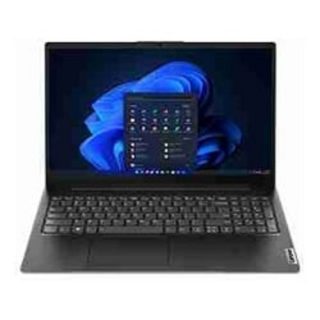 Lenovo Notebook V15-G4-83A100E1AU
Original price was: $1,049.$834Current price is: $834.
Lenovo Notebook V15-G4-83A100E1AU
Original price was: $1,049.$834Current price is: $834.
-
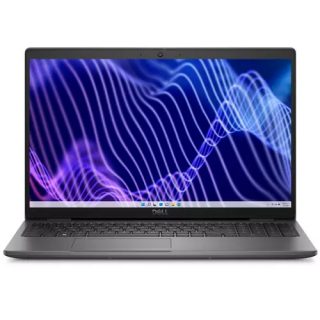 Dell Notebook 3440-N058L3440AU_VP
Original price was: $1,159.$927Current price is: $927.
Dell Notebook 3440-N058L3440AU_VP
Original price was: $1,159.$927Current price is: $927.
Leave a Reply