
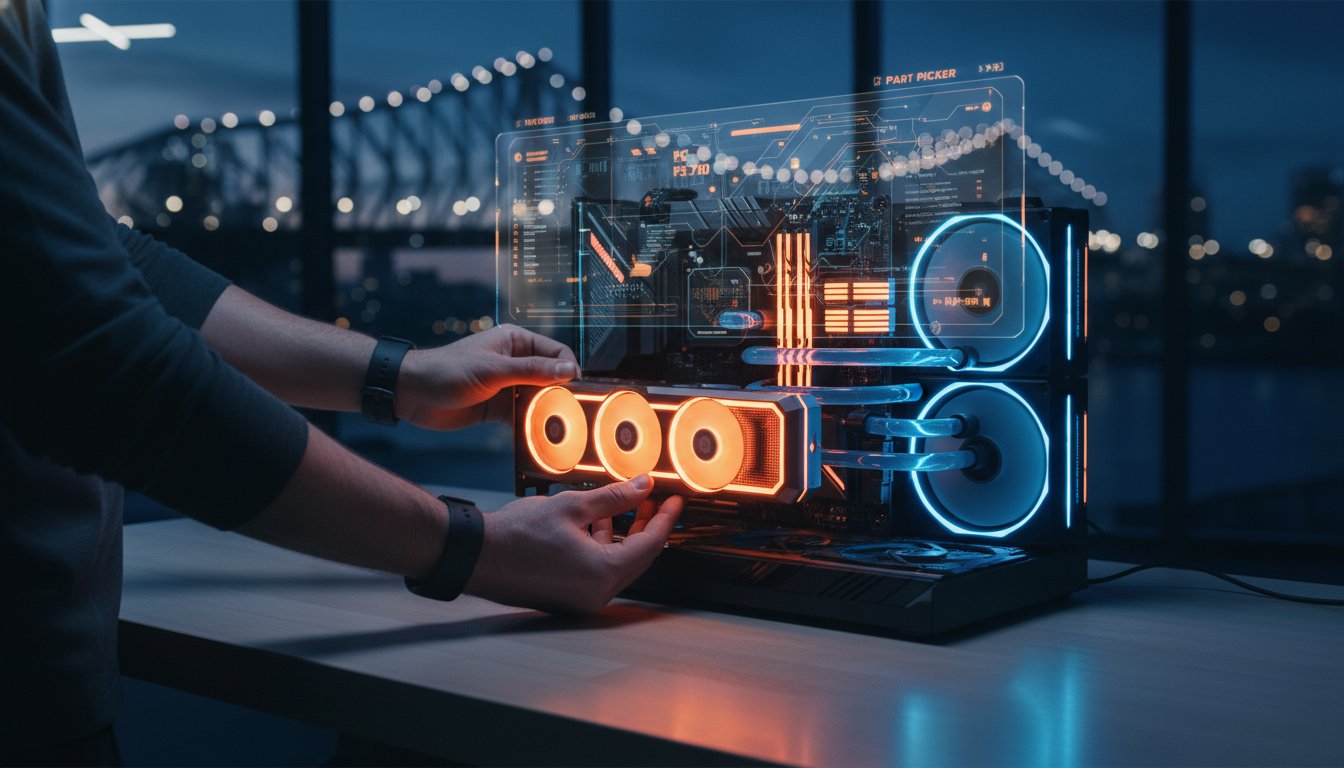
Is it still possible to build a high-performance gaming rig in 2026 when a flagship graphics card costs more than a used hatchback? With DRAM and SSD prices soaring by an estimated 130 per cent and new 2.5 per cent import duties hitting our market, using pc part picker australia is no longer optional. It’s an essential tool for any local builder. You’ve probably felt the anxiety of staring at a shopping cart, wondering if those expensive components will actually fit together or if you’re getting stung by international pricing that ignores our 10 per cent GST.
We understand that pressure. Planning a build should be exciting, not exhausting. This guide will help you master the platform to take the guesswork out of your next project. You’ll learn how to lock in a verified parts list that fits your budget and ensures you’re getting the best possible value across Australian retailers. We’ll walk through setting local filters and handling the latest hardware shortages, giving you the confidence to move from a digital list to a fully functional gaming PC.
Key Takeaways
- Learn why using the dedicated pc part picker australia site is essential for accurate GST calculations and local shipping estimates.
- Discover the best sequence for selecting components to ensure your motherboard and CPU provide a reliable foundation for your build.
- Understand how to factor in hidden costs like multi-retailer shipping and the unique thermal requirements of the Brisbane climate.
- Identify the gap between digital compatibility filters and real-world assembly challenges to avoid expensive hardware damage.
- Find out how a professional sanity check can turn your digital parts list into a high-performance gaming PC without the stress of going it alone.
What is PC Part Picker Australia and Why Should You Use It?
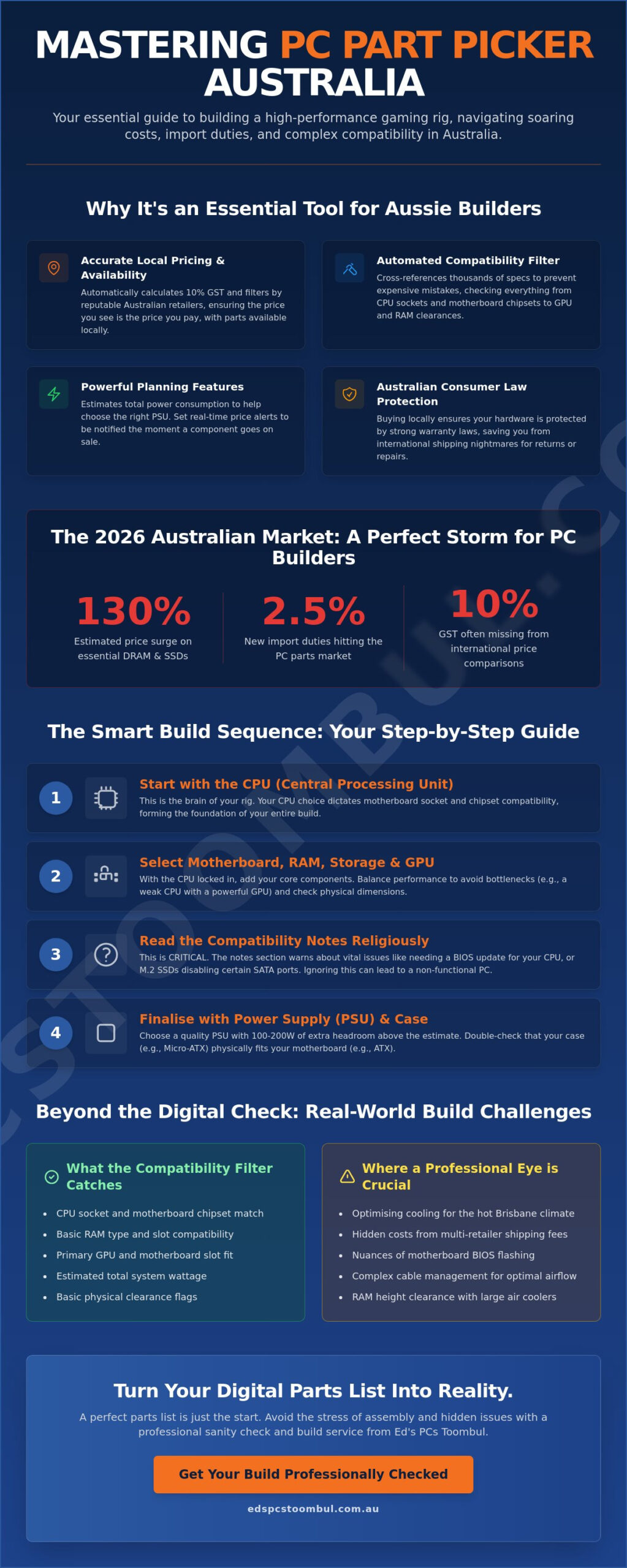
Think of pc part picker australia as your digital architect and personal shopper rolled into one. It isn’t a shop itself, but rather a powerful aggregator that scans the inventory of major Australian retailers to find the best deals. According to the foundational details found on PC Part Picker on Wikipedia, the platform was designed to simplify the complex process of matching hardware. For local builders, the Australian-specific portal is vital because it automatically calculates the 10 per cent GST and filters results to reputable Australian stores that actually ship to your front door.
The most valuable feature is the automated compatibility filter. This system cross-references thousands of technical specifications to ensure every part in your list works harmoniously. It checks everything from CPU socket types to physical clearances for your graphics card. Without this tool, you risk the expensive mistake of ordering a high-end motherboard that doesn’t fit your case or RAM that is too tall for your cooling fans. By using the local version of the site, you’re looking at parts physically available in Australian warehouses, which is crucial given the current global supply chain volatility.
The Core Benefits of Using the Tool
One of the handiest features is the automated power consumption estimate. It calculates the total wattage your components will draw, allowing you to choose a power supply that is efficient without being overkill. You can also set up real-time price alerts. This is particularly helpful in 2026, as DRAM and SSD prices fluctuate rapidly. Instead of checking five different websites every morning, the tool notifies you the moment that specific GPU goes on sale. You can also browse community build guides to see what other Aussies are creating, which provides great inspiration for your own aesthetic goals.
Why Local Context Matters for Your Build
It’s easy to get caught out by looking at international tech reviews and seeing prices in US Dollars. A budget US build can quickly turn into a premium Australian project once you factor in the exchange rate and our local taxes. Using pc part picker australia keeps your budget grounded in reality. Beyond just the price tag, buying from local retailers ensures your hardware is protected by Australian Consumer Law. This gives you much stronger warranty protections than if you imported parts from overseas. You’ll have peace of mind knowing that if a component arrives dead on arrival, you’re dealing with a local service centre rather than an international shipping nightmare.
A Step-by-Step Guide to Using the PC Part Picker Australia Builder
Building a custom rig is a rewarding experience, but it requires a methodical approach to avoid costly mistakes. When you open the pc part picker australia System Builder, your first task is to establish a solid foundation. Always start with your CPU. This choice is the most critical because it dictates which motherboard sockets and chipsets are compatible. Once the processor is locked in, the tool will automatically filter out motherboards that won’t work, saving you from the frustration of a system that won’t even post.
After your core platform is set, you can begin adding RAM, storage, and your graphics card. Pay close attention to the “Compatibility Notes” section at the very bottom of your parts list. This area is often overlooked by beginners, yet it contains vital warnings. It might tell you that a specific motherboard needs a BIOS update to support your CPU, or that certain SATA ports will be disabled if you use an M.2 SSD. Reading these notes religiously before you purchase anything is the best way to ensure a smooth build day.
Choosing Your Primary Components
Balance is the key to a great gaming experience. You don’t want to pair a top-tier RTX 50-series graphics card with an entry-level budget CPU, as this creates a performance bottleneck. If you’re building for specialised tasks like AI, you can read more about the necessary hardware specifications. Similarly, check the physical dimensions of your chosen parts. High-performance RAM often features tall heat spreaders that can collide with large air coolers. The builder tool helps track these clearances, but you should always double-check the motherboard size. An ATX board won’t fit in a Micro-ATX case, no matter how much you try to wiggle it in. If you’re weighing up which processor to anchor your build around, our in-depth look at whether the AMD Ryzen 7 7800X3D is still worth it in 2026 can help you decide if this legendary gaming CPU belongs at the heart of your parts list.
Finalising the Build with Essentials
Selecting a Power Supply (PSU) is about more than just meeting the minimum wattage. We recommend choosing a unit with at least 100 to 200 watts of extra “headroom.” This extra capacity ensures the PSU runs efficiently and allows for future component upgrades without a full rebuild. For those of us living through a Brisbane summer, airflow is your best friend. Look for a case with a mesh front panel and space for additional fans to keep your hardware cool when the humidity hits.
Buying from reputable local vendors linked through the site ensures you are fully covered by Australian Consumer Law for electronics if a part fails early. Once your list is complete, save the unique URL. This makes it easy to share with mates for a second opinion. If the technical warnings still feel a bit overwhelming, you can always bring your list into our Toombul shop for a professional sanity check before you commit to the build.
Understanding the Australian PC Hardware Market: Prices, Taxes, and Retailers
Navigating the financial side of a build requires more than just looking at the bottom line of your pc part picker australia list. In our market, the price you see usually includes the 10 per cent Goods and Services Tax (GST). However, the biggest trap for new builders is the “split order” shipping cost. While the tool might show that buying from five different retailers saves you A$40 on parts, you could easily spend A$100 on five separate delivery fees. It is often better to consolidate your purchase to one or two vendors to keep those freight costs under control.
While you are researching the assembly process through resources like PCMag’s ultimate PC build guide, keep in mind that the Australian market has its own quirks. We often deal with the “Aussie Tax.” This is a colloquial term for the higher prices we pay compared to the US. This happens because of our smaller market size, high logistics costs, and the 2.5 per cent import duty on consumer electronics introduced in mid-2026. Understanding these factors helps you set a realistic budget from the start.
Online vs Local Retailers
Major Australian e-tailers offer a massive range, but they can’t match the immediate support of a local shop. Ordering a fragile tempered glass case from an interstate warehouse carries a high risk of shipping damage. Couriers can be rough, and dealing with a return via mail is a slow, frustrating process. Picking up your parts from a Brisbane storefront means you can inspect the boxes for damage immediately. You also get the benefit of face-to-face advice if you run into trouble during the build. For a comprehensive overview of where to source the best computer parts Brisbane has available, including tips on navigating local retailers and avoiding the pitfalls of interstate shipping, our dedicated buying guide covers everything you need to know.
This preference for reliable local sourcing is mirrored in other technical industries across the country; for example, those maintaining heavy machinery often look to specialists like Storm Parts Australia to ensure they get the right components without the uncertainty of overseas logistics.
Timing Your Build for Maximum Savings
Patience pays off in the Australian hardware market. We have specific sales cycles like Click Frenzy, Black Friday, and the End of Financial Year (EOFY) sales in June. Use the price history charts on pc part picker australia to see if a current “discount” is actually a bargain. These charts reveal if a retailer hiked the price just before a sale to make the discount look larger. Be careful not to wait too long, though. With the current global memory shortage, waiting an extra month for a GPU sale might mean your chosen RAM goes out of stock or jumps in price.
Beyond the Compatibility Filter: Essential Build Knowledge the Tool Misses
While pc part picker australia is a brilliant logic engine, it cannot tell you how cramped your fingers will be during the assembly process. A case might be listed as compatible with your graphics card, but “fitting” and “having room to actually plug in the power cables” are two different things. For first-time builders, choosing a slightly larger case with dedicated cable routing channels can save hours of frustration. It is the difference between a clean, professional-looking rig and a “rats nest” of wires that blocks airflow and collects dust.
Thermal management is another area where local knowledge beats a digital filter. Brisbane’s climate is a major factor that a global tool often ignores. Many CPUs come with a stock cooler, but in a Queensland summer, these often struggle to keep temperatures below the thermal throttling point. We always recommend upgrading to a high-quality air cooler or an All-In-One (AIO) liquid cooler. Don’t forget the thermal paste either. While many coolers come with pre-applied paste, using a premium aftermarket brand and applying it properly can shave several degrees off your operating temperatures. If you want to dive deeper into how Queensland’s humidity affects your hardware choices, our guide to sourcing computer parts in Brisbane covers climate-specific recommendations in detail.
Physical Build Challenges
Protecting your investment starts with safety. Static electricity, or Electrostatic Discharge (ESD), can kill sensitive components like your motherboard or RAM before you even turn the PC on. Always build on a hard surface rather than carpet and touch a grounded metal object frequently. Regarding the case setup, aim for positive air pressure. This means having more intake fans than exhaust fans, which helps keep dust out of your components. If you find that your system won’t boot, it might be a BIOS issue. Some newer CPUs require a BIOS update on older motherboards to be recognised, a task that can be tricky for beginners.
Software and Driver Setup
Once the hardware is together, the job isn’t finished. With Windows 10 support having ended in 2025, you’ll likely be installing Windows 11. Ensure you perform a clean driver setup, especially for your graphics card. One of the most common mistakes is leaving your RAM at its default “safe” speed. You must enter the BIOS and enable XMP (for Intel) or EXPO (for AMD) to get the full performance you paid for. Finally, use monitoring software to keep an eye on your idle and load temperatures during your first few gaming sessions to ensure everything is running cool and quiet.
If the thought of applying thermal paste or potentially zapping your motherboard with static electricity makes you nervous, we can help. Our team can provide a professional Pc Upgrades service or a full custom build to ensure your hardware is handled with expert care.
From Parts List to Desktop: Why Local Brisbane Support Beats Going It Alone
Planning your build on pc part picker australia is the first step toward a great gaming experience. However, there is a significant gap between a digital list and a finished machine sitting on your desk. This is where local expertise becomes your biggest asset. At Ed’s PCs Toombul, we provide a safety net for builders who want the best components but feel uneasy about the physical assembly. You can bring your saved parts list to our Toombul shop for a final sanity check. We look for those subtle issues, like whether your chosen power supply has the right cable configuration for a modern 2026 graphics card, which automated tools sometimes overlook.
The reality of DIY building is that things don’t always go according to plan. While the software says parts are compatible, it won’t help you when a screw is stripped or a motherboard standoff won’t line up. Choosing local support means you have a partner in the process. If you buy through a faceless international retailer, you’re often left arguing with a chatbot if a part arrives dead on arrival. When you work with a local specialist, you’re talking to a person who takes pride in craftsmanship and ensures your investment is protected from the moment you pick up the box.
Our Professional Assembly Service
Many enthusiasts choose our professional assembly service to eliminate the risk of hardware damage. Seating a CPU is a delicate process where one bent pin can turn a thousand-dollar component into a paperweight. We handle the stressful parts, including precision cable routing that maximises airflow and keeps your system looking sharp. Before any Gaming PC leaves our centre, it undergoes rigorous stress testing. We push the hardware to its limits to ensure it stays stable under heavy loads. If you’re a local in the Toombul area, you can drop in for same-day advice on your project and get straightforward answers.
Upgrades and Repairs for DIYers
It’s common for DIYers to get halfway through a build and hit a wall. Perhaps the system won’t post, or you’ve discovered a compatibility issue that wasn’t flagged by pc part picker australia. We offer rescue services specifically for these situations. Whether you need help with a tricky BIOS update or professional desktop repairs after a component failure, we’re here to help. Our team also handles screen replacements and hardware upgrades for existing machines that need a new lease on life.
If you’re still in the planning phase, check out our guide on choosing the best gaming PC in Brisbane for more tailored advice. Using local expertise doesn’t just save you time; it ensures your custom rig performs exactly how you imagined it would on the day you started your parts list.
Ready to Turn Your Virtual List into a Reality?
Mastering pc part picker australia is the smartest way to start your journey toward a high-performance custom rig. You now have the knowledge to navigate local pricing, account for GST, and filter for parts that are physically available in our warehouses. While digital tools are excellent for checking compatibility, remember that the physical build requires a steady hand and a sharp eye for thermal management in our unique climate.
If the assembly process feels a bit daunting, you don’t have to go it alone. Whether you’re planning a cutting-edge AMD or Intel gaming rig, our team provides the expert local assembly and professional troubleshooting you need to ensure everything runs perfectly. We take pride in our craftsmanship and offer dedicated repair services if you ever hit a snag during your DIY project.
Take the stress out of your next project and get your custom gaming PC professionally built at Ed’s PCs Toombul. We’re here to help you move from a saved URL to a fully functional desktop that’s ready for years of elite gaming. We look forward to seeing your parts list in the shop soon!
Frequently Asked Questions
Is PC Part Picker Australia accurate with local pricing?
The tool is generally very accurate because it pulls live data feeds from major Australian retailers like Mwave, Scorptec, and Centre Com. However, prices can change rapidly during high-demand periods or flash sales. You should always click through to the retailer’s website to confirm the final price before you commit to a purchase.
Does PC Part Picker account for Australian shipping costs?
No, the initial list price usually excludes the final shipping fee. Because every retailer has different freight rates based on your location and the weight of the parts, these costs are only calculated at the final checkout. This is why consolidating your order to one or two shops often saves you more money than chasing the lowest individual price across five different stores.
What happens if PC Part Picker says my parts are incompatible?
If you see an incompatibility warning, scroll to the bottom of your pc part picker australia list to read the specific details. Some warnings are minor, such as a motherboard needing a BIOS update to support a newer CPU. Others are critical physical clashes, like a graphics card being too long for your case or a power supply lacking the necessary connectors for your motherboard.
Can I buy all my parts from one shop to save on shipping?
You can certainly buy everything from a single retailer, and this is often a smart move for Brisbane builders. It simplifies your warranty claims and significantly reduces total freight costs. While the tool might show slightly lower prices by splitting the order, the convenience of a single delivery and a single point of contact for support often provides better long-term value.
Is it cheaper to build my own PC or buy a pre-built in Brisbane?
Building your own PC can save you money on individual component costs if you are willing to spend time hunting for sales. However, a professionally assembled system in Brisbane provides a full system warranty and eliminates the risk of damaging expensive parts during the build. For many, the peace of mind that comes with a verified, stable system is worth the assembly fee.
What should I do if my PC won’t turn on after I build it?
First, check that your power supply switch is in the “on” position and all internal cables are firmly seated. If the system still stays dark, it could be a hardware fault or a compatibility issue the tool missed. If you are stuck, it is best to seek professional help rather than repeatedly forcing a boot, which could lead to hardware damage.
Does PC Part Picker Australia include GST in the prices?
Yes, the prices shown on pc part picker australia almost always include the 10 per cent Goods and Services Tax (GST). Australian retailers are required by law to show GST-inclusive pricing to consumers. This makes it much easier to manage your budget compared to international sites that often add taxes and duties at the very last step of the transaction.
How do I know if a power supply is good enough for my build?
Check the estimated wattage on your parts list and choose a power supply with at least 150 watts of extra headroom. Look for an “80 Plus Gold” rating or higher to ensure the unit is efficient and uses high-quality internal components. A reliable power supply is the most important part of your build for protecting your expensive graphics card and processor from electrical issues.

Popular
-
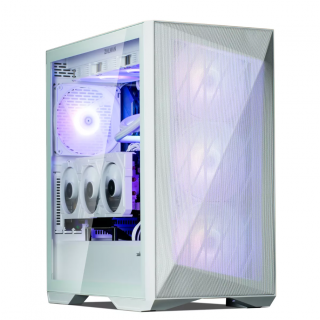 Ed's PCs Intel 4070 TI Super Build
Original price was: $4,699.$4,299Current price is: $4,299.
Ed's PCs Intel 4070 TI Super Build
Original price was: $4,699.$4,299Current price is: $4,299.
-
 Asus Notebook X1504VAP-NJ815W
Original price was: $1,704.$945Current price is: $945.
Asus Notebook X1504VAP-NJ815W
Original price was: $1,704.$945Current price is: $945.
-
 Asus Notebook E1504FA-NJ273W
Original price was: $1,439.$788Current price is: $788.
Asus Notebook E1504FA-NJ273W
Original price was: $1,439.$788Current price is: $788.
-
 Lenovo Notebook V15-G4-83A100E1AU
Original price was: $1,049.$834Current price is: $834.
Lenovo Notebook V15-G4-83A100E1AU
Original price was: $1,049.$834Current price is: $834.
-
 Dell Notebook 3440-N058L3440AU_VP
Original price was: $1,159.$927Current price is: $927.
Dell Notebook 3440-N058L3440AU_VP
Original price was: $1,159.$927Current price is: $927.
Leave a Reply