

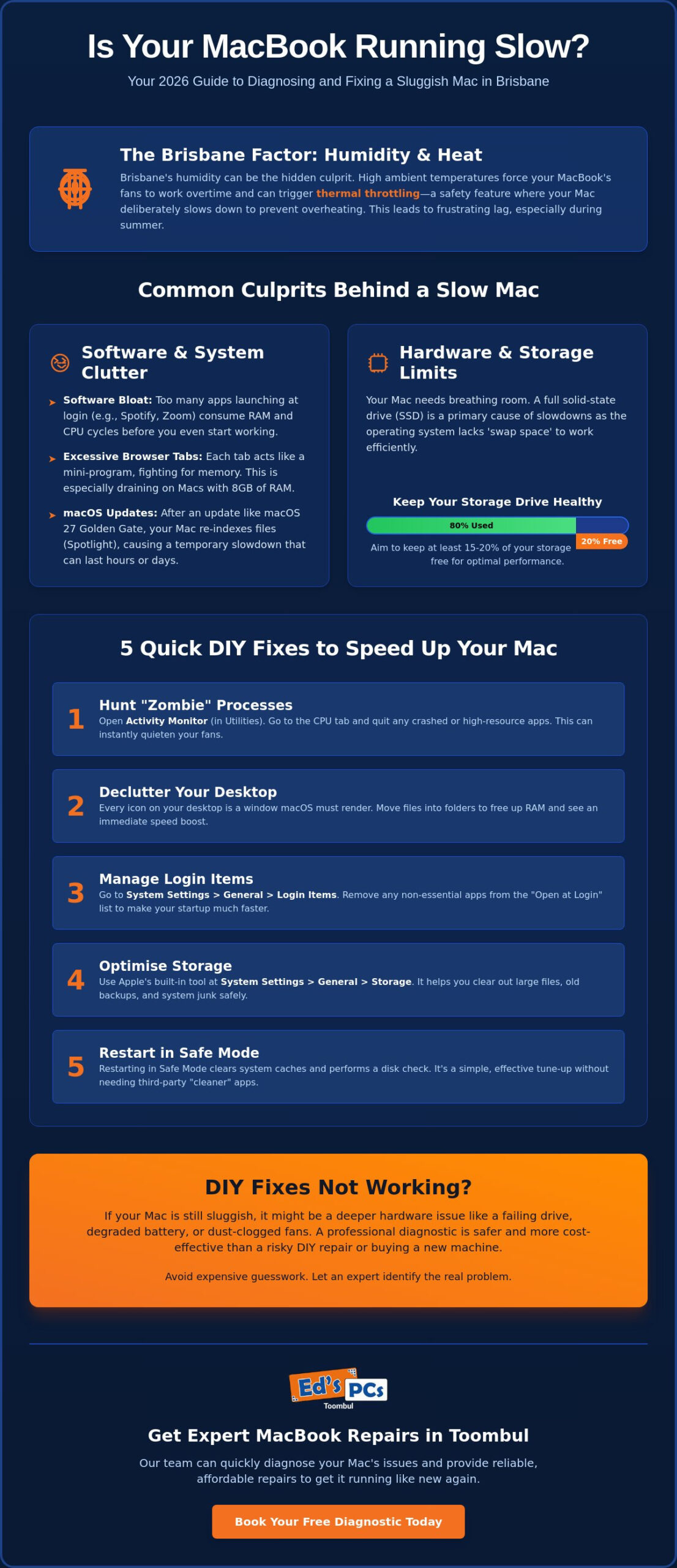
Is your MacBook actually reaching the end of its life, or is the Brisbane humidity just suffocating its internal fans? It’s incredibly frustrating when a simple task like opening Safari takes long enough to boil the kettle, especially when you’re worried about the cost of a brand-new machine. If you’ve noticed your macbook running slow brisbane weather often plays a bigger role than you might think. You aren’t alone in feeling anxious about high Apple Store quotes or the fear of losing your data during a risky DIY fix.
The good news is that a sluggish Mac doesn’t always mean you need to drop $2,000 on a new laptop. We’ve put together this 2026 guide to help you identify whether your lag is caused by the latest macOS 27 Golden Gate update or a hardware issue that needs professional attention. You’ll learn which DIY maintenance tricks actually work, how to manage your storage to keep things snappy, and exactly when it’s time to visit a local specialist for a reliable repair. We’ll also help you understand repair costs so you can make an informed decision without the guesswork and get back to a fast, responsive device.
Key Takeaways
- Learn to spot the difference between simple software clutter and serious hardware issues before you spend money on a replacement.
- Discover why your macbook running slow brisbane humidity might be the hidden culprit behind those loud fans and sluggish apps.
- Use our step-by-step guide to clear “zombie” processes and tidy your desktop to give your Mac an immediate speed boost.
- Understand the impact of macOS 27 Golden Gate on older models and why keeping 20% of your storage free is vital for performance.
- Save your budget by identifying when a professional diagnostic is better than a risky DIY fix or an expensive new purchase.
Common Reasons Your MacBook Is Running Slow in 2026
Seeing that spinning beachball of death is enough to test anyone’s patience. It isn’t just a random glitch; it’s your Mac telling you it’s stuck in a queue for processing power or memory. If you find your macbook running slow brisbane summers often make the situation worse by triggering thermal throttling. This is when your Mac deliberately slows its own heart rate to stop internal components from cooking in the humidity. When the ambient temperature climbs, your MacBook struggles to push heat out, leading to a noticeable lag in everything you do.
Login items and background processes are often the silent killers of speed. Over months or years, apps like Spotify, Zoom, and various helper utilities add themselves to your startup list. They nibble away at your resources before you’ve even opened a single document. By 2026, the gap between older Intel-based Macs and newer Apple Silicon is wider than ever. With the macOS operating system now moving toward exclusive support for M-series chips, older hardware often lacks the muscle to handle modern features. When you’re struggling with a macbook running slow brisbane residents usually suspect a virus, but it’s often just a case of aging hardware being asked to do too much.
Software Bloat vs. System Resources
We often see users with dozens of browser tabs open on an 8GB MacBook Air. Each tab is essentially its own little program fighting for a slice of your RAM. If you don’t have enough physical memory, your Mac uses swap space on your SSD. This works well until your drive gets too full. You need at least 15% of your SSD to stay empty so the system has room to breathe and move files around. Without this buffer, even basic tasks like switching between apps will start to crawl. Those hidden helper apps sitting in your menu bar also contribute to the bloat, constantly pinging servers and using CPU cycles in the background.
The Impact of macOS Updates
Upgrading to the latest version can feel like a fresh start, but it often causes a temporary slowdown. Immediately after an update, your Mac works overtime on Spotlight indexing to reorganise your files for the new system. This process can take hours or even days if you have heaps of data. If your Mac is from 2017 or earlier, it’s now considered end of life by Apple and won’t even receive these updates. For those on supported hardware, the leap to macOS 27 Golden Gate means leaving Intel support behind entirely. Running modern versions like macOS Sequoia or Tahoe requires significant swap space on 8GB models to keep things moving.
5 Quick DIY Fixes to Speed Up Your Mac Today
Before you assume you need a hardware upgrade, there are several software tweaks that can breathe life back into your machine. If you’ve noticed your macbook running slow brisbane heat might be stressing the internal fans, but software clutter is often the primary culprit. Start by opening Activity Monitor from your Utilities folder. Look for processes in the CPU tab using a high percentage of resources. These “zombie” processes are often crashed apps that didn’t close properly. Highlight them and click the “X” at the top to force quit. This alone can often stop the fans from spinning like a jet engine.
Next, look at your desktop. It’s a common habit to save everything there, but macOS treats every icon as a tiny window it has to render. If your desktop is covered in files, your RAM is working harder than it needs to. Move those files into a single folder to see an immediate boost. You should also try a Safe Mode restart. Hold the power button while starting up (on Apple Silicon) or hold Shift (on Intel) until the login screen appears. This clears system caches and performs a disk check without needing dodgy third-party apps. Understanding how local climate affects your MacBook is vital, as heat can degrade components over time. If you’re still stuck, our team at Ed’s PCs Toombul can provide a professional laptop repair diagnostic to find the root cause.
Cleaning Up Your Startup
Be wary of “Mac Cleaner” apps advertised in pop-ups. These often do more harm than good by deleting essential system files or running their own heavy background processes. Instead, use the built-in Battery tab in System Settings to see which apps have a high “12-hour Power” impact. This gives you a clear picture of what is actually draining your resources throughout the day. You can then decide to remove these high-energy consumers from your “Open at Login” list to keep your startup snappy.
Storage Management for Speed
Go to System Settings, General, then Storage to find the “Optimise Storage” tool. This can automatically move older files to iCloud to free up local space. You might also notice a large “Other” or “System Data” category. This is often made up of old cache files and downloads that have accumulated over time. Make sure you empty your Bin regularly, as those files still occupy active disk space until they are permanently deleted. Keeping that 15 to 20 percent of free space is the best way to ensure your SSD stays fast and responsive.
Hardware vs. Software: When Is It Time for a Professional Repair?
Distinguishing between a cluttered system and a physical component failure is the first step toward a faster Mac. Software lag usually manifests as stuttering apps or a spinning beachball when you’re multitasking. These issues often respond well to the DIY fixes we covered earlier. However, if you’re experiencing random crashes, screen glitches, or strange clicking noises, you’re likely facing hardware fatigue. If your macbook running slow brisbane weather conditions might have pushed a struggling component over the edge, making it difficult for the system to maintain its usual pace.
One of the most common hardware bottlenecks involves your RAM and SSD. On newer MacBook models, the RAM is soldered directly to the logic board, meaning you can’t simply pop in a new stick of memory. If your workload has outgrown your hardware, the system relies heavily on “swap memory” from your storage drive. You can check the physical health of your drive by using the built-in Disk Utility tool. Run “First Aid” on your main partition; if it reports uncorrectable errors or takes ages to complete, your SSD might be physically dying. This is a critical moment where professional intervention saves your data before the drive fails completely.
Signs of a Failing Hard Drive or SSD
The ultimate red flag for any Mac user is a folder with a flashing question mark at startup. This means your MacBook can’t find its operating system because the drive has either disconnected or failed. You might also notice files taking minutes to save or simply disappearing from your folders. For those with 2012 to 2017 models, these issues are often reversible with a hardware refresh. These specific years are prime candidates for a specialised onsite PC upgrade Brisbane to replace aging mechanical drives with modern, lightning-fast SSDs.
Battery Health and Performance
Your battery does more than just provide portable power; it actually regulates your processor speed. When a battery degrades, macOS will often throttle the CPU to prevent the system from drawing more power than the cells can provide. You can check this by going to System Report and looking under the “Power” section for your cycle count. Most Mac batteries are rated for about 1,000 cycles. If you see a “Service Recommended” warning, your Mac is likely running in a low-power state, which causes massive lag. In our humid climate, a failing battery can also begin to swell, which is a serious safety hazard that requires immediate Brisbane expert attention to prevent damage to the trackpad or casing.
The Brisbane Factor: How Local Climate Affects Your MacBook
Brisbane’s sub-tropical climate is famously tough on hardware. While software issues are common, the physical environment in Queensland often dictates how long your machine actually lasts. If you’ve found your macbook running slow brisbane humidity is likely playing a silent role. High humidity levels, which average between 65 and 70 percent in our region, can increase the energy consumption of cooling systems by 20 to 30 percent compared to drier climates. This extra strain leads to “dust-caking,” where moisture turns ordinary household dust into a sticky residue that clings to fans and logic boards.
The “Summer Slowdown” isn’t a myth. Your Mac will almost certainly run slower in February than it does in July. When the ambient temperature rises, the internal cooling system has to work twice as hard to move heat away from the processor. For those living near Moreton Bay or along the coast, salt air adds another layer of risk. Microscopic salt particles can enter the casing and slowly corrode internal connectors, leading to intermittent hardware failures that a software reset simply cannot fix. A deep physical clean is often the only way to restore proper airflow and performance.
Dust and Cooling in Toombul
In areas like Toombul, household dust combined with pet hair can quickly bridge the gap between the tiny exhaust vents on a MacBook Air or Pro. If your fans sound like a jet engine taking off from Brisbane Airport, it’s a clear sign your cooling system is blocked. Many users make the mistake of using their laptops on a bed or couch. This smothers the intake vents, trapping heat inside and forcing the CPU to throttle its speed to avoid permanent damage. Keeping your workspace clear and on a hard surface is essential for longevity in our heat.
Thermal Paste Degradation
Thermal paste is the critical material that sits between your Mac’s processor and its heatsink. Its job is to transfer heat efficiently. In hot climates, this paste often dries out and becomes brittle after 3 to 4 years of use. Once it loses its consistency, it can’t move heat away fast enough, causing the laptop to overheat even during basic tasks. The process of re-pasting involves cleaning off the old material and applying a fresh, high-quality compound to restore factory-level cooling. A professional thermal service is a fraction of the cost of a new MacBook and can add years to your device’s life. If your Mac is struggling with the heat, book a Macbook repair to get your cooling system back in top shape.
Visit Ed’s PCs Toombul for Expert Macbook Repairs
When your MacBook starts crawling, you don’t need a generic call centre or a weeks-long wait for a shipping container. You need a knowledgeable local specialist who understands exactly how the Queensland environment treats high-end electronics. At Ed’s PCs Toombul, we take pride in being a boutique alternative to the big-box retailers. We’ve seen every variation of a macbook running slow brisbane users can experience, from simple software conflicts to complex hardware fatigue. Our goal is to provide a personal, transparent service that gets your device back to peak performance without the corporate runaround.
Our diagnostic process is designed to find the root cause of your lag, not just apply a temporary band-aid. We often handle Macbook Repairs Brisbane owners have been told are impossible or “too old” to fix. While larger stores might push you toward a $2,000 replacement, we look for ways to extend the life of your current machine. Because we’re based right here in Toombul, you won’t have to worry about your Mac being sent interstate. Most repairs are handled in-house with a focus on quality craftsmanship and long-term reliability.
Tailored Upgrades and Repairs
For those holding onto the classic 2012 to 2017 models, a specialised SSD upgrade can make an aging Mac feel brand new. These older machines are often built like tanks, but their mechanical drives simply can’t keep up with modern software demands. We also provide genuine-quality screen and battery replacements for newer M-series models. If you’re a creative professional or a gamer, we can suggest custom solutions to ensure you’re getting the absolute maximum performance out of your hardware. Whether it’s a deep internal clean to combat Brisbane’s humidity or a fresh macOS installation, we tailor every job to your specific needs.
Why Choose a Local Toombul Specialist?
Choosing a local specialist means you get face-to-face advice from enthusiasts who actually build and buy computer parts in Brisbane for their own rigs. We speak your language, not technical jargon. You’ll get a clear explanation of what’s wrong and a straightforward quote with no hidden “Apple Tax” on simple fixes. Our turnaround times are significantly faster than major retailers because we value your time and know how essential your computer is for work and daily life. If your macbook running slow brisbane weather or software bloat has finally taken its toll, drop by our Toombul shop for a chat and a professional assessment you can trust.
Get Your MacBook Back Up to Speed Today
Dealing with a macbook running slow brisbane doesn’t have to be a permanent headache or a reason to drop $2,000 on a new laptop. We’ve explored how a mix of software decluttering and understanding the physical toll of Queensland’s humidity can make all the difference to your machine’s performance. While DIY fixes like clearing “zombie” processes or managing storage are excellent starting points, remember that hardware fatigue is a real threat to your data. Whether it’s a failing battery throttling your CPU or internal dust-caking from years of sub-tropical use, professional care is often the most cost-effective path forward.
Our team at Ed’s PCs Toombul brings over 20 years of technical expertise to every job. We operate a local Brisbane workshop with onsite support, providing specialist Apple hardware diagnostics that find the root cause of your lag. You don’t have to settle for a frustratingly slow machine or wait weeks for a corporate repair centre to ship your device away. We pride ourselves on being the friendly guide you need to navigate these technical hurdles.
Book Your MacBook Diagnostic at Ed’s PCs Toombul Today and enjoy a fast, responsive Mac once again. We’re here to help you get back to work or play with a device that feels brand new.
Frequently Asked Questions
Is it worth fixing a 5-year-old MacBook that is running slow?
Yes, it’s absolutely worth it. A 2021 MacBook still has plenty of life, especially if it features Apple Silicon. We often find that a professional internal clean or a fresh software setup is all it needs to feel snappy again. It’s a much better outcome than spending thousands on a new model when your current machine just needs a bit of professional love to overcome its lag.
Can I upgrade the RAM in my MacBook to make it faster?
Unfortunately, you can’t upgrade the RAM in most MacBooks made in the last decade. The memory is soldered directly to the logic board, so the amount you started with is what you’re stuck with. If you have a macbook running slow brisbane specialists can help you optimise your current memory usage or suggest a more capable model if your workload has truly outgrown your hardware’s physical limits.
How much does it cost to have a MacBook professionally cleaned in Brisbane?
Costs for a professional internal clean depend on the specific model and the amount of dust-caking found inside the casing. It’s a vital service in our humid climate to prevent permanent hardware damage from overheating. We recommend getting a quote directly, as different designs require different levels of labour to safely access the cooling system and apply fresh, high-quality thermal paste to the processor.
Will a factory reset speed up my slow MacBook?
A factory reset can definitely help if your slowdown is caused by years of software clutter and background bloat. It wipes away “zombie” files and system data that accumulate and chew through your resources. Just make sure you have a full backup before you start, as this process deletes every file on your drive. If the lag persists after a fresh install, you’re likely dealing with a hardware issue.
Why does my MacBook fan make so much noise when I open Chrome?
Google Chrome is notorious for being a resource hog that uses significant RAM and CPU power for every open tab. This creates a lot of internal heat. In our warm Brisbane weather, your fans have to spin at high speeds to keep the components from throttling. Try closing unused tabs or switching to a more efficient browser like Safari to see if the fan noise and heat settle down.
Do I need to go to the Apple Store for a slow MacBook repair in Brisbane?
You definitely don’t have to visit the Apple Store for a repair. Local workshops often provide a more tailored service with much faster turnaround times than the official channels. We can handle out-of-warranty repairs and specific hardware upgrades that Apple might refuse to touch. Plus, you get to speak directly with the technician working on your machine rather than a retail clerk in a crowded shop.
Can a virus make my Mac run slow, and how do I check?
While traditional viruses are rare on macOS, adware and “potentially unwanted programs” are very common and can significantly drain your performance. These often run hidden in the background and steal your processing power. You can check Activity Monitor for any processes with suspicious names using high CPU. If your macbook running slow brisbane experts can run a deep scan to clear out any hidden malware for you.
How long does a typical MacBook repair take at Ed’s PCs Toombul?
Most repairs at our Toombul workshop are completed much faster than the weeks often quoted by larger retailers or the Apple Store. The exact time depends on whether we need to order specific parts, like a unique screen assembly or battery. We aim to get you back online as quickly as possible, usually within a few business days for standard hardware fixes and internal maintenance.


Popular
-
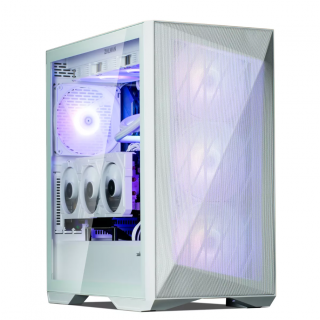 Ed's PCs Intel 4070 TI Super Build
Original price was: $4,699.$4,299Current price is: $4,299.
Ed's PCs Intel 4070 TI Super Build
Original price was: $4,699.$4,299Current price is: $4,299.
-
 Asus Notebook X1504VAP-NJ815W
Original price was: $1,704.$945Current price is: $945.
Asus Notebook X1504VAP-NJ815W
Original price was: $1,704.$945Current price is: $945.
-
 Asus Notebook E1504FA-NJ273W
Original price was: $1,439.$788Current price is: $788.
Asus Notebook E1504FA-NJ273W
Original price was: $1,439.$788Current price is: $788.
-
 Lenovo Notebook V15-G4-83A100E1AU
Original price was: $1,049.$834Current price is: $834.
Lenovo Notebook V15-G4-83A100E1AU
Original price was: $1,049.$834Current price is: $834.
-
 Dell Notebook 3440-N058L3440AU_VP
Original price was: $1,159.$927Current price is: $927.
Dell Notebook 3440-N058L3440AU_VP
Original price was: $1,159.$927Current price is: $927.
Leave a Reply