
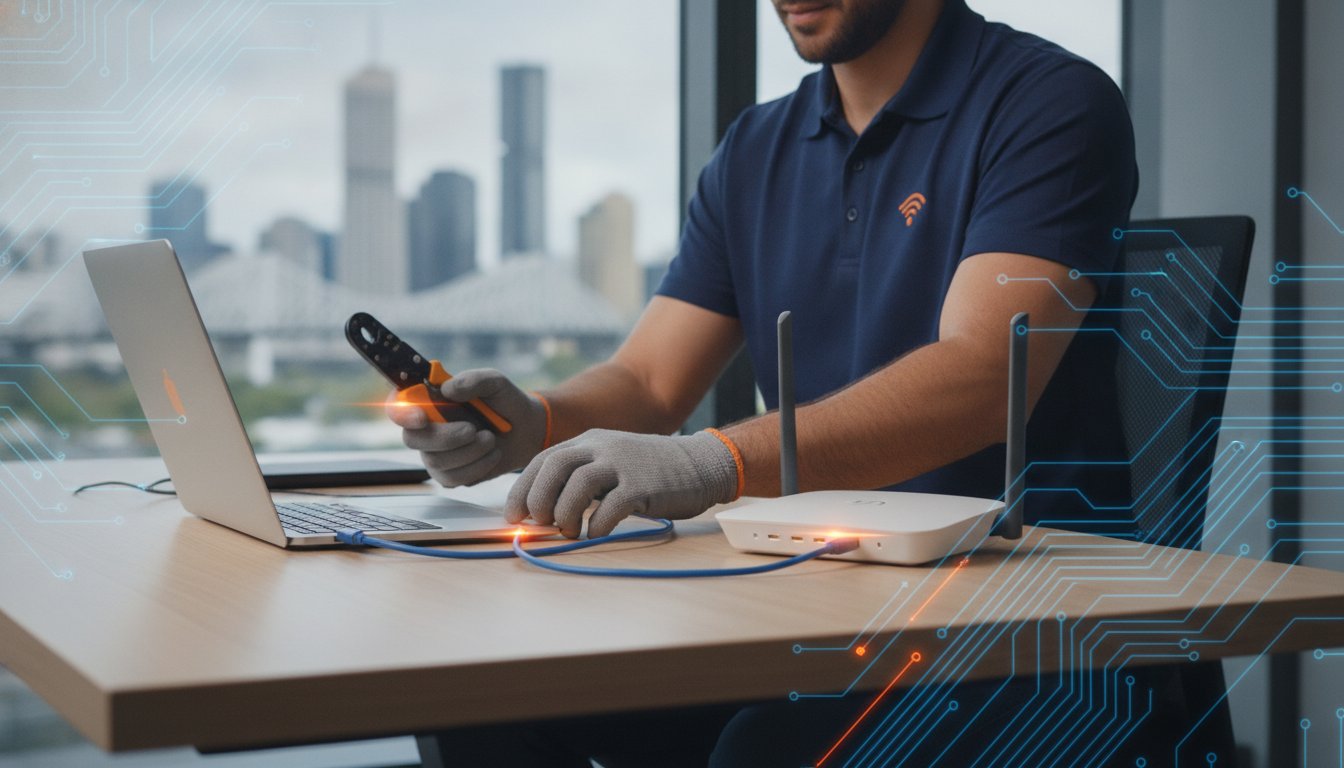
Ever noticed how your computer magically starts working the moment you lug it into a repair shop, only to fail again as soon as you plug it back in at home? It’s a common frustration that usually happens because the problem isn’t just the device; it’s the environment. Whether it’s a patchy Wi-Fi signal in the spare room or a printer that refuses to talk to your laptop, some issues simply can’t be fixed on a shop counter. When you’re struggling with heavy desktop towers and a web of tangled cables, the last thing you want to do is dismantle your entire office. Finding reliable onsite computer support brisbane residents can count on means getting your tech sorted without the heavy lifting.
We understand how exhausting it is to deal with unreliable connections and confusing setups that never seem to stay fixed. This guide will help you decide exactly when to call a mobile technician and how to determine if your hardware needs a quick repair or a full upgrade. We will walk through the benefits of having a local specialist come to you, ensuring your home or office tech works exactly the way it should from the moment they pack up their tools.
Key Takeaways
- Learn why certain “environmental” tech issues, like patchy Wi-Fi, can only be accurately diagnosed and fixed right at your own desk.
- Save your back and avoid the hassle by knowing when onsite computer support brisbane is the smarter choice for heavy gear and complex setups.
- Identify the most common tech gremlins that require a professional home visit to ensure they don’t come back once the technician leaves.
- Discover how to prepare your home or office so your technician can get straight to work and solve your problems as efficiently as possible.
- Find out how a local specialist with a “no jargon” policy can make your next computer repair a completely stress-free experience.
What is Onsite Computer Support and Why is it Essential?
Onsite computer support is a professional service where a qualified technician travels directly to your home or office to resolve technology issues. While many people are familiar with the basic concept of what is technical support?, the onsite model offers a level of depth that shop-based repairs often miss. For onsite computer support brisbane residents can rely on, the focus is on fixing the problem within its actual environment. It is about more than just the computer; it is about how that machine interacts with your specific network, peripherals, and power supply.
The “environmental factor” is the most compelling reason to choose a mobile service. Many tech glitches are situational. A desktop might run perfectly on a technician’s workbench but refuse to connect to the internet once you get it home. This usually happens because of local variables like a faulty wall socket, a dodgy router, or interference from other household appliances. When a specialist sits at your desk, they see exactly what you see. They can diagnose why the Wi-Fi drops out in the back bedroom or why the printer only works half the time. This context is impossible to recreate in a repair centre.
Convenience and safety also play massive roles. Modern desktop towers, especially high-end gaming rigs, are heavy and awkward to move. Disconnecting a dozen cables just to drive across town is a massive hassle; it also risks physical damage to sensitive components. By choosing an onsite service, your equipment stays exactly where it belongs. You get the added benefit of personalised, one-on-one attention. You can ask questions, show the tech exactly what is bothering you, and receive advice that fits your specific workspace layout. This is especially true when you need a professional onsite PC upgrade Brisbane residents can book without the stress of transporting fragile, high-value hardware across the city.
The Difference Between Remote and Onsite Help
Remote support is a handy tool for software bugs or password resets. It allows a tech to take control of your screen from afar. However, it has clear limits. If your internet connection is down or your hardware is physically failing, remote access is useless. You cannot remotely fix a clicking hard drive or a burnt-out power supply. Onsite help provides the hands-on approach needed for hardware diagnostics. It allows for a thorough check of physical connections and local network infrastructure that remote tools simply cannot detect.
Who Benefits Most from Mobile Tech Support?
Several groups find mobile support particularly valuable. Work-from-home professionals often cannot afford the downtime of leaving their machine at a shop for three days. They need their home office back online immediately. Seniors often appreciate having a friendly, local face explain things in plain English without the pressure of a busy retail environment. Finally, gamers with complex setups or liquid-cooled systems often prefer onsite computer support brisbane specialists who understand the delicate nature of their hardware and can perform upgrades without risking a bumpy car ride.
Onsite vs. In-Shop Repairs: Choosing the Right Path
Deciding between a home visit and a trip to the store often comes down to the nature of the fault. If you have a high-end gaming tower, the sheer weight is enough to make anyone hesitate. Moving a heavy glass-panelled rig across Brisbane is often a recipe for disaster; while professional services like Done Wright Towing & Transport are experts at moving heavy assets safely, a standard car ride can be risky for delicate tech. One sharp turn or a sudden stop could leave you with a shattered case or a loose graphics card. Choosing onsite computer support brisbane residents trust means your equipment stays safe on your desk. It also guarantees total data privacy. You don’t have to worry about who is looking at your files because the work happens right in front of you.
There is also a practical cost-benefit side to this choice. While a call-out fee applies for mobile visits, you have to weigh that against the value of your own time. Driving through Brisbane traffic, finding a park, and then doing it all again two days later to pick the machine up takes hours. Your time is valuable. Additionally, under the Australian Consumer Law for repairs, you are entitled to services provided with due care and skill. A professional onsite visit ensures this standard is met without you ever having to unlug a single cable.
When to Bring Your PC to the Shop
Some jobs are simply too big or too messy for a kitchen table. If your laptop needs a screen replacement, it requires a clean, dust-free environment and specialised tools. Similarly, deep virus scans can take six or seven hours to run properly. You probably don’t want a technician sitting in your lounge room for that long. If you are looking for specialised computer parts in Brisbane for a major hardware overhaul, the workshop is the best place to be. It has the inventory and the bench space for intricate motherboard soldering that home visits cannot provide.
When to Book a Home Visit
Home visits are the gold standard for anything involving connectivity. Printer installations are notorious for failing the moment you move the hardware to a different room. If your printer shows a “device offline” error, the fix usually involves the local network settings rather than the printer itself. For a completely stress-free experience, professional printer installation Brisbane services ensure your hardware talks to every device on your network without the frustration of fighting stubborn drivers or Wi-Fi passwords. The same applies to Wi-Fi blackspots. A tech needs to move through your house to map out mesh network optimisations effectively. If you have just invested in a high-performance custom gaming PC in Brisbane, booking a home visit ensures every peripheral is configured perfectly. If you are unsure which path is right for your situation, you can always chat with our local team to get a straightforward recommendation.
Common Tech Gremlins That Require a Brisbane Home Visit
Some tech problems are like bad houseguests; they only show up when you are settled at home. While we have already looked at why onsite help is better for heavy gear, it is also the only way to tackle “environmental” gremlins. These are issues tied directly to your specific location. Think of NBN dropouts that only happen during peak evening hours or printers that “disappear” from the network for no apparent reason. Booking onsite computer support brisbane residents trust allows a tech to pinpoint these location-specific headaches that a shop-based technician simply cannot replicate on a test bench.
Beyond basic repairs, a home visit is essential for smart home integration. Getting your smart TV, security lights, and PC to communicate requires a hands-on setup of your local router. We also focus on protecting what matters most: your digital history. Setting up a robust backup system for family photos and business documents is much more effective when done on your own hardware. It ensures your external drives or cloud syncs are actually working in real-time within your own network environment. For reliable onsite computer support brisbane families can count on, these preventative setups are just as important as fixing a broken screen. If your system is also due for a performance boost, an onsite PC upgrade Brisbane service can be carried out at the same time, saving you a second appointment.
Don’t overlook the physical side of your technology. Poor cable management isn’t just an eyesore; it’s a trip hazard and can lead to hardware overheating. A local specialist can help with ergonomic workstation organising. This involves ensuring your monitors are at the correct height and your cables are neatly tucked away, creating a workspace that is both safe and efficient. For those looking to improve the overall aesthetic of their home office, deluxefxpainting.com.au provides helpful guides on professional property care and presentation.
Networking and Wi-Fi Optimisation
Brisbane presents unique challenges, especially for those living in iconic Queenslander-style homes. The thick timber walls and high ceilings in older houses are notorious for blocking Wi-Fi signals and creating dead zones. A specialist can identify these local interference points and suggest the right hardware to punch through the signal. They can also secure your home network against unwanted guests, ensuring your bandwidth stays yours and your private data remains protected from outside threats.
Peripheral and Device Setup
Nothing is more frustrating than a new printer that refuses to talk to your Macbook or PC. A home visit ensures all household devices, from tablets to desktops, are synced for seamless work. We also solve “ghost in the machine” issues, such as wireless mice that lag because of interference from other Bluetooth devices in your office. Having a tech come to you means they can test every device in the exact spot you use it every day.
Preparing for Your Onsite Technician’s Visit
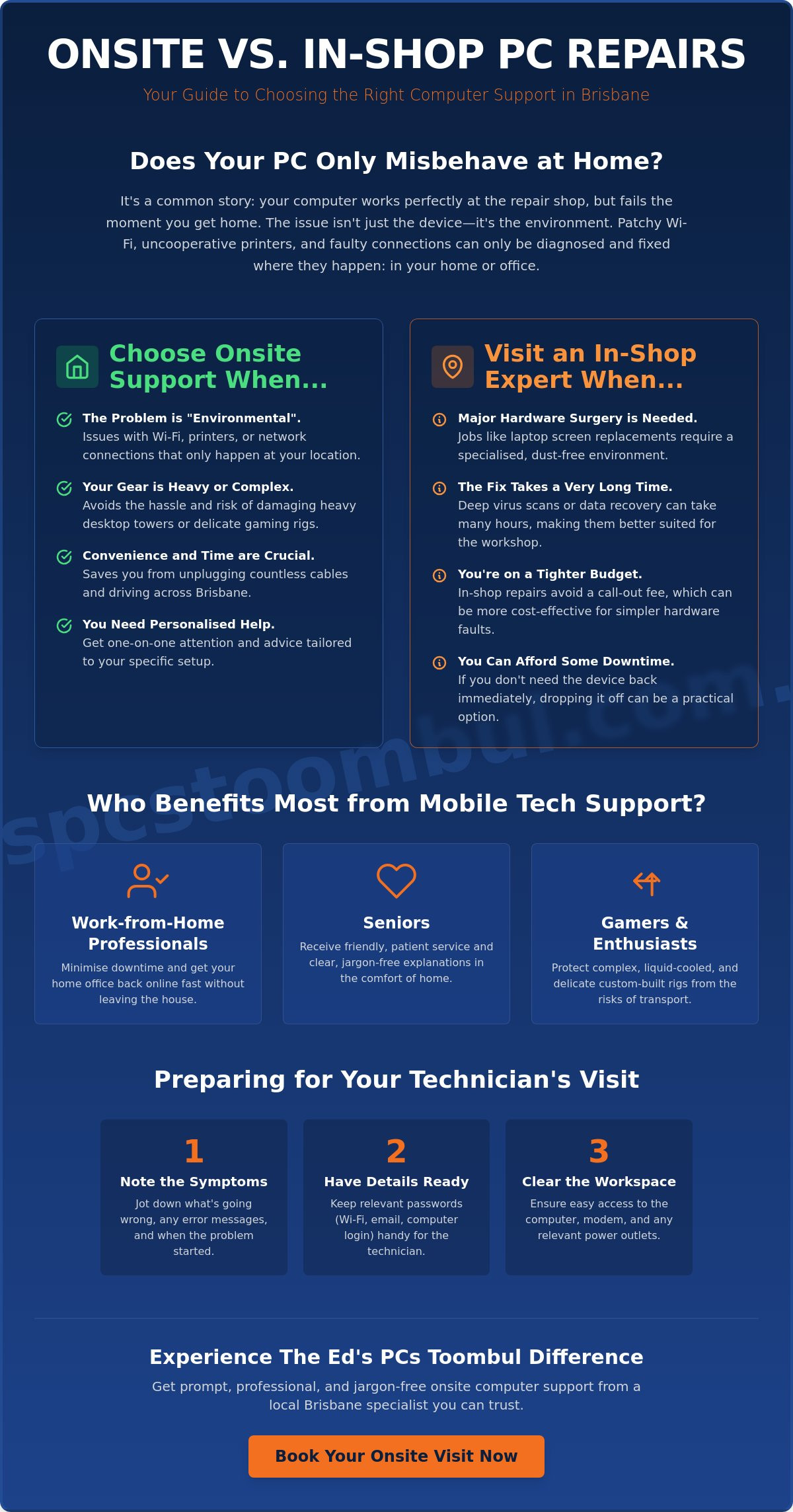
Getting ready for your appointment isn’t about doing the technical work yourself. It’s about ensuring every minute your specialist spends in your home is used effectively. When you arrange onsite computer support brisbane residents trust, you want the issue resolved quickly and correctly. Start by clearing any physical clutter around your workspace. Technicians often need to reach power points tucked behind desks or follow cables through tight spots. If they can’t access the hardware easily, it can slow down the entire process and eat into your service time.
Have your credentials ready to go. This includes your computer login, your Wi-Fi password, and any account details for software that is causing trouble. It’s a common hurdle that can waste valuable time while you search for old notebooks or reset forgotten passwords. If you’re concerned about privacy, you can always change these passwords once the technician has completed the job. Additionally, write down a list of every small niggle or error message you’ve seen lately. even minor glitches can provide clues to a larger underlying problem that needs attention.
Before any hardware work begins, always ensure your data is safe. While a professional will handle your equipment with care, hardware can sometimes be unpredictable during repairs. Protecting your family photos and business documents is a critical safety step that provides peace of mind for everyone involved. If you’re ready to get your tech back on track, you can book your onsite service with our friendly local team and let us handle the rest.
Safety and Access Considerations
Organising a quiet space for the tech to work is always appreciated. It allows them to focus on complex diagnostics without household distractions. Safety is also a priority; please make sure pets are kept in a separate room so they don’t trip over cables or get into toolkits. Finally, consider the parking situation. Confirming if there is space for the technician’s ute or van nearby saves time and ensures they can get their tools to your door without a long hike down the street.
The Pre-Visit Checklist
To ensure your files remain secure throughout the repair process, follow this 5-point data backup checklist:
- Identify your most important folders, such as Photos, Documents, and Desktop.
- Connect a reliable external hard drive or a high-capacity USB stick to your machine.
- Copy your files manually or use your system’s built-in backup software like Time Machine.
- Open a few files on the backup drive to verify they have copied correctly.
- Eject and disconnect the drive once the backup is complete to keep it isolated.
Identify the primary symptom and when it first occurred so you can give the tech a clear timeline. It’s also helpful to have your original purchase receipts or warranty info handy. This information is vital if a part needs to be replaced under a manufacturer’s guarantee, as it helps the technician determine the best course of action for your hardware.
Professional Tech Support in Brisbane: The Ed’s PCs Toombul Difference
When you search for onsite computer support brisbane, you aren’t just looking for a person with a toolkit. You’re looking for a specialist who understands the local area. Ed’s PCs Toombul has deep roots in Toombul and the surrounding northern suburbs. We don’t see ourselves as a faceless corporation; we are your neighbours. This local connection means we take a genuine interest in making sure your home office or gaming setup runs perfectly. We take pride in our craftsmanship and the long-term relationships we build with our community.
We operate with a strict “no jargon” policy. Technology is complicated enough without a technician speaking in codes and acronyms. If your motherboard has a fault or your operating system is acting up, we explain the fix in plain, straightforward English. No worries. Our goal is to demystify your devices so you feel confident using them once we leave. You deserve to know exactly what is happening with your hardware and why a specific solution is the best path forward.
Our expertise spans the entire tech spectrum. Whether you’re running a high-end AMD gaming rig or a sleek Macbook, we have the hands-on experience to handle it. We understand the specific nuances of Apple repair just as well as we know the intricate cooling requirements of a custom-built desktop. This versatility ensures that no matter what brand you prefer, you receive professional care that respects the unique engineering of your machine.
The “Local Legend” service is why our customers keep coming back to Ed’s PCs Toombul. We don’t just fix the immediate problem and rush out the door. We look at the big picture. We check your cables, verify your backups, and ensure your setup is ergonomic and safe. This thorough, personal approach is something national call centres simply cannot match. It’s about providing a boutique service that values quality over quantity.
Supporting the Toombul Community
Our commitment to local residents goes beyond simple repairs. We tailor our onsite services to handle Brisbane’s unique environmental challenges. Our local climate, with its high humidity and summer heat, can be brutal on computer components. We provide advice on keeping your gear cool and dust-free—for those looking to manage heat and glare in their workspace, you can check out QLD Shade. We also have extensive experience with local NBN infrastructure, knowing which suburbs struggle with signal dropouts and how to optimise your home network effectively.
Ready to Get Your Tech Sorted?
Booking your visit is simple. A quick phone call to Ed’s PCs Toombul is all it takes to organise a time that suits your schedule. During the first 30 minutes of your support session, our technician will perform a full triage. They will identify the primary fault, check for underlying issues, and give you a clear plan of action. We work efficiently to get your digital life back on track with minimal fuss. Book your onsite computer support in Brisbane with Ed’s PCs Toombul today!
Take the Stress Out of Your Technology
Technology should be a tool that makes your life easier, not a source of constant stress. By choosing professional onsite computer support brisbane residents can finally put an end to those frustrating tech gremlins that only seem to appear when you are at your desk. From mapping out Wi-Fi blackspots in a classic Queenslander to configuring a high-end gaming setup without the risk of transport damage, having a specialist come to you provides a level of thoroughness that a shop visit simply cannot match.
Ed’s PCs Toombul has been a trusted part of the local community for years, providing a 5-star rated service that prioritises clarity and craftsmanship. Whether you are a work-from-home professional or a dedicated gamer, our team brings the expertise needed to handle both Windows and Apple hardware with a friendly, no-jargon approach. Don’t let a tangled mess of cables or a slow connection hold you back any longer. Get your tech sorted today with Ed’s PCs Toombul Onsite Support and enjoy a workspace that is fully optimised for your needs. We are ready to help you get back to what matters most.
Frequently Asked Questions
How much does onsite computer support cost in Brisbane?
Pricing for tech help varies depending on the specific issue and the time required for the fix. Most reputable providers in the Brisbane area use an hourly rate or a flat fee for common services like virus removal or system resets. It is always a good idea to ask for a clear explanation of any call-out fees or minimum charges before the technician arrives at your door to ensure everything is transparent.
Can you fix my slow Wi-Fi during a home visit?
Yes, we can definitely troubleshoot and resolve slow Wi-Fi issues during a home visit. A technician will assess your router placement, check for local interference from building materials, and configure your network for better coverage. Sometimes the fix involves simple settings adjustments, while other times it might require installing a mesh system to reach every room in your house efficiently.
Do I need to buy parts before the technician arrives?
No, you don’t need to purchase parts beforehand. A qualified technician will diagnose the fault first to ensure you don’t waste money on unnecessary components. If a replacement part is needed, like a new power supply or a solid-state drive, your specialist can usually source the correct hardware for you or provide a specific recommendation based on your machine’s exact requirements.
Is onsite support available for Macbooks and Apple devices?
Professional onsite computer support brisbane specialists are fully equipped to handle Macbooks, iMacs, and other Apple devices. Whether you need help with macOS updates, physical repairs, or syncing your iPhone with your desktop, a mobile tech can provide hands-on assistance. This is often more convenient than visiting a crowded retail centre, especially for complex hardware issues that need a dedicated, quiet environment to diagnose and resolve properly.
What happens if the computer cannot be fixed onsite?
If a repair is too complex or requires specialised workshop tools, the technician will recommend moving the machine to the shop. This often happens with intricate motherboard repairs or deep data recovery tasks that take many hours to complete. In these cases, the specialist will explain the process clearly and arrange for the machine to be safely transported to the workshop for further professional attention.
How long does a typical onsite tech support appointment take?
Most onsite appointments are completed within one to two hours. Simple tasks like printer setup or software troubleshooting might be finished quickly, while complex networking issues or hardware upgrades can take a bit longer. When you book your onsite computer support brisbane visit, the technician can usually give you a rough estimate based on the symptoms you describe, helping you plan your day around the service.
Can you help with printer installation and setup?
Yes, we provide full support for printer installation Brisbane and network connectivity. This includes connecting the printer to your Wi-Fi, installing the necessary drivers on all your household computers, and testing the scanner functions. We also troubleshoot common “offline” errors to ensure your printer stays connected to your Macbook or PC long after the technician has finished the job and packed up their tools.
Are your technicians insured to work in my home or office?
Professional technicians carry public liability insurance to protect both themselves and your property while they work. This provides peace of mind that you are covered in the unlikely event that something goes wrong during a repair. Choosing an insured, local specialist ensures that your home or office tech help is handled with the highest standard of professional care and accountability at all times. This same standard of professional care applies to all residential maintenance; for example, if you require expert garage door repairs in Melbourne, you can visit We Do Garage Doors for reliable service.


Popular
-
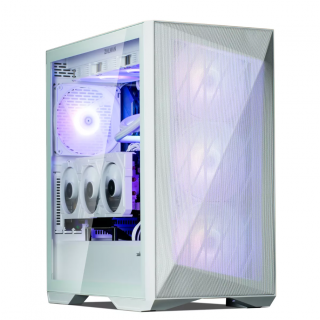 Ed's PCs Intel 4070 TI Super Build
Original price was: $4,699.$4,299Current price is: $4,299.
Ed's PCs Intel 4070 TI Super Build
Original price was: $4,699.$4,299Current price is: $4,299.
-
 Asus Notebook X1504VAP-NJ815W
Original price was: $1,704.$945Current price is: $945.
Asus Notebook X1504VAP-NJ815W
Original price was: $1,704.$945Current price is: $945.
-
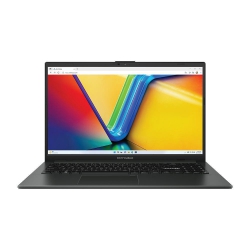 Asus Notebook E1504FA-NJ273W
Original price was: $1,439.$788Current price is: $788.
Asus Notebook E1504FA-NJ273W
Original price was: $1,439.$788Current price is: $788.
-
 Lenovo Notebook V15-G4-83A100E1AU
Original price was: $1,049.$834Current price is: $834.
Lenovo Notebook V15-G4-83A100E1AU
Original price was: $1,049.$834Current price is: $834.
-
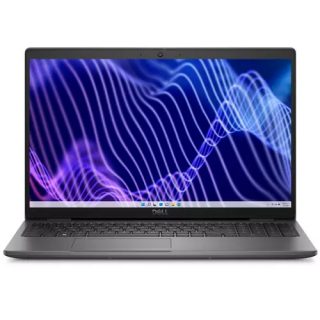 Dell Notebook 3440-N058L3440AU_VP
Original price was: $1,159.$927Current price is: $927.
Dell Notebook 3440-N058L3440AU_VP
Original price was: $1,159.$927Current price is: $927.
Leave a Reply