
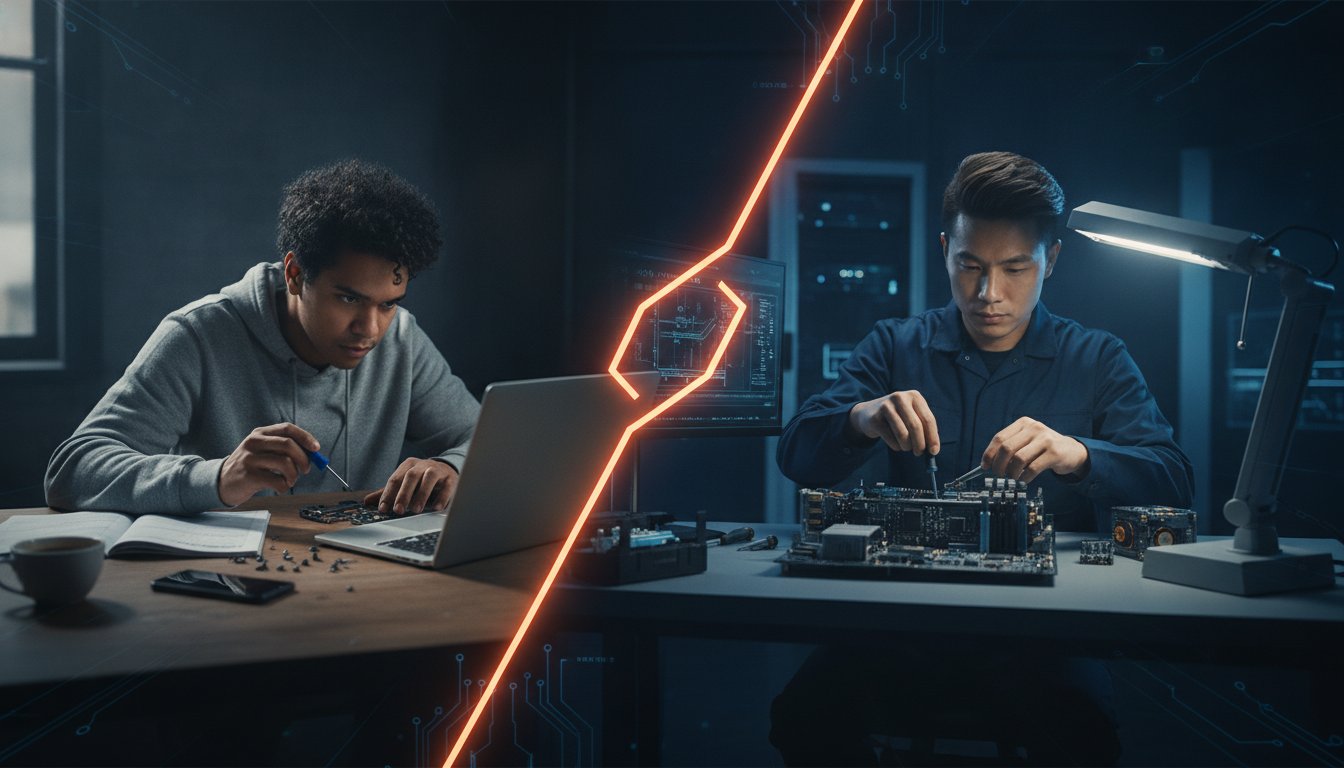
What if that sudden “no boot” error or terrifying blank screen doesn’t actually mean your precious family photos and work files are gone forever? When you’re faced with the task of repairing computer hardware or software, the immediate panic of being offline can be overwhelming. It’s completely normal to feel confused by technical jargon or worried about the potential cost of a professional service.
We believe that technology should be helpful, not a source of stress. This guide promises to give you the clarity you need to handle your PC issues with confidence. You’ll learn how to diagnose common faults, identify which fixes you can safely manage at home, and discover how to protect your data before you visit a Brisbane repair shop. We will preview the essential factors in deciding whether to repair or replace your device, focusing on long-term value rather than quick fixes. By the end, you’ll have a clear plan to get your device back in working order while keeping your budget and your data secure.
Key Takeaways
- Learn how to apply the “50% Rule” to determine if your aging device is worth the investment or if it’s time for a new model.
- Master the basics of repairing computer issues by distinguishing between simple software glitches and more complex hardware failures.
- Identify which technical tasks are safe for a home DIY approach and when you should step back to avoid damaging sensitive components like power supplies.
- Discover the “3-2-1” backup strategy to ensure your family photos and work files remain safe before any work begins on your machine.
- Understand why choosing a local Brisbane specialist provides better accountability and tailored support compared to national service centres.
Is Your Computer Worth Saving? The “Repair vs Replace” Dilemma
When your PC starts acting up, the first question isn’t always how to fix it, but whether you should. Most personal computers have a functional “half-life” of about four to five years. After this point, the hardware often struggles to keep up with modern software updates or the latest macOS versions. Successfully repairing computer systems that are reaching this age requires a bit of tactical thinking. You have to weigh the immediate cost against how much longer the machine will actually remain useful for your daily tasks.
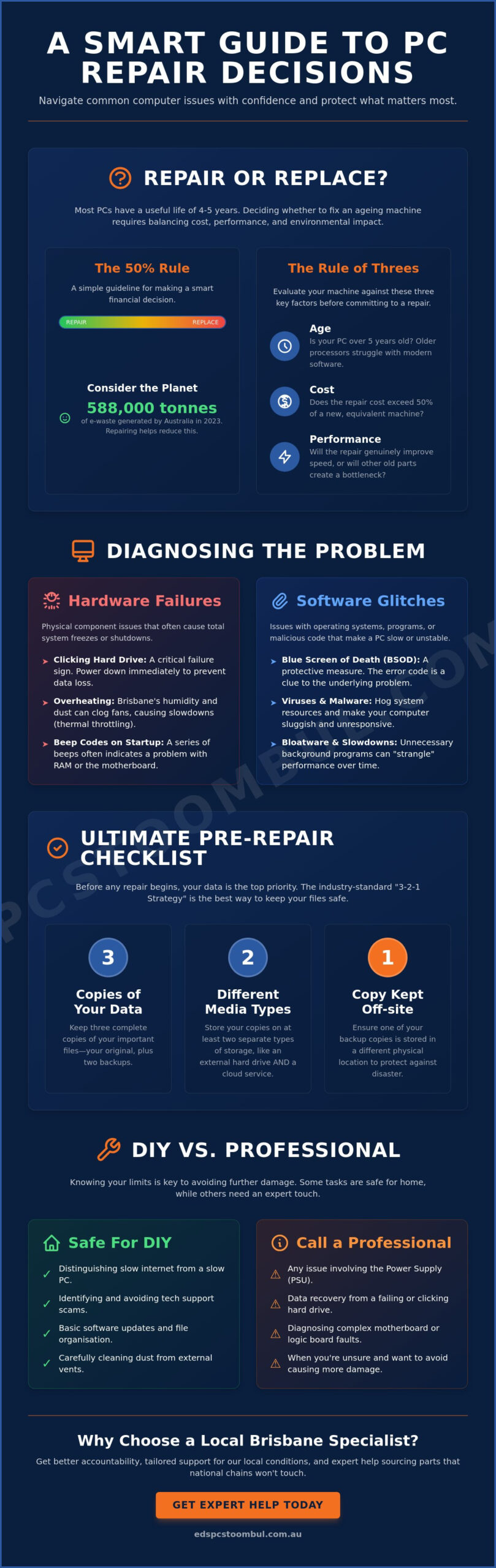
We recommend following the “50% Rule” for any major component failure. If the quote for parts and labour exceeds half the cost of a brand new equivalent machine, replacement is usually the smarter financial move. However, there’s a community benefit to choosing a repair. Australia generated 588,000 tonnes of e-waste in 2023, so keeping your current device in service is a great way for Brisbane residents to reduce their environmental footprint. It’s often better for your wallet and the planet to swap a failing hard drive for a fast SSD rather than binning the whole unit.
For Mac owners, the decision is slightly different. Apple classifies devices as “vintage” once they haven’t been sold for more than five years. Finding parts for these can be a collector’s task, but a skilled local specialist can often source components that national retailers won’t touch. Whether it’s a simple screen replacement or a complex logic board issue, knowing the age of your hardware is the first step in the decision process.
The Rule of Threes: Age, Cost, and Performance
Evaluating your machine comes down to age, cost, and performance. If your PC is over five years old, even a successful repair might not make it feel fast again because of older processor speeds. You also need to consider the sentimental value of your data. Understanding what computer technicians do can help you see if a simple software tune-up is enough or if repairing computer hardware is the only way to restore your speed.
When a Replacement Makes More Sense
Some failures are simply catastrophic. A cracked motherboard or a major liquid spill on an older laptop often signals the end of the road. You might also run into the “bottleneck” effect, where installing one fast new part is held back by three other ancient components. In these cases, we focus on safely migrating your data from the old drive to a new custom build or a fresh laptop. It’s about finding the most reliable path forward for your specific needs without overinvesting in a dying machine.
Common Hardware and Software Faults: What is Actually Wrong?
The infamous Blue Screen of Death (BSOD) is often the first sign that something has gone wrong. While it looks like a total system failure, it’s actually your PC’s way of protecting itself from further damage. Decoding the error code on that screen is the first step in repairing computer systems effectively. Most faults fall into two camps: software glitches or hardware failures. A software issue might involve a specific program crashing, whereas hardware problems often cause the entire machine to freeze or shut down without warning.
Living in Brisbane adds a unique layer of difficulty. Our high humidity and summer dust can be a lethal combination for cooling fans. Dust settles inside the case, and the moisture in the air turns it into a sticky grime that stops fans from spinning. This leads to thermal throttling, where your CPU slows down to avoid melting. If you hear a rhythmic clicking sound coming from your tower or laptop, stop everything immediately. That’s the sound of a mechanical hard drive failing, and every extra second of power could make data recovery impossible.
Software Gremlins: Viruses, Malware, and Bloatware
Many users mistake a slow computer for an old one, but often it’s just “strangled” by background processes. Viruses and malware eat up your CPU performance, making even simple tasks feel like a chore. It’s also vital to distinguish between a slow device and a patchy NBN connection. Be wary of pop-ups claiming your system is infected. Learning the signs for avoiding tech support scams is key to keeping your personal data safe. Avoid “Registry Cleaners” too. They often delete essential files and cause more stability issues than they solve.
Hardware Heartaches: RAM, SSDs, and Power Supplies
Hardware failures are more physical. If your PC lets out a series of beeps when you turn it on, that’s a “beep code” telling you exactly what’s wrong. This often points to a faulty RAM stick or a motherboard error. When repairing computer hardware, we often find that moving from an old mechanical drive to a Solid State Drive (SSD) is the single best way to revive a sluggish machine. Finally, if there’s no light and no sound when you hit the power button, your Power Supply Unit (PSU) has likely given up the ghost. If these symptoms sound familiar, booking professional computer repairs can save you the headache of guessing which part to replace.
DIY vs Professional Computer Repairs: Knowing Your Limits
Deciding between a weekend DIY project and a trip to the local workshop is a pivotal moment for any PC owner. There is a great sense of pride in repairing computer faults yourself; it saves money and builds your technical confidence. However, modern electronics are becoming increasingly compact and complex. While a desktop tower from ten years ago was easy to navigate, today’s ultra-thin laptops and integrated systems require a much steadier hand and specialised equipment. If your laptop is the device giving you trouble, our detailed guide on notebook repairs near me in Brisbane can help you understand your options before deciding whether to DIY or visit a specialist.
The “Safe Zone” for most users includes anything that doesn’t involve breaking permanent seals or handling high-voltage components. You can safely manage software optimisations, external cleaning, and even some internal component swaps in standard desktop PCs. In contrast, the “Danger Zone” starts the moment you consider opening a Macbook or a Power Supply Unit (PSU). Apple devices often use proprietary screws and fragile ribbon cables that snap with the slightest pressure. Power supplies are even riskier; they contain capacitors that can hold a lethal electrical charge long after the plug is pulled from the wall.
When dealing with high-voltage components, safety is paramount. For those wanting to ensure their home office is properly wired and safe for high-end tech, you can check out Edmund Parks Electrical for professional electrical advice.
You might worry that simply opening your case will void your warranty. In Australia, consumer law generally protects your right to perform basic maintenance. As long as you don’t cause damage while inside, you are usually free to upgrade your RAM or add a second hard drive. However, once you start removing heat sinks or tampering with the motherboard, you are likely crossing the line into professional territory. A professional shop uses ESD-safe mats and calibrated tools to ensure static electricity doesn’t fry your sensitive circuits.
The DIY Win: Simple Fixes You Can Try Today
Many software-based performance issues can be solved with a “Clean Boot”. This process starts Windows with only the essential drivers, helping you isolate which third-party program is causing your system to crawl. If the hardware is the issue, try reseating your RAM by popping the sticks out and clicking them back into place firmly. Finally, use a can of compressed air to blast out the dust bunnies that thrive in our Brisbane climate. Just remember to hold the fans still so they don’t over-spin and damage their bearings.
The Professional Edge: Why Some Jobs Require a Workshop
Professional workshops offer tools that simply aren’t feasible for a home setup. Component-level repair often involves micro-soldering, which is essential for fixing damaged Macbook charging ports or logic boards without replacing the entire expensive unit. We also use specialised environments for advanced data recovery when a drive has physically failed. A professional technician will also handle the messy but vital task of re-applying thermal paste to your CPU. This ensures your machine stays cool during a humid Queensland summer, extending the life of your hardware significantly. If you want to avoid the pressure of big-box retailers and find a trustworthy PC repair Toombul specialist who explains problems in plain English, a local workshop is always the better choice.
The Ultimate Pre-Repair Checklist: Protecting Your Data
Before you hand over your machine, you must ensure your digital life is safe. Your hardware can be replaced, but your personal memories and work files cannot. The first step in repairing computer systems is always securing your files. We understand the anxiety that comes with a failing device, but taking ten minutes to prepare can save you weeks of heartache later.
Follow the 3-2-1 backup strategy. You should have three copies of your data. Store them on two different types of media, such as an external hard drive and a USB thumb drive. Keep at least one copy offsite, which usually means using a cloud storage service. This ensures that even if your physical device is beyond help, your information remains perfectly intact.
Next, document the symptoms clearly. Use your phone to take a video or photo of the error as it happens. A technician can learn more from a ten-second clip of a flickering screen than from a ten-minute verbal explanation. You should also log out of your banking sites and social media browsers. If you have original software keys for programs like Microsoft Office or specialised design tools, keep them handy. Preparing your machine properly makes repairing computer issues much faster for the technician.
Data Privacy in the Repair Shop
We value your privacy. Creating a “Guest” account is a smart move. It allows a technician to test the hardware and software stability without ever accessing your private folders. If you use encryption like BitLocker, ask the shop if they need it disabled before you drop it off. Local specialists like Ed’s PCs Toombul prioritise your privacy because we are part of the same Brisbane community. We rely on your trust, unlike large national centres that treat your data as just another serial number in a database.
Physical Preparation for Transport
Transporting a desktop tower requires a bit of care. Always lay the tower on its side with the motherboard facing up. This prevents heavy graphics cards from snapping out of their slots during a bumpy car ride. For laptops, never forget your power brick. Every manufacturer uses different voltages and connector sizes, so having your own charger is essential for testing. A quick wipe-down with a microfibre cloth is also a nice touch. It makes the diagnostic process much smoother for everyone involved. If you’re bringing in a portable computer, our guide on fast notebook repairs near me for Brisbane residents covers exactly what to expect when you arrive at a local repair centre.
If you have finished your checklist and are ready to get started, you can book your computer repair online today and let our local specialists handle the rest.
Choosing a Local Brisbane Specialist: The Ed’s PCs Toombul Difference
Selecting the right technician is the final piece of the puzzle. While larger national chains might offer flashy marketing, they often lack the accountability and personal touch found in a local workshop. When you choose Ed’s PCs Toombul, you are dealing with specialists who live and work in your own community. We take pride in our craftsmanship and ensure that every person who walks through our doors receives honest, jargon-free advice tailored to their specific needs. To learn more about what sets a genuine local workshop apart from big-box retailers, read our full guide on finding the best personal computer shop near me in Toombul and Brisbane.
Our team brings a high level of technical authority to every job, from reviving budget AMD rigs to performing intricate gaming PC repairs. We also offer a distinct advantage for Apple users. We provide professional Macbook repairs that bypass the high costs and long wait times often associated with official service centres. By focusing on component-level fixes, we help you get more life out of your premium hardware without the “Genius Bar” price tag.
Custom Builds and Upgrades
We are firm believers in the value of upgrading over disposal. As we discussed earlier regarding the environmental impact of e-waste, repairing computer hardware is a sustainable way to keep your tech current. We source high-quality computer parts and accessories right here in Brisbane to ensure your system performs at its peak. Our upgrades often focus on superior cooling solutions designed to handle the specific challenges of our local humidity and summer temperatures.
How to Get Started with Your Repair
If you’re ready to restore your device, you can visit our Toombul centre for a friendly face-to-face consultation. For those who cannot easily transport their desktop or setup, we offer onsite service options to provide technical support at your location. We make the process simple and transparent from start to finish.
Book your professional computer repair in Brisbane today!
Get Back Online with Confidence
Repairing computer hardware or software shouldn’t be a source of constant worry. By applying the “50% Rule” to evaluate your machine and following the “3-2-1” backup strategy, you have taken the right steps to secure your digital life. You now know which tasks are safe for a weekend DIY project and when it’s time to call in a specialist to handle sensitive internal components or complex data recovery.
At Ed’s PCs Toombul, we are here to bridge the gap between technical complexity and practical solutions. Whether you need expert Macbook repairs or a performance boost for your custom gaming rig, our team provides the reliable, local support Brisbane residents trust. With our onsite service options, we can even bring our expertise directly to your door to save you the trip across town.
Get your computer repaired by Brisbane specialists – Contact Ed’s PCs Toombul
We look forward to helping you get your device back in top shape so you can focus on what matters most. Your technology is an investment, and we are committed to making sure it serves you well for years to come; for those over 55 who would also like ongoing training to master their devices, visit 55 Plus Computer Help LLC for specialised support.
Frequently Asked Questions
How much does it usually cost to repair a computer in Brisbane?
Costs depend on whether you need a simple software tune-up or a complex hardware replacement. Most reputable shops in Brisbane will provide a clear diagnostic fee upfront, which is often waived if you proceed with the repair. It’s best to request a detailed quote after a technician has inspected your device to ensure you understand the parts and labour involved.
How long will it take to fix my laptop or desktop?
Most common repairs are completed within two to five business days, depending on part availability. Software issues like virus removal or system optimisations can often be sorted faster than hardware failures that require specific components to be ordered. We always aim to provide a realistic timeframe after the initial assessment so you can plan around the temporary inconvenience of being without your device.
Will I lose my photos and files during the repair process?
You shouldn’t lose any data during a standard hardware repair, but we always recommend a full backup as a precaution. While repairing computer systems usually involves the operating system or specific components, there is always a small risk when a technician is working on your drive. Following the 3-2-1 backup strategy mentioned earlier in this guide is the best way to guarantee your photos and files remain safe.
Is it worth repairing a 5-year-old laptop or should I buy a new one?
The answer depends on the “50% Rule” and the specific problem you’re facing. If the repair cost is more than half the price of a new equivalent model, or if the laptop is struggling to run modern software, a replacement might be better. However, a simple SSD upgrade can often give a five-year-old machine a second life for a fraction of the cost of a brand-new device.
Can you repair a Macbook that Apple says is “vintage” or “obsolete”?
Yes, we can often source high-quality parts for older Apple devices that the official service centres no longer support. Apple classifies machines as vintage once they haven’t been sold for over five years, but that doesn’t mean the hardware is useless. Our technicians specialise in component-level repairs, allowing us to fix specific faults on older logic boards rather than replacing the entire unit.
Do you offer onsite computer repairs if I cannot make it to Toombul?
We provide onsite service for residents and businesses who find it difficult to bring their equipment into our centre. This is particularly helpful for desktop setups with multiple monitors or complex printer installations. If the issue is too complex to be fixed in your home or office, we can safely transport the machine to our workshop and return it once the work is finished.
What should I bring with me when I drop off my computer for repair?
Please bring your laptop and its specific power brick, as manufacturers use different voltages and connectors. For desktop towers, we usually only need the case itself, not the monitors, keyboards, or power cables, unless those specific items are causing the problem. If you have any original software discs or product keys related to the issue, it’s helpful to include those as well.
Can you fix a computer that won’t even turn on or show a light?
A computer that shows no signs of life is often suffering from a failed Power Supply Unit (PSU) or a motherboard fault. Repairing computer hardware with these symptoms is a standard task for our workshop. We test each component systematically to find where the power flow has stopped. Most of the time, replacing a single faulty part can bring the entire system back to life.


Popular
-
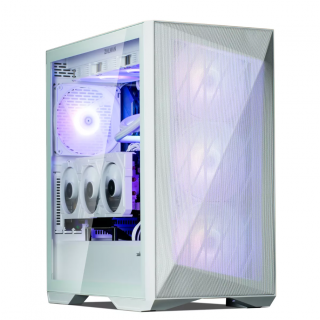 Ed's PCs Intel 4070 TI Super Build
Original price was: $4,699.$4,299Current price is: $4,299.
Ed's PCs Intel 4070 TI Super Build
Original price was: $4,699.$4,299Current price is: $4,299.
-
 Asus Notebook X1504VAP-NJ815W
Original price was: $1,704.$945Current price is: $945.
Asus Notebook X1504VAP-NJ815W
Original price was: $1,704.$945Current price is: $945.
-
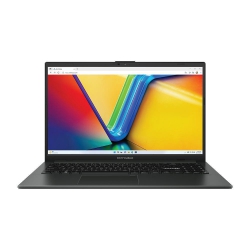 Asus Notebook E1504FA-NJ273W
Original price was: $1,439.$788Current price is: $788.
Asus Notebook E1504FA-NJ273W
Original price was: $1,439.$788Current price is: $788.
-
 Lenovo Notebook V15-G4-83A100E1AU
Original price was: $1,049.$834Current price is: $834.
Lenovo Notebook V15-G4-83A100E1AU
Original price was: $1,049.$834Current price is: $834.
-
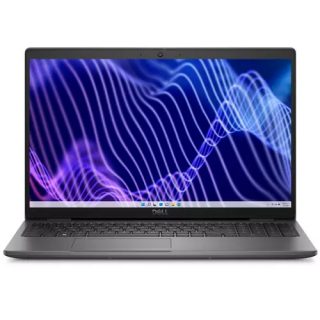 Dell Notebook 3440-N058L3440AU_VP
Original price was: $1,159.$927Current price is: $927.
Dell Notebook 3440-N058L3440AU_VP
Original price was: $1,159.$927Current price is: $927.
Leave a Reply