
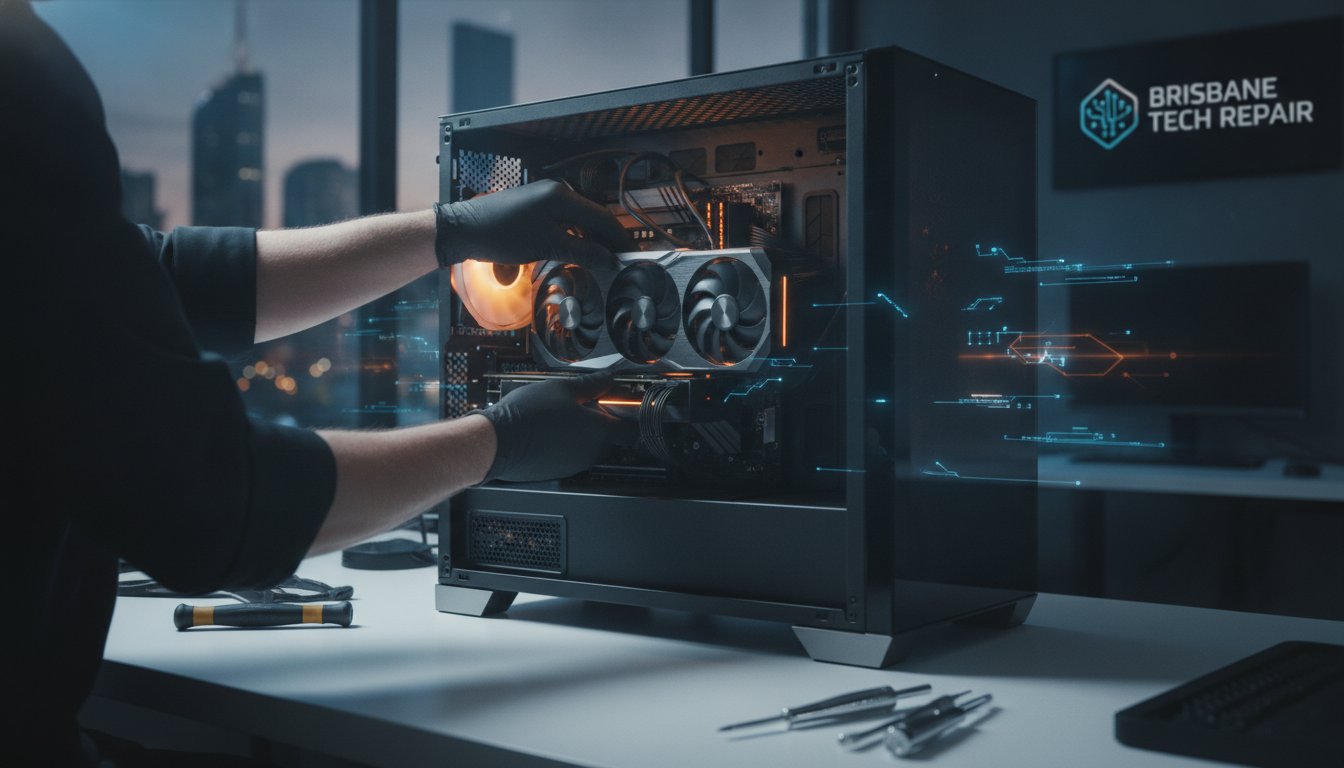
Last Tuesday, Sarah discovered that a simple Windows update had turned her home office desktop into an expensive paperweight. The immediate panic wasn’t just about the hardware; it was the fear of losing years of family photos or facing a massive bill from a large retailer. Finding reliable desktop computer repairs Brisbane shouldn’t feel like a gamble with your data or your wallet. You deserve a service that speaks your language rather than hiding behind confusing technical jargon or condescending explanations.
We understand that your computer is the heart of your home office or digital life, and you need it back in action quickly. This article will show you how to restore your PC to peak performance with Brisbane’s most trusted local hardware specialists. We’ll walk through what to look for in a professional repairer, from transparent pricing to genuine local support you can rely on. You’ll learn how to get a fast, dependable fix that actually improves your system’s speed and stability, so you can get back to work or play without the lingering stress.
Key Takeaways
- Learn why professional hardware support is about more than just software fixes, focusing on long-term system stability and performance.
- Identify the essential criteria for selecting the best desktop computer repairs Brisbane has to offer, including pricing transparency and technical expertise.
- Understand the risks of using low-quality components like cheap power supplies and how component-level diagnostics can save your motherboard.
- Discover when to choose the convenience of an onsite visit for printer or network issues versus bringing your tower into a workshop for complex repairs.
- See how “Plain English” advice and local expertise help demystify complex hardware issues for everyone from budget users to high-end gamers.
Why Specialist Desktop Computer Repairs in Brisbane Matter
Many people think a computer fix is just about running a virus scan or reinstalling an app. Real desktop computer repairs Brisbane involve a much deeper dive into the machine’s physical health. While a generalist might handle a basic laptop glitch, a local specialist understands the intricate balance of a high-performance desktop. They know how every component interacts, from the specific voltage requirements of a power supply to the necessary airflow patterns within a custom chassis. Understanding what a computer repair technician does at a professional level helps you see why a specialist is better than a generic store clerk.
Large “big box” retailers often operate on a high-volume, low-detail model. They frequently struggle when faced with custom gaming rigs or specialised business workstations because they lack the specific diagnostic tools for component-level troubleshooting. A local specialist provides a boutique alternative, offering a tailored experience that values individual connections. They won’t just tell you to buy a new machine when a clever repair could save you hundreds of dollars. Using the right computer parts Brisbane ensures that once your machine is fixed, it stays fixed for the long term.
The Impact of Brisbane’s Climate on Your PC
Our local weather is notoriously tough on electronics. The high humidity in South East Queensland can lead to subtle corrosion on internal connectors over time. This often causes intermittent “ghost” faults that are incredibly frustrating to track down without professional gear. Dust is another silent killer in our region. Brisbane homes often accumulate a fine grit that loves to settle in power supplies and cooling fans. This restricts airflow, leading to thermal throttling where your PC slows down to protect itself from overheating. During a typical Brisbane summer, your cooling system needs to be in top shape to prevent permanent hardware damage. Specialist desktop computer repairs Brisbane focus on these local environmental factors to keep your system running cool.
Hardware vs. Software: Identifying the Source of Trouble
It’s easy to blame a slow computer on a software bug, but the issue is often physical. If you’re hearing grinding noises, seeing random restarts, or getting the dreaded blue screen, it’s likely a hardware failure. Software “optimisers” simply can’t fix a dying hard drive or a leaking capacitor on a motherboard. A professional service includes a thorough physical clean and the re-application of high-grade thermal paste. This physical intervention is vital for maintaining high-performance systems. Genuine hardware expertise means identifying exactly which part is failing so you aren’t paying for unnecessary replacements.
How to Choose a Reliable Computer Repair Shop in Brisbane
Finding the right place for desktop computer repairs Brisbane shouldn’t feel like a high-stakes lottery. You want a technician who treats your machine with the same care they’d give their own. Start by checking if the shop actually understands modern hardware architecture. For instance, do they grasp the complex cooling and power requirements of a high-end gaming pc, or are they just used to swapping out basic office parts? True expertise means being able to diagnose a faulty voltage regulator on a motherboard rather than just telling you to bin the whole system.
Transparency is the next big hurdle. Avoid shops that are vague about their diagnostic costs or hide “bench fees” in the fine print. A reliable specialist will be upfront about their rates before they even touch a screwdriver. Location matters here too. Choosing a specialist in Toombul or Nundah often means much faster turnaround times than battling the traffic and long queues of a CBD franchise. You’re a person with a name there, not just a barcode on a shelf. If you’re feeling overwhelmed by the options, chatting with a local expert can help clear things up before you commit to a repair.
It’s also vital to understand your consumer rights for repairs. Under Australian Consumer Law, services must be provided with due care and skill. A reputable shop will back their work with a solid service warranty, ensuring the fix actually stays fixed. They should be happy to explain exactly what went wrong in plain English, without relying on technical jargon to justify the bill.
Questions to Ask Your Technician Before the Fix
Before you leave your tower behind, ask a few direct questions to gauge their professionalism. Do they use brand-new components for replacements or refurbished parts? What is their specific data protection policy to ensure your family photos or work files are safe during the process? Finally, ask if they provide a detailed report of the work performed. A professional technician is proud of their craftsmanship and won’t hesitate to document every step they took to restore your machine.
The Local Specialist Advantage
Choosing a local specialist over a national chain keeps your money in the Brisbane economy and builds a relationship you can count on. It makes it far easier to organise follow-up support or future onsite PC upgrade Brisbane services when you’re ready for more power. You get a “Friendly Guide” who knows your system’s history, which is far more efficient than explaining your setup to a new person every time you call. This personalised approach ensures your computer receives the specific care it needs for our local conditions.
Common Desktop Repairs for High-Performance and Business Systems
While many users focus on the processor or graphics card, the Power Supply Unit (PSU) is the heart of any stable system. Cheap, unbranded units found in some budget builds are a genuine fire risk and can take out your entire motherboard if they fail. Professional desktop computer repairs Brisbane often start with a thorough check of power delivery to ensure your high-end components are receiving clean, stable voltage. We see many systems where a simple PSU swap restores stability and protects expensive hardware from power surges.
Unlike shops that simply suggest a new PC at the first sign of a motherboard fault, a true specialist performs component-level troubleshooting. This involves using multi-meters and diagnostic cards to find a single faulty capacitor or a shorted rail. It is a more sustainable approach that respects your investment. Knowing that Australian Consumer Law for repairs protects you ensures that you can seek these professional fixes with confidence. For Brisbane gamers, the graphics card (GPU) is the most valuable part of the rig. We perform stress testing to diagnose thermal issues or memory errors that cause crashes during heavy load.
One of the most impactful upgrades we perform is transitioning older business machines from mechanical HDDs to lightning-fast NVMe SSDs. This change alone can make a five-year-old desktop feel faster than it was on day one. It reduces boot times from minutes to seconds and makes multitasking feel effortless. Whether you are running a small business or a gaming setup, these hardware refinements are essential for long-term reliability.
Specialist Support for Apple and Macbook Hardware
Apple devices require a different set of skills and tools. We handle Macbook screen replacements and battery health restoration with the precision these sleek machines demand. Whether it’s a cracked display or a trackpad that has stopped clicking, we use specialist tools to ensure a factory-standard finish. We also help local users integrate their Apple devices into Windows-centric home networks, ensuring your files move smoothly between different platforms.
Gaming PC Performance Restoration
If your frame rates have tanked or you are experiencing stuttering in modern titles, it’s time for a deep dive. Performance restoration involves more than just cleaning out dust. We look at BIOS settings and XMP profiles to ensure your RAM is running at its rated speed. For those with high-end rigs, we provide liquid cooling maintenance, including flushing loops and checking for leaks. Expert desktop computer repairs Brisbane ensure your gaming experience remains fluid and immersive.

Onsite vs. In-Shop Repairs: Which is Right for You?
Deciding whether to lug your heavy tower into a workshop or have a technician come to you is a common dilemma. While some desktop computer repairs Brisbane can be managed on your dining table, others require the heavy-duty diagnostic gear only found in a dedicated technical centre. It’s about finding the right balance between the convenience of your own home and the technical depth required for a permanent fix.
For small businesses and home offices, mobile technical support is often the most efficient choice. It allows a specialist to see how your computer interacts with your specific environment. If you’re struggling with a printer that won’t connect or a network that keeps dropping out, an onsite visit is the only way to truly solve the problem. However, workshop repairs often benefit from standard labour rates without the added call-out fees associated with travel. If you need help deciding, book your Brisbane tech support today and we can advise on the best approach for your specific hardware.
When to Request Onsite Computer Support
Onsite support is the gold standard for issues that are tied to your physical location. Network troubleshooting and Wi-Fi dead-zone resolution are perfect examples, as a technician needs to test the signal strength in different rooms. It is also the best choice for new computer setups where you need data migrated from an old machine while ensuring your email and local files are perfectly synced. Printer and peripheral integration often requires the home environment to ensure the drivers and wireless settings play nicely with your specific router and other connected devices.
The Benefits of In-Shop Technical Service
When a machine comes into the workshop, it gains access to specialised diagnostic equipment that simply isn’t portable. This is vital for complex motherboard repairs or power supply testing where we need controlled conditions. A workshop also allows for long-term “burn-in” testing. This involves running the system under a heavy load for several hours to ensure it won’t crash once you get it home. Workshop environments are also cleaner and more controlled, which is essential for sensitive internal component replacements where dust can be a major issue. For those using portable gear instead of a tower, you can refer to our onsite laptop repair Brisbane guide for device-specific advice.
Restoring Your PC with Ed’s PCs Toombul
Choosing a technician shouldn’t feel like you’re learning a new language just to get your computer fixed. We pride ourselves on providing “Plain English” advice that cuts through the technical fluff. You’ll always know exactly what’s wrong and what it will take to get things right. Our team handles everything from entry-level AMD budget rigs to high-performance machines packed with RTX 4070 graphics cards. We don’t just swap parts; we ensure every component is the right fit for your specific needs.
Reliability depends on quality, so we only use genuine parts for all desktop and Apple repairs. Cutting corners with “grey market” components often leads to more trouble down the road. We also take a “Safety First” approach to your personal data. We know those family photos and work documents are irreplaceable. When you trust us with your desktop computer repairs Brisbane, we treat your files with the respect and security they deserve, ensuring your privacy is never compromised during the repair process.
Beyond Repairs: Future-Proofing Your Desktop
We believe a good repair should also look forward. Instead of just getting you back to where you were, we often suggest custom upgrade paths to keep your current PC relevant for years to come. This might mean advising on the latest AMD Ryzen or Intel hardware to give your system a significant boost. For Brisbane power users, we can set up preventative maintenance schedules to stop issues before they start. Keeping your fans clean and your thermal paste fresh is much cheaper than replacing a burnt-out processor later.
How to Get Started with Ed’s PCs
Getting your system sorted is a straightforward process. You can book a diagnostic appointment and drop your tower off at our Toombul area location. It’s easy to find and offers local convenience that city-centre shops can’t match. When you come in, remember to bring any specific cables or peripherals if they’re part of the problem. We offer a “No Worries” guarantee. If we can’t fix the issue, we’ll give you honest, professional advice on the best next step for your situation. You’re never left in the dark about your tech.
Restore Your System’s Speed and Stability
Your computer is far too important to leave to chance or settle for generic, high-volume fixes. We’ve explored how specialist hardware knowledge and local expertise can significantly extend your system’s life, whether you’re pushing frames on a high-end gaming rig or managing a busy home office. Opting for professional desktop computer repairs Brisbane ensures your machine is handled with the precision, genuine parts, and data security it deserves.
At Ed’s PCs Toombul, we pair technical authority with a welcoming, community-focused approach. Our local workshop features 2026-ready diagnostic tools designed to troubleshoot everything from the latest RTX 4070 gaming sets to intricate Apple hardware. We pride ourselves on delivering transparent, jargon-free support that puts you back in control of your technology without the corporate headache.
Book Your Brisbane Desktop Repair at Ed’s PCs Toombul Today to see how a knowledgeable local specialist can transform your computing experience. We’re ready to help you get back to work or play with total confidence.
Frequently Asked Questions
How much do desktop computer repairs cost in Brisbane?
Repair costs vary based on the specific hardware fault and the cost of any replacement parts required. Most professional services in Brisbane charge a diagnostic fee to cover the initial testing and reporting time. We recommend choosing a specialist who provides transparent, upfront quotes so you can make an informed decision before any physical work begins on your machine.
How long does a typical PC repair take at Ed’s PCs Toombul?
Most standard repairs are completed within a few business days once we’ve diagnosed the issue. If we have the necessary components in stock at our workshop, we can often get you back up and running even faster. For complex desktop computer repairs Brisbane, the turnaround time mostly depends on the availability of specific high-end parts from our local suppliers.
Can you repair my custom-built gaming PC if I bought the parts elsewhere?
Yes, we are specialists in enthusiast hardware and custom-built systems regardless of where the parts were originally purchased. We understand the unique requirements of high-performance rigs, including specialised cooling and power delivery. Our technicians have the tools to diagnose issues in everything from budget AMD builds to top-tier gaming setups with the latest RTX graphics cards.
Is it worth repairing an old desktop or should I just upgrade?
This depends on the age of your system and the cost of the necessary fix compared to the price of a new machine. We provide an honest assessment to help you decide if a repair or a strategic upgrade is the better investment for your needs. Often, a simple change like moving to a solid-state drive can give an older desktop a significant second life for a fraction of the cost of a new PC.
Do you provide onsite computer repairs for small businesses in Brisbane?
We certainly do offer onsite support for local small businesses and home offices. This is particularly useful for resolving network issues, printer installations, or setting up new workstations where the physical environment is part of the problem. If the fault is deeply hardware-related, we might suggest bringing the tower into our workshop for more intensive diagnostic testing.
Will I lose my photos and documents during a computer repair?
We take a “Safety First” approach to your personal files and do everything possible to protect your data during the process. While hardware failures themselves can sometimes put data at risk, we offer professional data backup attempts before starting any major work. We always recommend that users maintain regular backups, but we’ll guide you through the safest path to recovery if a drive is failing.
Do you offer a warranty on replacement computer parts?
Yes, all new parts we supply come with a manufacturer’s warranty, typically covering you for one year. We also provide a 30-day service warranty on our labour to ensure you have total peace of mind that the fix has been successful. Using genuine, high-quality components is our priority to ensure your system remains stable and reliable long after you leave our shop.
Can you fix Apple Macbooks and iMacs as well as Windows PCs?
Yes, we provide specialist support for the entire Apple range including Macbooks and iMacs. Our technicians use the specific tools required to handle proprietary Apple hardware with the necessary care and precision. Whether it’s a screen replacement or a battery health issue, we can manage your Apple repairs alongside your standard Windows-based desktop computer repairs Brisbane.


Popular
-
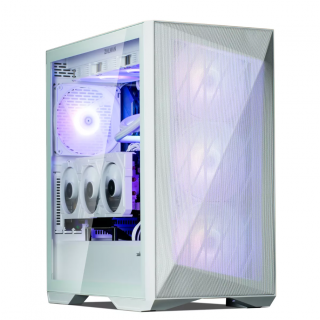 Ed's PCs Intel 4070 TI Super Build
Original price was: $4,699.$4,299Current price is: $4,299.
Ed's PCs Intel 4070 TI Super Build
Original price was: $4,699.$4,299Current price is: $4,299.
-
 Asus Notebook X1504VAP-NJ815W
Original price was: $1,704.$945Current price is: $945.
Asus Notebook X1504VAP-NJ815W
Original price was: $1,704.$945Current price is: $945.
-
 Asus Notebook E1504FA-NJ273W
Original price was: $1,439.$788Current price is: $788.
Asus Notebook E1504FA-NJ273W
Original price was: $1,439.$788Current price is: $788.
-
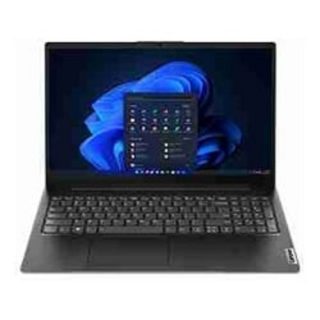 Lenovo Notebook V15-G4-83A100E1AU
Original price was: $1,049.$834Current price is: $834.
Lenovo Notebook V15-G4-83A100E1AU
Original price was: $1,049.$834Current price is: $834.
-
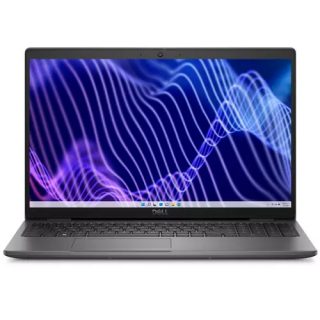 Dell Notebook 3440-N058L3440AU_VP
Original price was: $1,159.$927Current price is: $927.
Dell Notebook 3440-N058L3440AU_VP
Original price was: $1,159.$927Current price is: $927.
Leave a Reply