
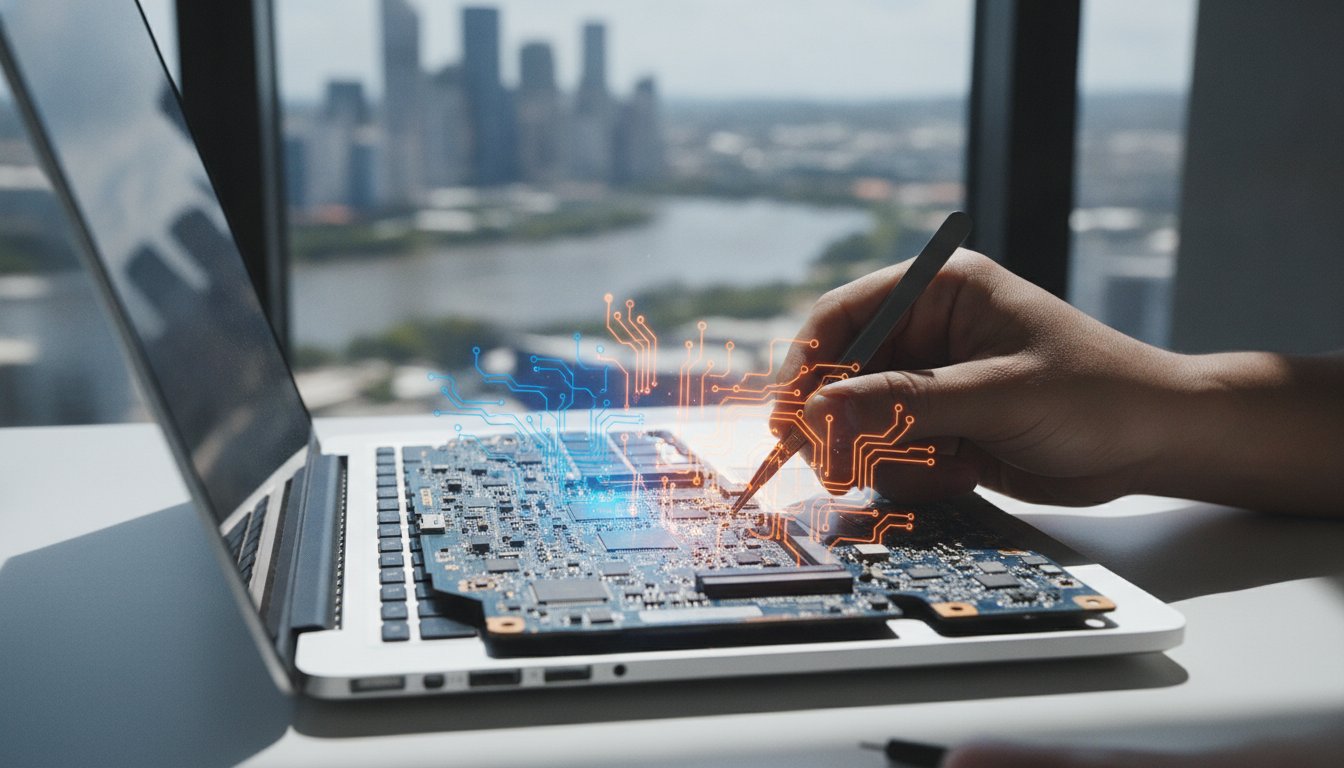
Imagine the sinking feeling of opening your laptop to find a blank screen right when you need to finish a project or look at family photos. It’s a stressful moment that usually leads to a quick search for notebook repairs near me while you worry about losing your data or being overcharged. You probably already know the frustration of dealing with big-box retailers where the staff use confusing jargon and tell you it’ll be weeks before you see your computer again.
We believe getting your tech fixed shouldn’t be a headache. This guide will show you how to get your laptop sorted quickly with professional local repairs in Brisbane that beat the national chains on price and personal service. You’ll discover how to find a specialist who prioritises your data, explains costs upfront, and returns a machine that actually runs faster than before. We’re going to break down what to look for in a local repairer so you can get back online without the long wait times or the corporate price tag.
Key Takeaways
- Choosing local notebook repairs near me avoids the long delays and shipping risks associated with sending your device away to a national service centre.
- Identify common hardware issues like cracked screens or charging faults that can be resolved quickly by a professional technician.
- Compare the “Geek Tax” of big-box retailers against the personalised service and competitive pricing offered by boutique local shops.
- Use our essential pre-repair checklist to organise your data backups and accessories before you head into the store.
- See why specialist knowledge in Macbook maintenance and gaming laptop upgrades is crucial for getting the best performance from your hardware.
Finding Reliable Notebook Repairs Near Me in Brisbane
When your laptop suddenly gives up the ghost, your first instinct is usually to grab your phone and search for notebook repairs near me. It’s a logical move. You want someone close by who can take a look immediately, rather than waiting for a courier or dealing with an anonymous call centre. Choosing a local Brisbane specialist means you can physically drop your device off and have a face-to-face chat about what’s wrong. This eliminates the shipping risks of sending your expensive hardware through the post, where it could get lost or damaged further. You aren’t just a ticket number in a massive system managed by a distant head office; you’re a neighbour who needs their tech back.
The Stress of Hardware Failure
We’ve all felt that cold pit in our stomach when the power button does absolutely nothing. Whether it’s a university deadline or a work presentation due tomorrow, a dead notebook is a major disruption. In Brisbane, our unique climate often plays a role in these failures. High humidity can lead to internal corrosion, while the local dust can clog up cooling fans and cause overheating. It’s tempting to watch a few videos and try a “dodgy” DIY fix, but modern laptops are incredibly delicate. Without a proper understanding of what a computer repair technician does, you risk causing permanent damage to the motherboard or losing your files forever. Professional help ensures the job is done right the first time.
Why Toombul Locals Choose Ed’s PCs
Ed’s PCs has spent years building a reputation as a reliable, community-focused computer shop. We aren’t a massive franchise with revolving-door staff. Instead, we’re a team of genuine enthusiasts who actually love the gear we work on. When you bring your machine to us in Toombul, you’re getting local expertise that understands the specific needs of northside residents. Our physical shopfront provides a level of accountability you won’t find with national services. You know exactly where your laptop is and who is working on it. This transparency is why we’ve become the go-to for notebook repairs near me in the local area. We pride ourselves on clear communication and fast turnarounds that get you back to your life without the corporate runaround.
Common Notebook Faults We Fix at Ed’s PCs Toombul
Laptops are marvels of portability, but that same convenience makes them prone to specific hardware and software failures. When you are scouting for notebook repairs near me, you need a technician who understands that a high-end gaming rig requires a different touch than a standard office ultrabook. At Ed’s PCs, we see a massive variety of issues every week, ranging from simple component swaps to complex motherboard diagnostics. Our goal is to get your device back to peak performance without the long wait times you’d find at a manufacturer’s service centre.
Hardware Repairs and Screen Replacements
A cracked or flickering screen is one of the most common reasons locals visit our shop. We source high-quality replacement panels for all major brands, ensuring your display looks as crisp as the day you bought it. Beyond the glass, we also tackle mechanical issues like stiff or broken hinges that cause your laptop lid to flop. For those with high-performance machines, we specialise in the intricate work required for gaming hardware. This includes deep cleaning internal fans and applying fresh, high-grade thermal paste to prevent overheating during intense sessions. If your machine feels sluggish, a quick laptop repair or an SSD upgrade can often make an older device feel brand new again.
Our workshop is equipped to handle a wide range of physical faults, including:
- Battery and Charging Ports: Replacing worn-out cells and repairing loose DC jacks so your notebook actually stays on.
- Keyboard and Trackpad Fixes: Cleaning up after the accidental coffee spill or replacing unresponsive keys.
- Internal Component Swaps: Installing new fans, motherboards, or memory modules to extend your computer’s lifespan.
- SSD Upgrades: Swapping out old mechanical drives for lightning-fast solid-state storage.
Software Troubleshooting and Virus Removal
Not every problem is physical. Sometimes your hardware is fine, but the software has become a tangled mess. We frequently help customers clear out stubborn malware and viruses that slow the system to a crawl or compromise personal data. If you are seeing the dreaded “Blue Screen of Death” or experiencing constant crashes, we can perform full operating system re-installs and driver updates to stabilise the environment. Before you bring your machine in, it’s a great idea to prepare your computer for repair by backing up your most important files. This ensures your data stays safe while we work our magic. Whether it’s a corrupted registry or a driver conflict, we’ll find the root cause and get your software running smoothly again.
Local Specialist vs. National Chains: The Real Cost
When you start looking for notebook repairs near me, it is tempting to head straight to the massive national retailers you see in every shopping centre. These big-box stores have huge marketing budgets, but they also have massive overheads that are often passed directly to the customer. This “Geek Tax” covers everything from franchise royalties to expensive prime real estate, which means you pay more for a service that is frequently less specialised. Choosing a PC repair Toombul specialist instead means your money stays in the community while you receive a level of care that a corporate script simply cannot provide.
Turnaround Times and Reliability
The most significant difference between a local shop and a national chain is often how long you’ll be without your computer. Many large retailers don’t actually perform repairs on-site. Instead, they act as a collection point, posting your laptop to a central repair hub, sometimes even interstate. This process can turn a simple two-day fix into a three-week ordeal. At Ed’s PCs in Toombul, we handle our work in-house. You can speak directly with the person actually fixing your gear, which ensures nothing gets lost in translation. This direct line of communication is invaluable when you have specific data you need protected or a deadline that won’t wait for a courier to cross the border.
Value for Money Without Cutting Corners
Local specialists pride themselves on transparent quoting. We don’t hide behind “standardised pricing” models that charge you a flat fee regardless of how simple the fix is. Our focus is on providing value that makes sense for your specific situation. The global Right to Repair movement has gained momentum because consumers are tired of being told a device is “unfixable” just so they’ll buy a new one. We take the opposite approach. If a repair is viable and cost-effective, we’ll recommend it. We use high-quality parts that are built to last, rather than the cheapest alternatives found on auction sites.
You’ll also find that local advice is tailored to your actual needs. A salesperson at a national chain might be pressured to meet a monthly sales quota, leading them to suggest a replacement you don’t really need. We’d rather fix your current machine and see you walk out with a working laptop and a few hundred dollars still in your pocket. This honest, service-first mindset is why notebook repairs near me should always lead you to a local expert who values your long-term satisfaction over a one-off sale. It is about getting your tech sorted properly, the first time, without the corporate runaround. If you’re unsure whether your device is worth saving, our guide on computer repair services Toombul can help you decide if a repair is the right investment for your specific situation.
Pre-Repair Checklist: Organise Your Device Before Visiting
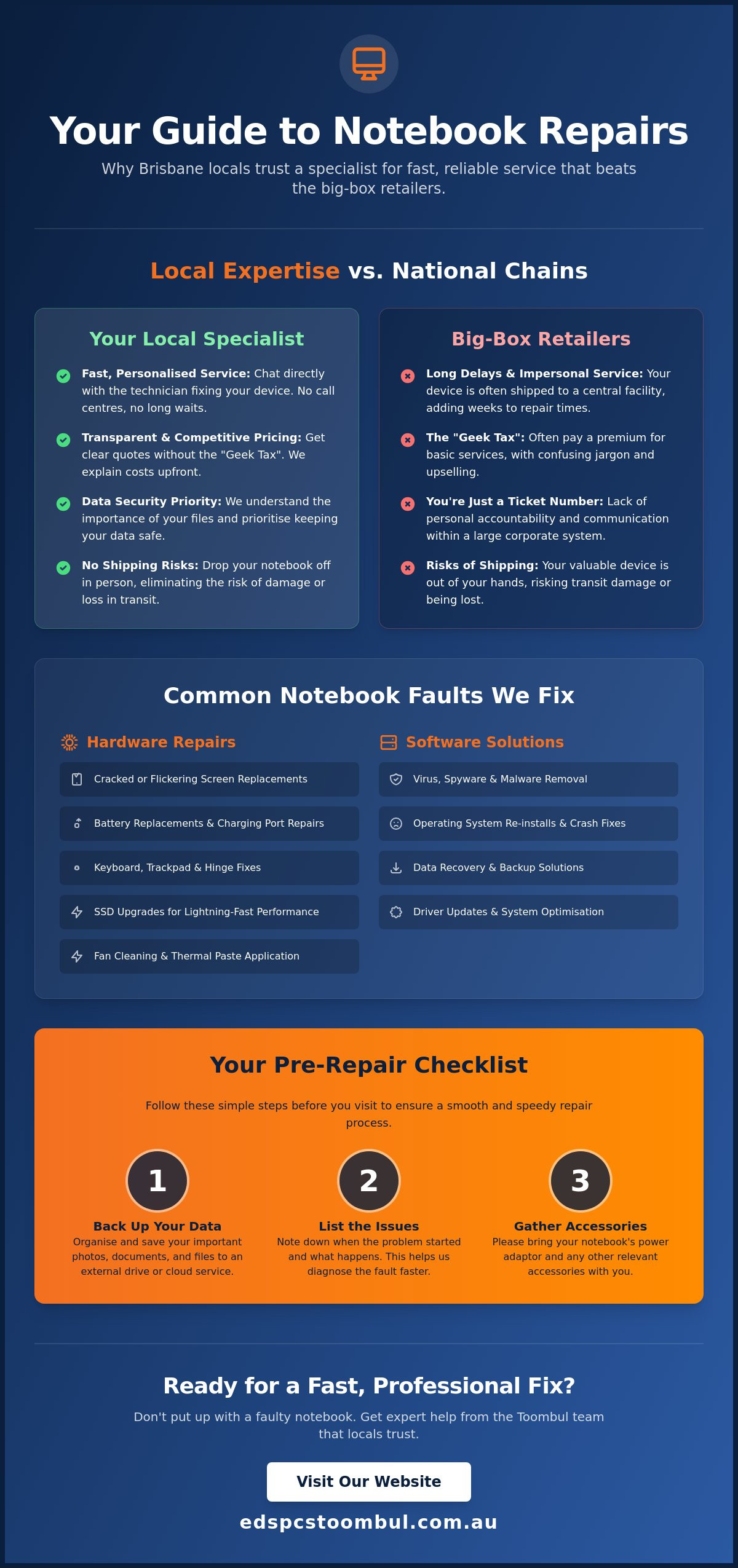
Taking a few minutes to prep your machine can drastically speed up the diagnostic process. When you have found a reliable spot for notebook repairs near me, you want to make sure the technician has everything they need from the moment you walk in. This simple preparation prevents unnecessary back-and-forth phone calls and ensures your laptop stays in the workshop for the shortest time possible. It is about making the transition from a broken device to a working one as seamless as possible for both you and the repair team.
Securing Your Personal Data
Your files, photos, and work documents are often more valuable than the laptop hardware itself. While we always prioritise data integrity during every fix, hardware failure can be unpredictable; especially if the motherboard or storage drive is failing. We strongly recommend using cloud storage services like OneDrive or Google Drive to sync your most important folders. Alternatively, plug in an external hard drive and drag across your “Must-Have” files before you head into the shop. For a deeper look at what you can manage yourself versus what requires a professional touch, see The Ultimate Guide to Repairing Your Computer. Having a fresh backup gives you total peace of mind while your device is on the workbench.
What to Bring to the Shop
One of the most common mistakes people make when searching for notebook repairs near me is leaving the charger at home. Your original power brick is essential for our testing process. Many issues that look like internal hardware failure are actually caused by a faulty power supply or a specific power delivery handshake that only happens with your specific adapter. If your problem involves an external monitor, a specialised docking station, or a particular mouse, bring those along too. It helps us replicate the exact environment where the fault occurs so we can find the root cause faster.
To help us get straight to work, try to have the following information ready:
- Login Details: We need to get into the operating system to test the hardware and verify the fix. Please remove your password temporarily or write it down for us.
- Symptom History: Note down exactly when the fault happens. Does it only occur when the battery is low, or perhaps after you have been gaming for an hour?
- Recent Changes: Let us know if the issue started immediately after a software update, a physical knock, or an accidental liquid spill.
Clear communication is the fastest way to a successful fix. If you have gathered your gear and backed up your data, you can contact our Toombul technicians to get your repair underway immediately.
Why Toombul Locals Trust Ed’s PCs for Specialist Repairs
Finding a reliable spot for notebook repairs near me often feels like a gamble. You want a technician who actually knows their way around a motherboard, not someone just reading from a manual. At Ed’s PCs, we have spent years refining our craft right here in Toombul. We have become the trusted choice for northside residents because we offer a level of transparency and technical depth that national franchises simply can’t match. Our customers appreciate that they can walk in, speak to an enthusiast, and get a straight answer about their gear without any corporate fluff.
This community-first approach is what sets a knowledgeable local specialist apart from the rest. We take pride in our craftsmanship and the fact that we treat every machine as if it were our own. Whether you are dealing with a slow system or a complete hardware failure, we focus on providing a service that is both personal and professional. We don’t just want to fix your computer; we want to make sure you understand how to keep it running perfectly for years to come.
Apple Macbook and High-End Hardware Expertise
Macbooks require a very specific, delicate touch. The internal layout of an Apple device is a masterpiece of engineering, which means standard repair techniques often fall short. We have deep expertise in Apple hardware maintenance, from screen replacements to logic board diagnostics. This level of precision is similar to the technical expertise found at Eurotech Automotive, where specialists handle the intricate systems of European vehicles. We use the right tools and the right parts to ensure your device performs as expected, and this specialised care extends to our high-end gaming community as well.
Gaming laptops are notorious for thermal issues because they pack so much power into a tiny space. We understand the nuances of AMD rigs and high-performance notebooks that need regular deep cleaning and thermal management. If you are thinking about your next upgrade or want to see what makes a great system, have a look at our article on Choosing the Best Gaming PC in Brisbane. We treat these machines with the care they deserve, ensuring they stay cool even under heavy loads.
Mobile and Onsite Service Options
We know that life in Brisbane can be busy. Sometimes you simply can’t make it into our Toombul shop during the day. This is why we offer flexible onsite service options for homes and offices. If your printer refuses to connect or your home network is dropping out, our mobile repair team can come to you. We handle onsite printer installations and network troubleshooting so you don’t have to lug your entire setup into the store.
Our goal is to be your partner in technology, providing help whenever and wherever you need it. From the moment you search for notebook repairs near me to the day you pick up your perfectly functioning laptop, we aim to exceed your expectations. If your tech is giving you grief, don’t settle for mediocre service. Visit us in-store at Toombul or give us a bell today to get your gear sorted by the locals who know it best.
Get Your Laptop Back to Peak Performance
Your laptop is an essential tool for your daily life; a hardware failure shouldn’t keep you offline for weeks. By choosing a local specialist over a national chain, you avoid unnecessary delays and hidden costs while receiving advice tailored to your specific needs. We have discussed the importance of preparing your device and why specialist knowledge is vital for complex hardware like Apple Macbooks and high-end gaming rigs. When you search for notebook repairs near me, you deserve a team that prioritises your data and offers transparent, upfront communication.
Our local Brisbane northside shopfront is staffed by enthusiasts who take pride in every fix, from simple screen replacements to intricate motherboard work. We are ready to help you overcome the frustration of a broken device with professional care and fast turnarounds. Get your notebook sorted at Ed’s PCs Toombul today and experience the difference that expert Macbook and Apple repairs can make for your system. We look forward to seeing you in-store and getting your tech running faster than ever before.
Frequently Asked Questions
How much do notebook repairs usually cost in Brisbane?
The cost of a repair depends on the specific fault and the parts required to fix it. A simple software tune-up or a battery replacement is generally more affordable than complex hardware jobs like a motherboard repair or a high-end touchscreen replacement. We provide a clear, upfront quote after our initial diagnostic so you know exactly what to expect before any work begins on your device.
Can you fix a laptop screen that is completely cracked?
Yes, we can replace completely shattered or cracked displays with high-quality new panels. We source replacement screens for all major brands, including specialised displays for gaming notebooks and Macbooks. Our technicians carefully remove the damaged glass and install a fresh panel to restore your laptop to its original condition, ensuring the brightness and clarity match the factory standards.
How long will it take to get my notebook back?
Most common repairs are completed within a few business days, depending on whether we have the necessary parts in stock. Because we perform all our work on-site in Toombul, you don’t have to worry about the long delays caused by shipping devices to interstate repair hubs. We prioritise fast turnarounds for notebook repairs near me so you can get back to your work or studies without a long wait.
Do you provide repairs for Apple Macbooks and iMacs?
We specialise in Apple hardware maintenance and can handle everything from Macbook screen replacements to battery swaps. Our team understands the delicate internal architecture of Apple devices and uses the correct tools to ensure a professional result. Whether you’re dealing with a failing trackpad or a corrupted operating system, we provide the expert care your Apple gear requires to run smoothly again.
Is it worth repairing an old laptop or should I buy a new one?
It often makes sense to repair a laptop if the hardware is still relatively modern and a simple fix or an SSD upgrade can boost its performance. If your current machine meets your needs, a professional repair is usually much cheaper than buying a brand-new device. We’ll always give you an honest assessment of your laptop’s condition and let you know if a repair is a sound investment.
Do I need to book an appointment before coming into the Toombul shop?
You don’t need an appointment to drop off your device for notebook repairs near me at our Toombul shopfront. We welcome walk-ins during our standard business hours, allowing you to speak directly with a technician about the issues you’re experiencing. We’ll get the check-in process started immediately and move your laptop into our diagnostic queue so we can identify the problem as quickly as possible.
Will I lose my data if I get my laptop repaired?
We take every precaution to protect your data, but we always recommend performing a backup before bringing any device in for service. Most hardware repairs, such as screen or battery replacements, don’t involve your storage drive at all. However, having a fresh backup of your important photos and documents on an external drive or cloud service is the best way to ensure your personal files remain safe.
Can you fix a notebook that has had liquid spilled on it?
We can often save a liquid-damaged laptop if you act quickly and bring it into the shop immediately. The most important step is to turn the power off and avoid plugging it into a charger, as this prevents further electrical shorts. Our technicians will disassemble the unit, perform a deep clean to remove any corrosion, and test the internal components to see what can be salvaged.


Popular
-
 Ed's PCs Intel 4070 TI Super Build
Original price was: $4,699.$4,299Current price is: $4,299.
Ed's PCs Intel 4070 TI Super Build
Original price was: $4,699.$4,299Current price is: $4,299.
-
 Asus Notebook X1504VAP-NJ815W
Original price was: $1,704.$945Current price is: $945.
Asus Notebook X1504VAP-NJ815W
Original price was: $1,704.$945Current price is: $945.
-
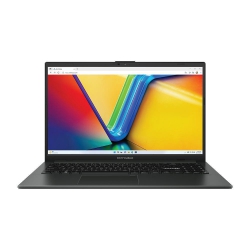 Asus Notebook E1504FA-NJ273W
Original price was: $1,439.$788Current price is: $788.
Asus Notebook E1504FA-NJ273W
Original price was: $1,439.$788Current price is: $788.
-
 Lenovo Notebook V15-G4-83A100E1AU
Original price was: $1,049.$834Current price is: $834.
Lenovo Notebook V15-G4-83A100E1AU
Original price was: $1,049.$834Current price is: $834.
-
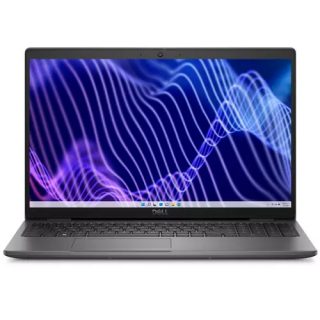 Dell Notebook 3440-N058L3440AU_VP
Original price was: $1,159.$927Current price is: $927.
Dell Notebook 3440-N058L3440AU_VP
Original price was: $1,159.$927Current price is: $927.
Leave a Reply